The Coolest Chess 3D
Updated
Current Version
0.09
Offered By

With your passion for The Coolest Chess 3D, you shouldn’t have to limit yourself to the small screen of a phone. Play like a pro and take full control of the game using a keyboard and mouse. MEmu gives you everything you’re looking for. Download and play The Coolest Chess 3D on PC. Play as long as you want — no more worries about battery life, mobile data, or unexpected calls. The all-new MEmu 9 is the best way to play The Coolest Chess 3D on PC. With our expertly designed keymapping system, The Coolest Chess 3D feels just like a real PC game. The MEmu multi-instance manager lets you run two or more accounts on the same device at the same time. Most importantly, our exclusive emulation engine unlocks your PC’s full potential, delivering smooth and seamless performance.
Show more
Download The Coolest Chess 3D on PC with MEmu Android Emulator. Enjoy playing on big screen. chess 3d is a unique medieval-style chess game.
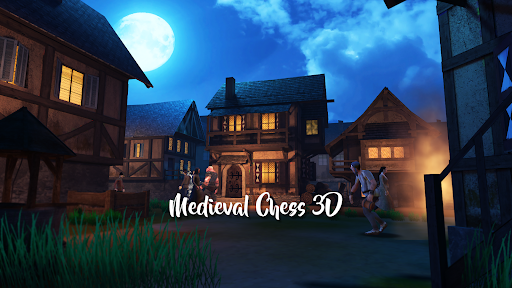
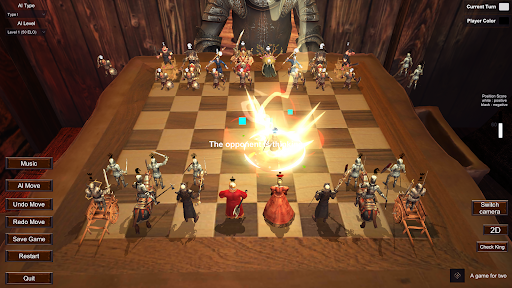
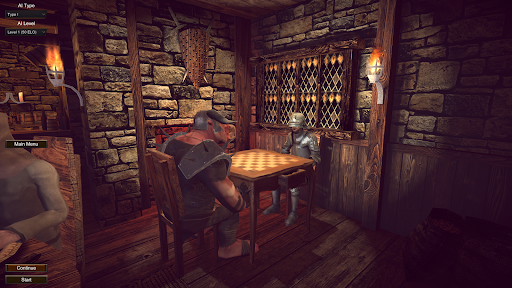
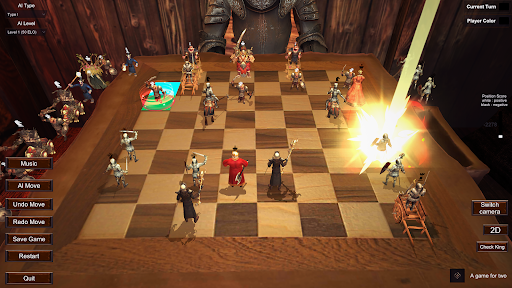
chess 3d is a unique medieval-style chess game. It takes you into the medieval World of Warcraft and the great showdown between humans and orcs. It combines traditional chess gameplay with vivid and interesting anthropomorphic chess pieces, creating a You are presented with an unprecedented immersive battlefield experience, with a relaxed and humorous game atmosphere and music style. We are in a medieval tavern. In this game, you will play the role of a wise man in the medieval kingdom, commanding your heroic chess pieces in A fierce battle takes place on the ancient chessboard. Each chess piece is no longer a cold wooden doll, but a lifelike hero with its own characteristics. Some of them wear armor and hold swords, while others wear robes and hold wands. Each has unique skills and background stories.
Game features:
chess 3d Anthropomorphic chess pieces: Each chess piece is a hero in a medieval kingdom, with a unique personality and abilities. Through carefully designed character settings, players can have a deeper understanding of the background story of each chess piece and enhance the sense of immersion in the game.
Vivid visual effects: The game uses exquisite medieval-style graphics, making players feel like they are in a medieval tavern. Gorgeous chess piece design and realistic scene rendering bring players an immersive gaming experience.
Full of strategy: Ultra-high AI system, free switching of AI levels, which can reach up to level 11 The game retains the core gameplay of chess, which requires players to have excellent strategic vision and tactical thinking. . Players need to develop the best offensive and defensive strategies based on the opponent's layout and the abilities of the pieces.
Rich and diverse game modes: We can use one mobile phone and two players to compete together.
chess 3d is a fun and chess game. Whether you are a chess enthusiast or a novice player, you will find fun and challenge in this game. Would you like to collect this game? Thank you for your support and encouragement, thank you.
Show more

1. Download MEmu installer and finish the setup

2. Start MEmu then open Google Play on the desktop

3. Search The Coolest Chess 3D in Google Play
Install
4. Download and Install The Coolest Chess 3D
5. On install completion click the icon to start

6. Enjoy playing The Coolest Chess 3D on PC with MEmu
MEmu Play is the best Android emulator and 100 million people already enjoy its superb Android gaming experience. The MEmu virtualization technology empowers you to play thousands of Android games smoothly on your PC, even the most graphic-intensive ones.
Bigger screen with better graphics; Long duration, without limitation of battery or mobile data.
Full Keymapping support for precise control of keyboard and mouse or gamepad.
Multiple game accounts or tasks on single PC at one time with Multi-Instance manager.
Play The Coolest Chess 3D on PC by following steps: