Weapon Ball Battles
Updated
Current Version
1.4.0
Offered By

With your passion for Weapon Ball Battles, you shouldn’t have to limit yourself to the small screen of a phone. Play like a pro and take full control of the game using a keyboard and mouse. MEmu gives you everything you’re looking for. Download and play Weapon Ball Battles on PC. Play as long as you want — no more worries about battery life, mobile data, or unexpected calls. The all-new MEmu 9 is the best way to play Weapon Ball Battles on PC. With our expertly designed keymapping system, Weapon Ball Battles feels just like a real PC game. The MEmu multi-instance manager lets you run two or more accounts on the same device at the same time. Most importantly, our exclusive emulation engine unlocks your PC’s full potential, delivering smooth and seamless performance.
Show more
Download Weapon Ball Battles on PC with MEmu Android Emulator. Enjoy playing on big screen. WEAPONIZED BALLS.
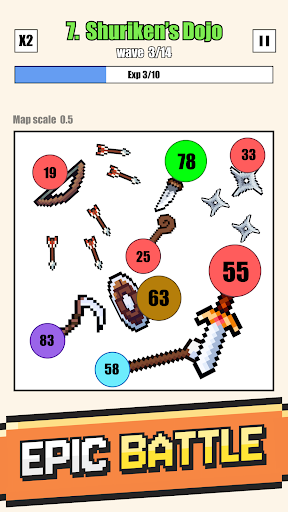
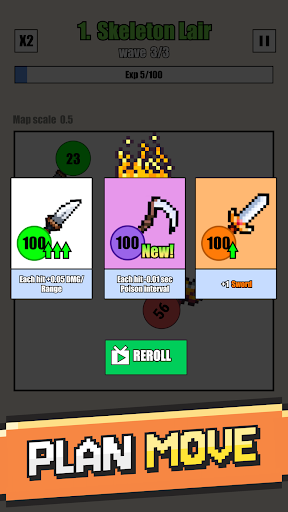
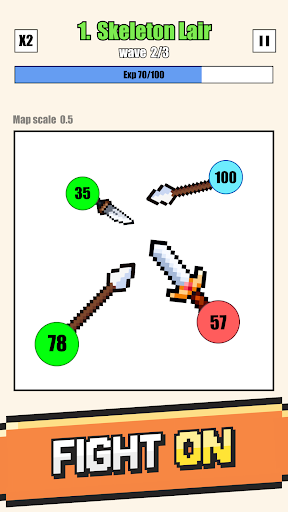
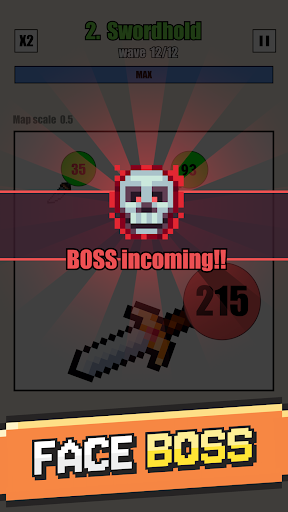
WEAPONIZED BALLS
For a combo idle and strategy game, look no further than Weapon Ball Battles! This fight simulator allows you to arm your battle balls with a variety of weapons, then set them loose upon your enemies to see who will prevail. Throughout the ball fight make strategic choices about which upgrades to choose, and enjoy crushing bosses and defeating waves of enemies. Off the battlefield you can pick up fun upgrades and other items that will help you win in boss fights and build an army of strong battle balls.
BOUNCING BATTLES
Each level you’ll start off with a choice of weapon balls – from there you’ll get chances to add more or upgrade the ones you already have. Let them loose in the arena where they’ll bounce around and watch as they do damage to the enemy balls. Periodically you’ll get the opportunity to choose from a three exciting boosters, so be strategic and soon you’ll be the boss of this fun auto battle fight simulator!
What makes this so much fun:
Idle gaming: other than choosing your weapon balls and boosters this strategy game is fairly hands off, making it great for all ages and all situations. You’ll be able to dedicate 100% of your strategic thinking skills to making the right choices each ball battle, and then sit back to watch how it plays out.
Bountiful battles: This is a weapon ball battle game after all, so expect more battles and boss fights than you can shake a spear at! As you progress things will get harder, so enjoy the easy ball fights now and learn all you can about how each weapon works.
⏫ Strategic play: While this is an auto battle and idle game, the strategy element is oh so important if you want to win big. Choose which weapon balls to deploy and which ones to upgrade when is no easy feat, especially when you never know what boss might be lurking for you in the next level. Will you go for more damage? Or perhaps more speed? How about healing your weapon ball fighters? Upgrade wisely!
BATTLE BALLS AT THE READY
Next time you have a few minutes to spare and a hankering for some idle yet strategic fun, have a go at Weapon Ball Battles. Pick your fighter balls wisely in this simulator, then let them loose in the arena to bounce attack the enemy balls – along the way you’ll get to pick a few strategic upgrades and hope that you chose right as the levels progress and you face off against bigger bosses and crazier enemies. Fast-paced and with great graphics, you’re sure to love all of the upgrade options both on and off the battlefield, and this auto battler will have you hankering for more!
Privacy Policy: https://say.games/privacy-policy
Terms of Use: https://say.games/terms-of-use
Show more

1. Download MEmu installer and finish the setup

2. Start MEmu then open Google Play on the desktop

3. Search Weapon Ball Battles in Google Play
Install
4. Download and Install Weapon Ball Battles
5. On install completion click the icon to start

6. Enjoy playing Weapon Ball Battles on PC with MEmu
MEmu Play is the best Android emulator and 100 million people already enjoy its superb Android gaming experience. The MEmu virtualization technology empowers you to play thousands of Android games smoothly on your PC, even the most graphic-intensive ones.
Bigger screen with better graphics; Long duration, without limitation of battery or mobile data.
Full Keymapping support for precise control of keyboard and mouse or gamepad.
Multiple game accounts or tasks on single PC at one time with Multi-Instance manager.
Play Weapon Ball Battles on PC by following steps: