AirVid-AI Quality Enhancer Pro
更新日
現在のバージョン
1.6.6
提供元

スマートフォンは不要!パソコンと同じようにキーボードとマウスで操作できます。MEmu Playは、あなたが待ち望んでいたすべての楽しみをお届けします。バッテリー残量や小さな画面を気にすることなく、AirVid-AI Quality Enhancer Proをご利用ください。最新のMEmu 9は、AirVid-AI Quality Enhancer ProをPCで体験するのに最適です!完璧なキーマッピングシステムにより、PCのようなスムーズな操作性を実現します。マルチインスタンス機能により、複数のアプリケーションを同時に実行できます。独自の仮想化エンジンがPCのパフォーマンスを最大限に引き出します。アプリを使用するだけでなく、高品質な体験を得ることができます。
もっと見る
AirVid-AI Quality Enhancer ProをPCでダウンロード!大画面でより楽しむ。電源が落ちてしまうとか通信料が足りないとかの問題を心配する必要がなく、PCの大画面でより快適にゲームを楽しましょう! Elevate your video content creation to an entirely new level with the versatile and feature-packed AirVid app!
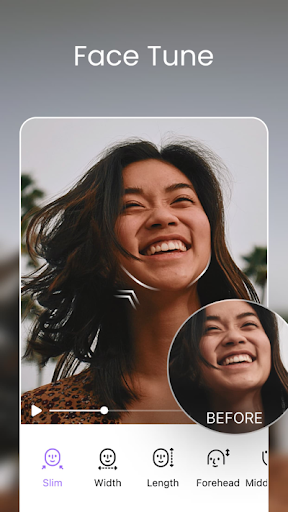
Elevate your video content creation to an entirely new level with the versatile and feature-packed AirVid app!
Designed for both casual users and professional content creators, AirVid is your one-stop solution for enhancing, transforming, and perfecting your videos.
**Video Enhancement:**
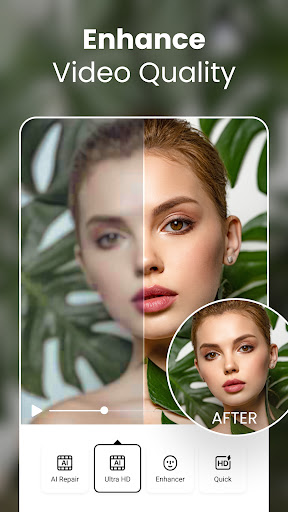
- Boost video resolution to achieve stunning clarity and detail.
- Enhance all aspects of your videos, from colors to overall sharpness.
- Illuminate eyes and hair to make your subjects truly shine.
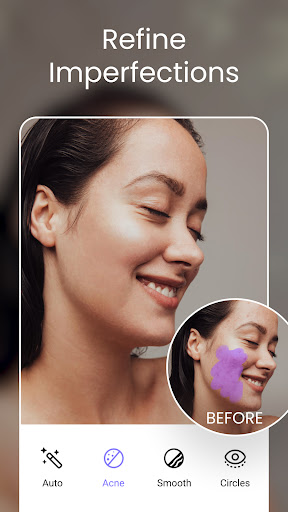
**Precision Retouching and Reshaping:**
- Customize your subjects with surgical precision by adjusting head, waist, and shoulder sizes.
- Stretch and compress to fine-tune height for perfect proportions.
- Magnify or reduce specific areas of your video for meticulous editing.
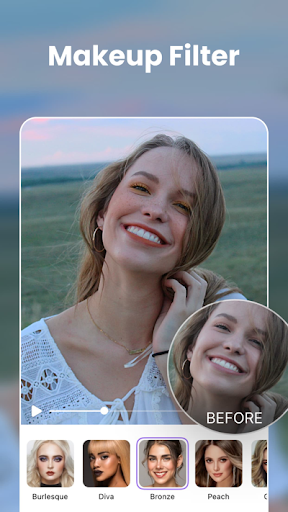
- Achieve impeccable looks with makeup filters that effortlessly add glamour and polish.
Stay connected with us on social media to stay updated, share your creations, and engage with a vibrant community of fellow video enthusiasts:
- Instagram: https://www.instagram.com/airbrushvideoapp/
- Facebook: https://www.facebook.com/airbrushappofficial
- Twitter: https://twitter.com/AirbrushApp
Download AirVid now and unlock the full potential of your video content. Whether you're working on professional projects or simply want to make your personal videos shine, AirVid empowers you with a wide range of tools and features to turn every video into a true masterpiece.
For more detailed information about our app and its usage, please read our:
**Terms of Service:** https://airbrush.io/tools/legal/terms-of-service
**Privacy Policy:** https://airbrush.io/tools/legal/privacy-policy
Join the AirVid revolution today and discover a world of creative possibilities for your videos!
もっと見る

1. MEmuインストーラーをダウンロードしてセットアップを完了する

2. MEmuを起動し、デスクトップでのPlayストアを開く

3. PlayストアでAirVid-AI Quality Enhancer Proを検索する
Install
4. AirVid-AI Quality Enhancer Proをダウンロードしてインストールする
5. インストールが完了したら、アイコンをクリックしてスタート

6. MEmuを使ってパソコンでAirVid-AI Quality Enhancer Proを体験する
MEmu Playは現在、最高の無料Androidエミュレーターであり、5,000万人のユーザーが優れたAndroidアプリ体験を楽しんでいます。MEmuの仮想化テクノロジーにより、数千ものAndroidアプリをコンピューターでスムーズに実行できます。
大画面でより精細;無限の待機、電池とドラフィックの極限を超え
キーボード・マウス・コントローラーを全力でサポート、より快適
マルチインスタンスで複数のゲームを同時に実行
Use AirVid-AI Quality Enhancer Pro on PC by following steps: