Customuse: Skins Maker Roblox
Обновлено
Текущая версия
1.55.0
Продавец

Перестаньте беспокоиться о быстром разряде батареи при использовании Customuse: Skins Maker Roblox на вашем телефоне. Освободитесь от крошечного экрана и наслаждайтесь приложением на гораздо большем экране. Теперь вы можете работать с приложением в полноэкранном режиме с удобством клавиатуры и мыши. MEmu предлагает вам все ожидаемые удивительные функции: быструю установку и простую настройку, интуитивно понятное управление и больше никаких забот о времени автономной работы, мобильном трафике или неожиданных звонках. Совершенно новый MEmu 9 — идеальный выбор для использования Customuse: Skins Maker Roblox на вашем компьютере. С помощью менеджера нескольких экземпляров MEmu вы можете одновременно использовать два или более аккаунтов. И самое главное, наш эксклюзивный движок эмуляции раскрывает весь потенциал вашего ПК, обеспечивая плавную и приятную работу.
Показать больше
Скачайте Customuse: Skins Maker Roblox на ПК с помощью Андроид эмулятора MEmu. Наслаждайтесь на большом экране. Join the growing community of over 2 million designers and creators with Customuse, the ultimate 3D design tool.
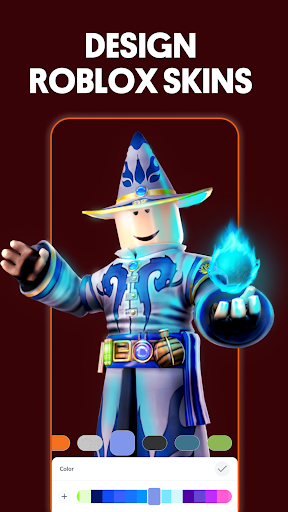
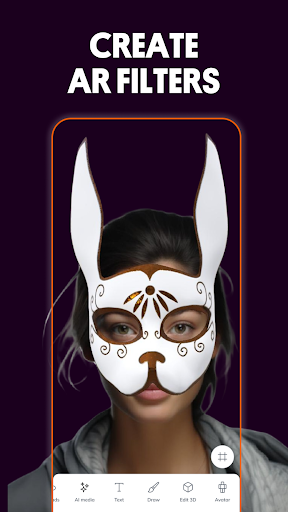
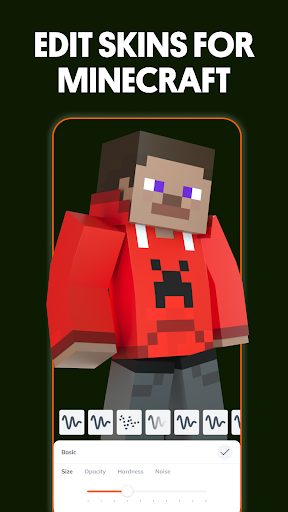
Join the growing community of over 2 million designers and creators with Customuse, the ultimate 3D design tool. Make unique Roblox skins, design Zepeto clothes, create Minecraft avatars, customize filters for TikTok/Snapchat/Instagram and much more.
MAKE ROBLOX SKINS
- Design your dream Roblox skin in seconds.
- Pick from thousands of templates or start from scratch.
- Publish your designs directly to Roblox with a few clicks or upload to Roblox Studio.
- Earn Robux by selling your clothing designs on the Roblox marketplace. Customuse creators are earning 100,000+ Robux with their unique designs.
- Get inspired with design suggestions from other creators to elevate your Roblox shirts and outfits.
CREATE MINECRAFT SKINS
- Build unique Minecraft skins with ease.
- Use Customuse to enhance your Minecraft gaming experience.
- Share your creations directly to Minecraft and social media channels.
- Add 3D accessories and features to make your avatar truly unique.
DESIGN ZEPETO CLOTHES
- Create Zepeto outfits that turn heads.
- Use our ready-made templates or go custom.
- Earn ZEMs by sharing your fashion designs to the Zepeto marketplace and social media.
- Turn your fashion design dreams into reality.
- Share your Zepeto designs across platforms to boost your fashion profile.
CUSTOMIZE FILTERS FOR SOCIAL MEDIA
- Make custom AR filters for Instagram, Snapchat, and TikTok.
- Use our AI tools to create face filters that everyone will want to use.
- Test and share your filters directly on social media platforms.
- Create dynamic social media posts with AR elements that capture attention.
CREATE 3D CLOTHING MOCKUPS
- Design your own clothes and see how they fit with our virtual try-on feature.
- Make designer clothing for any occasion.
- Share your clothing mockups in social media posts.
- Explore styles and fabrics in 3D, perfect for aspiring fashion designers.
- Add your own branding or make a logo and custom prints with our graphic design tools.
AI TOOLS
- Use our AI generator to make Roblox and Minecraft skins with just a prompt.
- Get design suggestions tailored to your needs.
- Boost your 3D designs with AI-assisted features.
- Perfect for 3D modeling enthusiasts looking to jump into the metaverse.
- Discover new design realms with AI-driven insights and analytics.
ADDITIONAL FEATURES
- Customuse is perfect for creating robust social media posts that stand out.
- Whether you're a 3D modeling beginner or a pro, you'll find tools that fit your skill level.
- Use Customuse on multiple devices including iPhone, Desktop or even as your Roblox Studio for iPad.
Start creating today!
Privacy policy: https://customuse.com/privacy/privacy.pdf
Terms of use: https://customuse.com/terms-of-service/terms-of-service.pdf
Do you have questions or comments? Get in touch: https://discord.com/invite/customuse
DISCLAIMER: This application is not affiliated with Roblox Corporation, Mojang AB, Snapchat, Naver Z, Meta, TikTok. Name, brand and assets (Roblox, Minecraft, Snapchat, ZEPETO, Instagram) are the property of their respective platform owners.
Показать больше

1. Скачать инсталлятор MEmu и завершайте установку

2. Запускайте MEmu, затем откройте Google Play на главной странице

3. Ищите Customuse: Skins Maker Roblox в Google Play
Install
4. Скачайте и установите Customuse: Skins Maker Roblox
5. При завершении установки, нажмите на значок для старта

6. Наслаждайтесь Customuse: Skins Maker Roblox на своем компьютере с помощью MEmu.
MEmu Play — лучший бесплатный эмулятор Android, превосходный опыт работы с которым оценили 50 миллионов пользователей. Технология виртуализации MEmu позволяет без проблем запускать тысячи Android-приложений на вашем компьютере, даже самые требовательные.
Большой экран с лучшей графикой; Большая продолжительность, без ограничения батареи или мобильных данных.
Полная поддержка установки клавиш для точного управления клавиатурой и мышью или геймпадом.
Несколько игровых учетных записей или задач на одном компьютере одновременно с менеджером нескольких экземпляров.
Use Customuse: Skins Maker Roblox on PC by following steps: