Ages of Conflict World War Sim
更新日期
目前版本
4.4.0
提供者

愛玩Ages of Conflict World War Sim的你,雙手不應該被束縛在智慧手機的小屏幕上。像職業選手一樣用鍵盤和滑鼠來全面控制你的遊戲吧。逍遙模擬器給你提供了你所有的期待。在電腦上下載、安裝Ages of Conflict World War Sim並盡情遊玩。再也不用擔心剩餘電量、流量消耗和煩人的來電。全新的逍遙模擬器9是你在電腦上遊玩Ages of Conflict World War Sim的最佳選擇!我们用心準備,完美的按鍵映射系統讓Ages of Conflict World War Sim宛如電腦遊戲;我們,用嫻熟的技術編程,逍遙多開器讓所有遊戲開好開滿;獨一無二的虛擬化引擎釋放你電腦的全部潛力,一切都入絲般順滑。我們不僅在意你怎樣遊玩,更在意如何讓你享受遊玩的樂趣!
更多
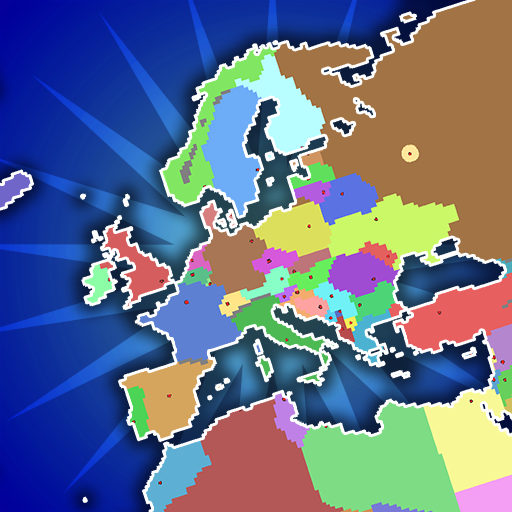
透過逍遙模擬器,在電腦上下載Ages of Conflict World War Sim,享受大熒幕的暢快體驗。 《衝突時代》是一款功能豐富的地圖模擬遊戲,您可以在無限數量的世界中創建並觀察自訂AI國家之間的戰鬥。
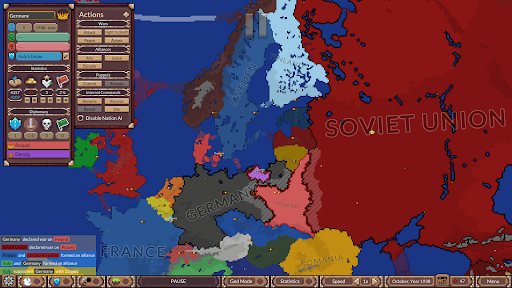
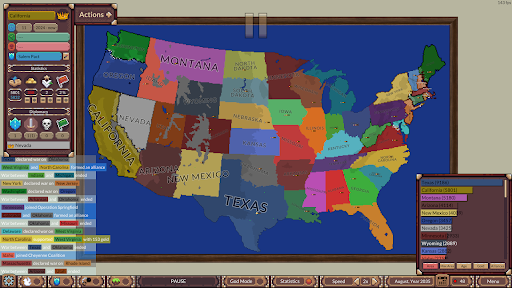
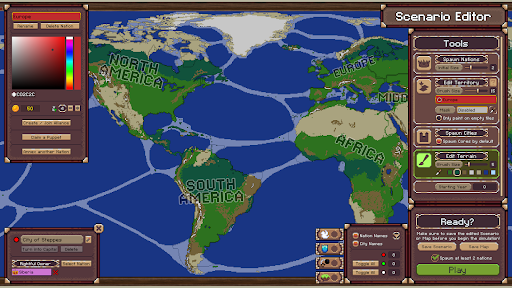
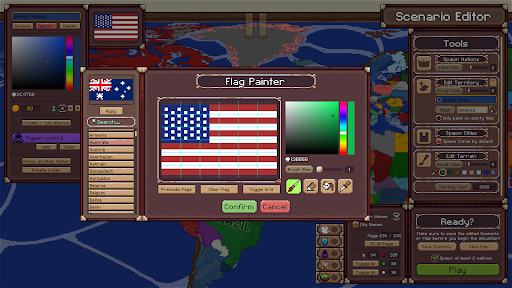
《衝突時代》是一款功能豐富的地圖模擬遊戲,您可以在無限數量的世界中創建並觀察自訂AI國家之間的戰鬥。指揮國家推動世界局勢發展,使其符合您的喜好!
** 高度可自訂的AI模擬 **
在這款遊戲中,您可以觀察自訂AI國家之間的戰鬥,最終在一場大規模的混戰中爭奪世界控制權,其中包括聯盟、叛亂、傀儡政權以及各種政治變數!
** 豐富的地圖創建器 + 上帝模式工具 **
遊戲自備預製地圖和場景,但您可以發揮創造力,自行創建!您可以隨意創建複雜的地圖和邊界!
透過直接控制國家來掌控世界歷史。在模擬的任何時候,您可以仔細編輯邊界、國家統計數據、地形和AI行為!
如果您對歷史、地理、地圖繪製或觀察混亂的局勢感興趣,《衝突時代》將滿足您的需求!
更多

1. 下載逍遙安裝器並完成設置

2. 啟動逍遙後打開位於桌面上的谷歌商店

3. 在谷歌商店中搜尋Ages of Conflict World War Sim
Install
4. 下載並安裝Ages of Conflict World War Sim
5. 下載完成後點擊圖標來啟動

6. 透過逍遙享受在電腦上玩Ages of Conflict World War Sim
逍遙安卓是優秀的安卓模擬器,全球超過5000萬用戶的優先選擇。逍遙安卓以虛擬化技術為核心,為用户打造突破手機配備局限的遊戲平台!
大屏精細展示;無限待機,超越電池和流量限制
鍵鼠,手把操作全面支持,操作更精準
用逍遙多開同時運行多個遊戲、應用。
Play Ages of Conflict World War Sim on PC by following steps: