Bridge by NeuralPlay
更新日期
目前版本
11.62
提供者

愛玩Bridge by NeuralPlay的你,雙手不應該被束縛在智慧手機的小屏幕上。像職業選手一樣用鍵盤和滑鼠來全面控制你的遊戲吧。逍遙模擬器給你提供了你所有的期待。在電腦上下載、安裝Bridge by NeuralPlay並盡情遊玩。再也不用擔心剩餘電量、流量消耗和煩人的來電。全新的逍遙模擬器9是你在電腦上遊玩Bridge by NeuralPlay的最佳選擇!我们用心準備,完美的按鍵映射系統讓Bridge by NeuralPlay宛如電腦遊戲;我們,用嫻熟的技術編程,逍遙多開器讓所有遊戲開好開滿;獨一無二的虛擬化引擎釋放你電腦的全部潛力,一切都入絲般順滑。我們不僅在意你怎樣遊玩,更在意如何讓你享受遊玩的樂趣!
更多
透過逍遙模擬器,在電腦上下載Bridge by NeuralPlay,享受大熒幕的暢快體驗。 Play rubber bridge, Chicago, duplicate teams, or practice with matchpoint scoring.
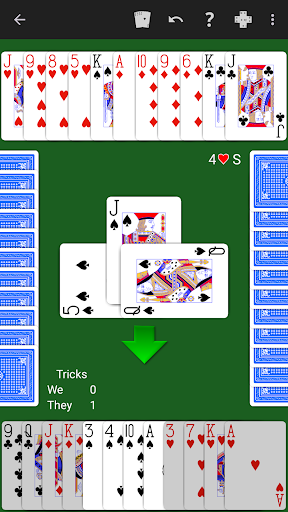
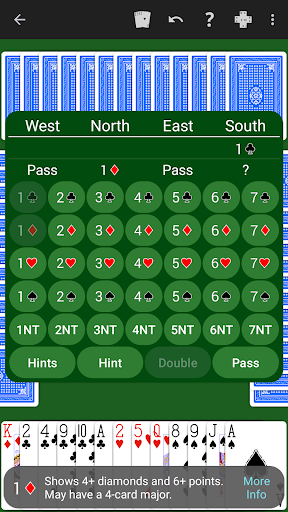
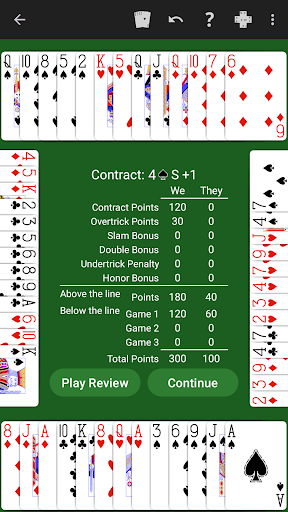
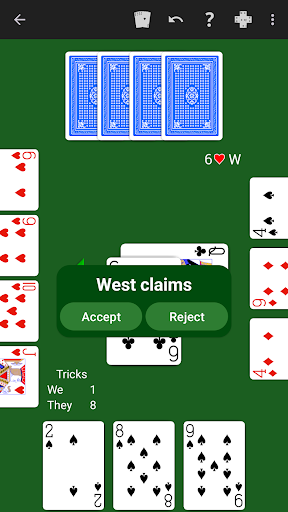
Play rubber bridge, Chicago, duplicate teams, or practice with matchpoint scoring.
Just learning Bridge? The NeuralPlay AI will show you suggested bids and plays. Play along and learn!
NeuralPlay Bridge supports the SAYC, 2/1 Game Forcing, ACOL, and Precision bidding systems.
Our unique double dummy solver provides six levels of computer AI play. Not sure about the play of a hand? Step through a double dummy solution.
NeuralPlay Bridge is designed to help you learn bridge and improve your bridge game. Learning features include:
• Hints.
• Undo.
• Offline play.
• Replay hand.
• Skip hand.
• Detailed statistics.
• Bidding explanations. Tap a bid for an explanation.
• Customization. Choose the deck backs, color theme, and more.
• Bid and play checker. Compare your bid or play with the computer's as you play!
• Play review. Review the play of the hand at the end of the hand and resume play from any point during the review.
• Double dummy solver. Explore and step through the double dummy play of the hands. Compare your result to the optimal result.
• Custom hand characteristics. Play deals with your desired distribution and point count.
Other features:
• Claim the remaining tricks and NeuralPlay's double dummy solver will verify your claim.
• Save a human readable record of your bidding and play of a hand in the Portable Bridge Notation format (PBN).
• Load a PBN file to play predealt deals or for play review.
• Deal sequences. Enter a number to play a predetermined set of hands. Share the number with a friend to play the same hands.
• Deal editor. Create and edit your own deals. Modify deals that you have played from the Deal Database.
• Deal Database. As you play, the deals you play will be added to your deal database. Review, replay, and share deals you have played.
• Achievements and leaderboards.
Detailed statistics are provided for you to further analyze your play and bidding. For example, see how many game or slam contracts you declare and make. Compare your statistics to the the AI's.
You may customize the bidding system by enabling or disabling specific conventions. Beginners may prefer to disable some conventions to create a natural bidding system.
更多

1. 下載逍遙安裝器並完成設置

2. 啟動逍遙後打開位於桌面上的谷歌商店

3. 在谷歌商店中搜尋Bridge by NeuralPlay
Install
4. 下載並安裝Bridge by NeuralPlay
5. 下載完成後點擊圖標來啟動

6. 透過逍遙享受在電腦上玩Bridge by NeuralPlay
逍遙安卓是優秀的安卓模擬器,全球超過5000萬用戶的優先選擇。逍遙安卓以虛擬化技術為核心,為用户打造突破手機配備局限的遊戲平台!
大屏精細展示;無限待機,超越電池和流量限制
鍵鼠,手把操作全面支持,操作更精準
用逍遙多開同時運行多個遊戲、應用。
Play Bridge by NeuralPlay on PC by following steps: