Choo-Choo Charles
更新日期
目前版本
1.0
提供者

愛玩Choo-Choo Charles的你,雙手不應該被束縛在智慧手機的小屏幕上。像職業選手一樣用鍵盤和滑鼠來全面控制你的遊戲吧。逍遙模擬器給你提供了你所有的期待。在電腦上下載、安裝Choo-Choo Charles並盡情遊玩。再也不用擔心剩餘電量、流量消耗和煩人的來電。全新的逍遙模擬器9是你在電腦上遊玩Choo-Choo Charles的最佳選擇!我们用心準備,完美的按鍵映射系統讓Choo-Choo Charles宛如電腦遊戲;我們,用嫻熟的技術編程,逍遙多開器讓所有遊戲開好開滿;獨一無二的虛擬化引擎釋放你電腦的全部潛力,一切都入絲般順滑。我們不僅在意你怎樣遊玩,更在意如何讓你享受遊玩的樂趣!
更多
透過逍遙模擬器,在電腦上下載Choo-Choo Charles,享受大熒幕的暢快體驗。 Charles is a bloodthirsty train, and you need to destroy him.
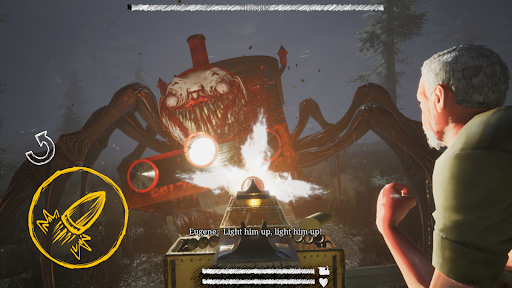
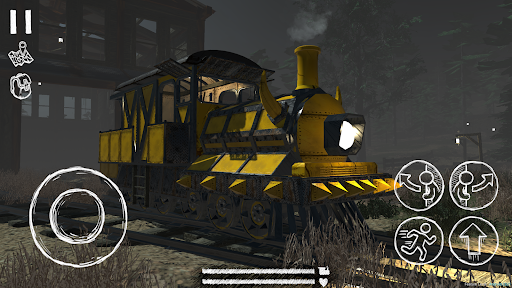
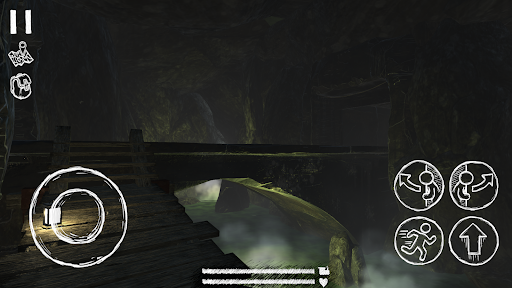
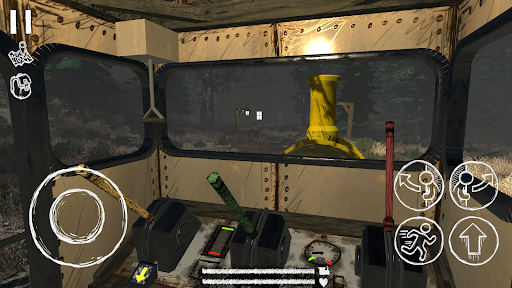
Charles is a bloodthirsty train, and you need to destroy him.
Navigate a massive play area in your trusty old engine: These winding tracks are treacherous, so you'll need to plan each mission carefully. Be wary when traveling on foot, or switching the track's direction; Charles might be waiting for you.
Upgrade your train to fit your needs: Go looting or complete missions to find "Scraps", which can be used to turn your train into a death machine on wheels.
Get help from the townspeople: Help out the settlers in return for high powered weapons, and other items vital to Charles' destruction.
Fight Charles to the death: Complete the main questline, and summon Charles to a mortal duel. If you’ve gained enough strength, firepower, and skill, Charles may finally meet his match.
更多

1. 下載逍遙安裝器並完成設置

2. 啟動逍遙後打開位於桌面上的谷歌商店

3. 在谷歌商店中搜尋Choo-Choo Charles
Install
4. 下載並安裝Choo-Choo Charles
5. 下載完成後點擊圖標來啟動

6. 透過逍遙享受在電腦上玩Choo-Choo Charles
逍遙安卓是優秀的安卓模擬器,全球超過5000萬用戶的優先選擇。逍遙安卓以虛擬化技術為核心,為用户打造突破手機配備局限的遊戲平台!
大屏精細展示;無限待機,超越電池和流量限制
鍵鼠,手把操作全面支持,操作更精準
用逍遙多開同時運行多個遊戲、應用。
Play Choo-Choo Charles on PC by following steps: