Clarice Adventure
更新日期
目前版本
3.0.24
提供者

愛玩Clarice Adventure的你,雙手不應該被束縛在智慧手機的小屏幕上。像職業選手一樣用鍵盤和滑鼠來全面控制你的遊戲吧。逍遙模擬器給你提供了你所有的期待。在電腦上下載、安裝Clarice Adventure並盡情遊玩。再也不用擔心剩餘電量、流量消耗和煩人的來電。全新的逍遙模擬器9是你在電腦上遊玩Clarice Adventure的最佳選擇!我们用心準備,完美的按鍵映射系統讓Clarice Adventure宛如電腦遊戲;我們,用嫻熟的技術編程,逍遙多開器讓所有遊戲開好開滿;獨一無二的虛擬化引擎釋放你電腦的全部潛力,一切都入絲般順滑。我們不僅在意你怎樣遊玩,更在意如何讓你享受遊玩的樂趣!
更多
透過逍遙模擬器,在電腦上下載Clarice Adventure,享受大熒幕的暢快體驗。 在這款令人興奮的 2D 平台冒險遊戲中,與克拉麗絲一起奔跑、跳躍,探索充滿活力的世界!

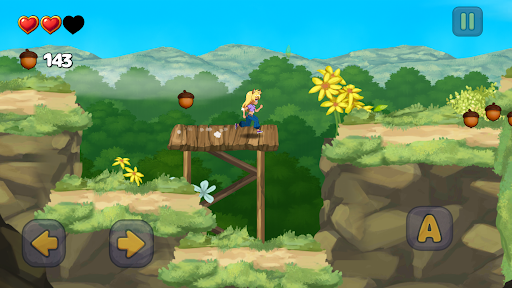
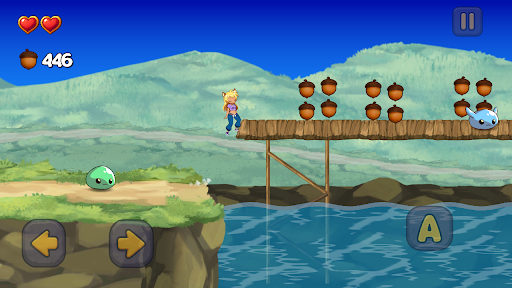
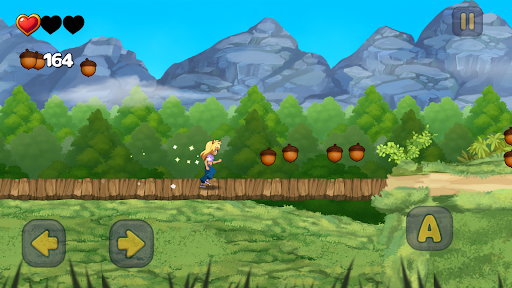
在這款令人興奮的 2D 平台冒險遊戲中,與克拉麗絲一起奔跑、跳躍,探索充滿活力的世界! 《克拉麗絲大冒險》以經典的跳躍跑酷遊戲為靈感,融合了清新的高清畫面和流暢的遊戲體驗,為您帶來懷舊的氛圍。
特色:
15 個精彩關卡等您挑戰(更多關卡將在未來更新中推出!)
精美的高清畫面和生動活潑的環境
流暢的觸控、手把和 Android TV 操控
隱藏的秘密與待您探索的收藏品
支援手把操作,帶來真正的主機級體驗
無論您是玩經典平台遊戲長大的玩家,還是初次體驗,《克拉麗絲大冒險》都易於上手,樂趣無窮。
您能幫助克拉麗絲完成她的任務嗎?
立即下載,開啟您的旅程!
更多

1. 下載逍遙安裝器並完成設置

2. 啟動逍遙後打開位於桌面上的谷歌商店

3. 在谷歌商店中搜尋Clarice Adventure
Install
4. 下載並安裝Clarice Adventure
5. 下載完成後點擊圖標來啟動

6. 透過逍遙享受在電腦上玩Clarice Adventure
逍遙安卓是優秀的安卓模擬器,全球超過5000萬用戶的優先選擇。逍遙安卓以虛擬化技術為核心,為用户打造突破手機配備局限的遊戲平台!
大屏精細展示;無限待機,超越電池和流量限制
鍵鼠,手把操作全面支持,操作更精準
用逍遙多開同時運行多個遊戲、應用。
Play Clarice Adventure on PC by following steps: