
Logic Bunch – Pro
更新日期
目前版本
3.1.2
提供者

愛玩Logic Bunch – Pro的你,雙手不應該被束縛在智慧手機的小屏幕上。像職業選手一樣用鍵盤和滑鼠來全面控制你的遊戲吧。逍遙模擬器給你提供了你所有的期待。在電腦上下載、安裝Logic Bunch – Pro並盡情遊玩。再也不用擔心剩餘電量、流量消耗和煩人的來電。全新的逍遙模擬器9是你在電腦上遊玩Logic Bunch – Pro的最佳選擇!我们用心準備,完美的按鍵映射系統讓Logic Bunch – Pro宛如電腦遊戲;我們,用嫻熟的技術編程,逍遙多開器讓所有遊戲開好開滿;獨一無二的虛擬化引擎釋放你電腦的全部潛力,一切都入絲般順滑。我們不僅在意你怎樣遊玩,更在意如何讓你享受遊玩的樂趣!
更多
透過逍遙模擬器,在電腦上下載Logic Bunch – Pro,享受大熒幕的暢快體驗。 Logic Bunch – No Ads | Relaxing Logic Puzzle Game for All Ages.

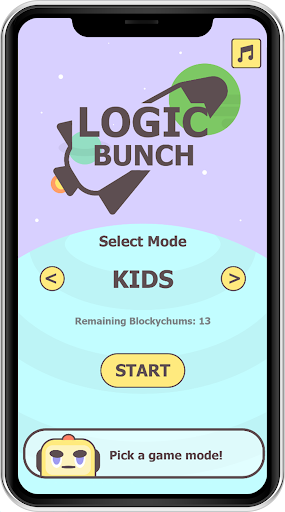
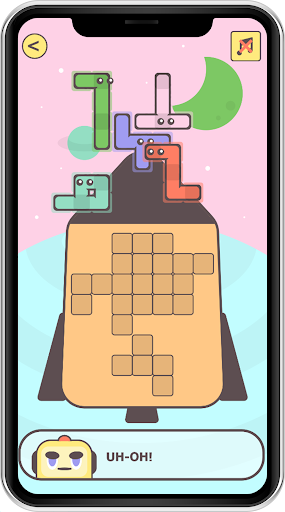
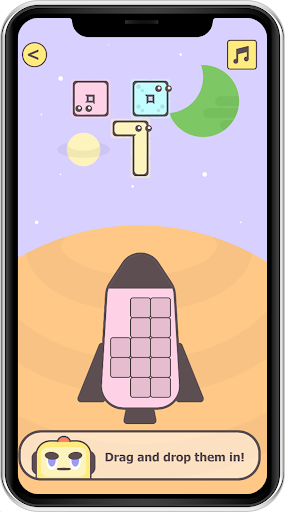
Logic Bunch – No Ads | Relaxing Logic Puzzle Game for All Ages
Logic Bunch – No Ads is a fun, relaxing, and educational logic puzzle game designed for kids and adults who love brain challenges without ads or distractions.
Solve clever puzzles by dragging, dropping, and rotating blocks to perfectly fit them into the spaceship grid. Each level is carefully designed to improve logical thinking, spatial skills, and problem-solving ability, all while enjoying a calm and colorful space theme.
Key Features
100% No Ads Puzzle Game
Easy drag, drop & rotate controls
Cute, kid-friendly characters and visuals
Improves logic, focus & brain skills
Fully puzzle game
Safe for kids & family friendly
Smooth performance on all devices
Simple Gameplay, Smart Challenges
• Observe the grid inside the spaceship
• Drag block shapes into the grid
• Rotate pieces to fit perfectly
• Fill the grid completely to win the level
As you progress, puzzles become more interesting and challenging, keeping the gameplay engaging without being stressful.
Designed for Kids & Adults
Logic Bunch is perfect for:
• Kids learning logical thinking
• Parents looking for safe, ad-free games
• Adults who enjoy relaxing brain games
• Anyone who loves clean puzzle gameplay
Calm & Distraction-Free
No ads.
No data collection.
No internet required.
Just pure logic puzzle fun.
Download Logic Bunch – No Ads today and enjoy one of the best puzzle games for kids and adults.
更多

1. 下載逍遙安裝器並完成設置

2. 啟動逍遙後打開位於桌面上的谷歌商店

3. 在谷歌商店中搜尋Logic Bunch – Pro
Install
4. 下載並安裝Logic Bunch – Pro
5. 下載完成後點擊圖標來啟動

6. 透過逍遙享受在電腦上玩Logic Bunch – Pro
逍遙安卓是優秀的安卓模擬器,全球超過5000萬用戶的優先選擇。逍遙安卓以虛擬化技術為核心,為用户打造突破手機配備局限的遊戲平台!
大屏精細展示;無限待機,超越電池和流量限制
鍵鼠,手把操作全面支持,操作更精準
用逍遙多開同時運行多個遊戲、應用。
Play Logic Bunch – Pro on PC by following steps: