
Five Nights at Freddy's 4
更新日期
目前版本
2.0.4
提供者

愛玩Five Nights at Freddy's 4的你,雙手不應該被束縛在智慧手機的小屏幕上。像職業選手一樣用鍵盤和滑鼠來全面控制你的遊戲吧。逍遙模擬器給你提供了你所有的期待。在電腦上下載、安裝Five Nights at Freddy's 4並盡情遊玩。再也不用擔心剩餘電量、流量消耗和煩人的來電。全新的逍遙模擬器9是你在電腦上遊玩Five Nights at Freddy's 4的最佳選擇!我们用心準備,完美的按鍵映射系統讓Five Nights at Freddy's 4宛如電腦遊戲;我們,用嫻熟的技術編程,逍遙多開器讓所有遊戲開好開滿;獨一無二的虛擬化引擎釋放你電腦的全部潛力,一切都入絲般順滑。我們不僅在意你怎樣遊玩,更在意如何讓你享受遊玩的樂趣!
更多
透過逍遙模擬器,在電腦上下載Five Nights at Freddy's 4,享受大熒幕的暢快體驗。 注意:PC 版的重製版。
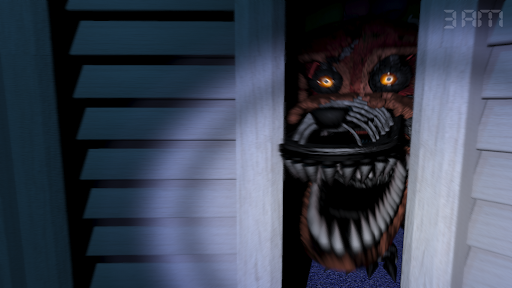
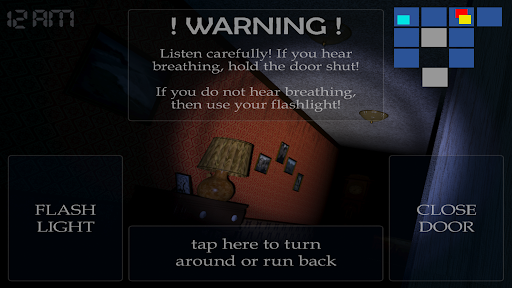
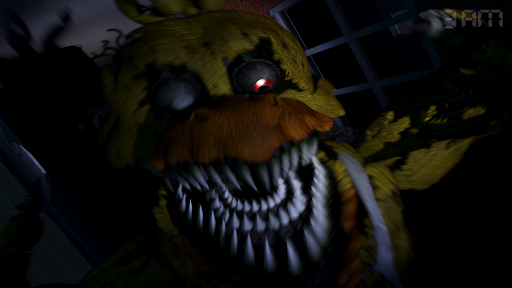
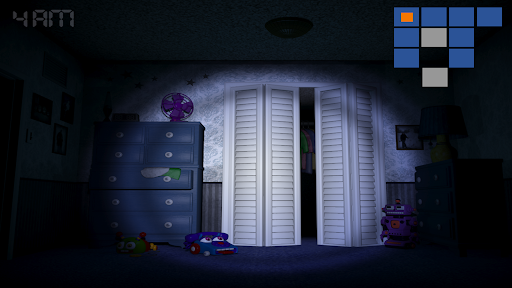
注意:PC 版的重製版。此遊戲需要具有至少 2 GB RAM 的設備才能正常運行。
在弗雷迪原版故事的五夜之夜的最後一章中,你必須再次保護自己免受弗雷迪法茲熊、奇卡、邦妮、福克斯,甚至更糟糕的潛伏在陰影中的東西的攻擊。作為一個角色未知的孩子,您必須在早上 6 點之前通過看門保護自己,並防止可能冒險進入您的壁櫥或您身後床上的不受歡迎的生物。
你只有一個手電筒來保護自己。它會嚇跑可能在走廊盡頭爬行的東西,但要小心,並傾聽。如果某物爬得太近,那麼它眼中的閃光將是你的終結。
注意:英文界面和音頻。英語、法語、德語、荷蘭語、西班牙語(拉丁美洲)、意大利語、葡萄牙語(巴西)、俄語、日語、中文(簡體)、韓語字幕。
#MadeWithFusion
更多

1. 下載逍遙安裝器並完成設置

2. 啟動逍遙後打開位於桌面上的谷歌商店

3. 在谷歌商店中搜尋Five Nights at Freddy's 4
Install
4. 下載並安裝Five Nights at Freddy's 4
5. 下載完成後點擊圖標來啟動

6. 透過逍遙享受在電腦上玩Five Nights at Freddy's 4
逍遙安卓是優秀的安卓模擬器,全球超過5000萬用戶的優先選擇。逍遙安卓以虛擬化技術為核心,為用户打造突破手機配備局限的遊戲平台!
大屏精細展示;無限待機,超越電池和流量限制
鍵鼠,手把操作全面支持,操作更精準
用逍遙多開同時運行多個遊戲、應用。
Play Five Nights at Freddy's 4 on PC by following steps: