
FiveSteps: Dance Rhythm Game
更新日期
目前版本
提供者

愛玩FiveSteps: Dance Rhythm Game的你,雙手不應該被束縛在智慧手機的小屏幕上。像職業選手一樣用鍵盤和滑鼠來全面控制你的遊戲吧。逍遙模擬器給你提供了你所有的期待。在電腦上下載、安裝FiveSteps: Dance Rhythm Game並盡情遊玩。再也不用擔心剩餘電量、流量消耗和煩人的來電。全新的逍遙模擬器9是你在電腦上遊玩FiveSteps: Dance Rhythm Game的最佳選擇!我们用心準備,完美的按鍵映射系統讓FiveSteps: Dance Rhythm Game宛如電腦遊戲;我們,用嫻熟的技術編程,逍遙多開器讓所有遊戲開好開滿;獨一無二的虛擬化引擎釋放你電腦的全部潛力,一切都入絲般順滑。我們不僅在意你怎樣遊玩,更在意如何讓你享受遊玩的樂趣!
更多
透過逍遙模擬器,在電腦上下載FiveSteps: Dance Rhythm Game,享受大熒幕的暢快體驗。 Features .
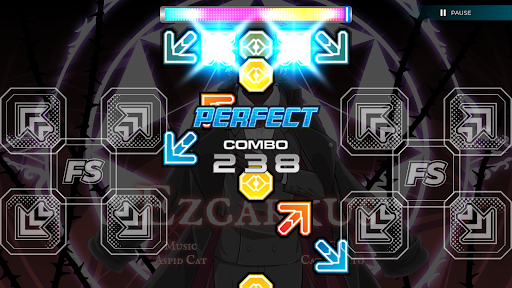
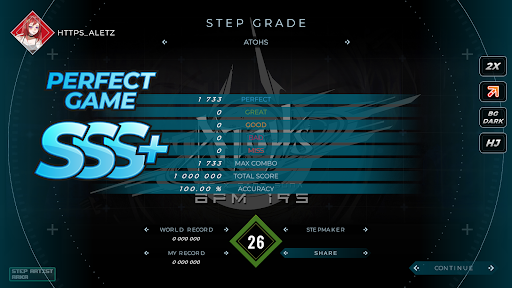
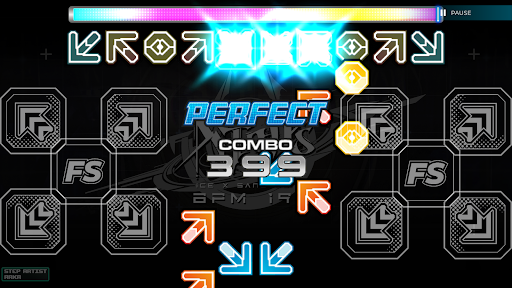
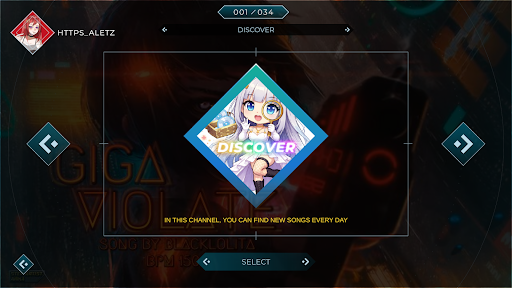
Features
▪ Discover and play songs through SSCentral, the online hub for FiveSteps
▪ Access a growing library of 1600+ community songs
▪ Play arcade, mobile, and custom songs on your Android device
▪ Smooth and responsive 5-key step gameplay
▪ Support for Single, Half-Double, and Double game modes
▪ Built on a new, more powerful engine for smoother performance
▪ Local mode with channel support and no song limits
▪ Support for SSC (SM5) StepF2 files
▪ Background video (BGA) support
▪ Random Movies support
◈ Online ◈
▪ Explore new songs from the community every day
▪ Online leaderboards and global ranking system
▪ Cloud profile saving with online score tracking
▪ Discord integration for sharing world records
※ Discord Server: https://discord.gg/MT8QwaBcGH
※ Facebook Page: https://www.facebook.com/FiveStepsGame/
※ Facebook Group: https://www.facebook.com/groups/fivestepsplayers
更多

1. 下載逍遙安裝器並完成設置

2. 啟動逍遙後打開位於桌面上的谷歌商店

3. 在谷歌商店中搜尋FiveSteps: Dance Rhythm Game
Install
4. 下載並安裝FiveSteps: Dance Rhythm Game
5. 下載完成後點擊圖標來啟動

6. 透過逍遙享受在電腦上玩FiveSteps: Dance Rhythm Game
逍遙安卓是優秀的安卓模擬器,全球超過5000萬用戶的優先選擇。逍遙安卓以虛擬化技術為核心,為用户打造突破手機配備局限的遊戲平台!
大屏精細展示;無限待機,超越電池和流量限制
鍵鼠,手把操作全面支持,操作更精準
用逍遙多開同時運行多個遊戲、應用。
Play FiveSteps: Dance Rhythm Game on PC by following steps: