Gifter GO!
更新日期
目前版本
2.0.2
提供者

愛玩Gifter GO!的你,雙手不應該被束縛在智慧手機的小屏幕上。像職業選手一樣用鍵盤和滑鼠來全面控制你的遊戲吧。逍遙模擬器給你提供了你所有的期待。在電腦上下載、安裝Gifter GO!並盡情遊玩。再也不用擔心剩餘電量、流量消耗和煩人的來電。全新的逍遙模擬器9是你在電腦上遊玩Gifter GO!的最佳選擇!我们用心準備,完美的按鍵映射系統讓Gifter GO!宛如電腦遊戲;我們,用嫻熟的技術編程,逍遙多開器讓所有遊戲開好開滿;獨一無二的虛擬化引擎釋放你電腦的全部潛力,一切都入絲般順滑。我們不僅在意你怎樣遊玩,更在意如何讓你享受遊玩的樂趣!
更多
透過逍遙模擬器,在電腦上下載Gifter GO!,享受大熒幕的暢快體驗。 Gifter GO!
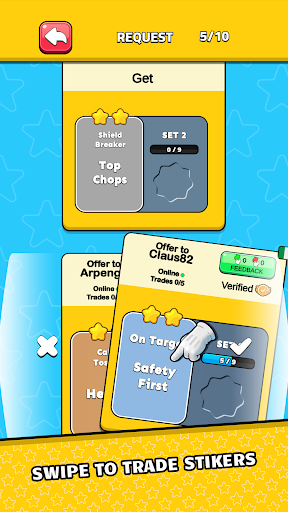
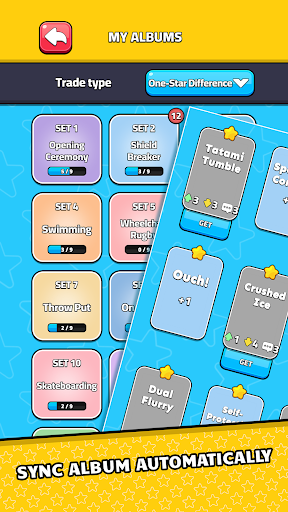
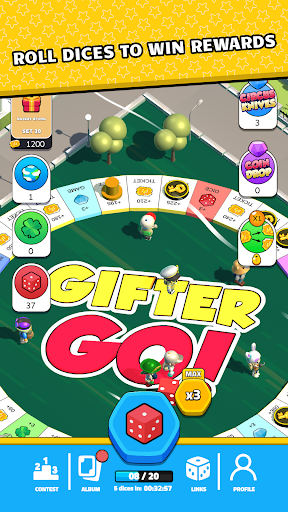
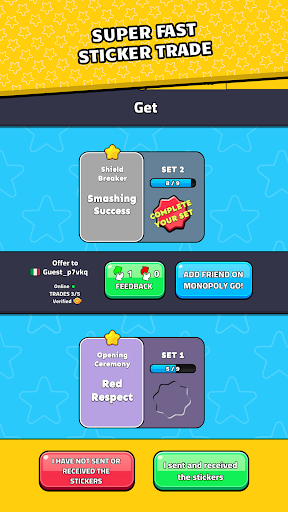
Gifter GO! revolutionizes the way you trade stickers in Monopoly GO! by providing a seamless, fun, and efficient experience. Automatically sync all your stickers, eliminating the need for manual updates.
--- Key Features ---
• Automatic Sticker Sync: Automatically sync all your stickers and effortlessly keep your sticker collection up to date.
• Swipe to Trade: Find trade partners quickly by swiping right to accept or left to decline trade proposals. No more tedious searching for trades.
• Complete Albums Automatically: Watch your album fill up with new stickers as trades are accepted, all without any manual effort on your part.
• Engaging Minigames: Stay entertained while waiting for trades with exciting minigames. Roll dice, move around the game board, collect tickets, and win more stickers.
• Increase Trade Chances: The longer you stay in the app, the higher your chances of receiving trade proposals. Keep playing and watch your sticker collection grow!
--- Why Gifter GO!? ---
• Fast and Simple: Trade stickers with just a swipe. Our intuitive interface makes trading fun and easy.
• Stay Connected: Keep your Monopoly GO album updated automatically.
• Earn More Stickers: Enjoy minigames and earn additional stickers while you wait for trades.
• User-Friendly Design: Our app is designed for ease of use, making it accessible for all ages.
Join the Gifter GO! community today and complete your Monopoly GO! sticker album faster than ever before. Whether you're a casual player or a dedicated collector, Gifter GO! is the ultimate tool to enhance your sticker trading experience.
Download Gifter GO! now and start trading with players worldwide!
更多

1. 下載逍遙安裝器並完成設置

2. 啟動逍遙後打開位於桌面上的谷歌商店

3. 在谷歌商店中搜尋Gifter GO!
Install
4. 下載並安裝Gifter GO!
5. 下載完成後點擊圖標來啟動

6. 透過逍遙享受在電腦上玩Gifter GO!
逍遙安卓是優秀的安卓模擬器,全球超過5000萬用戶的優先選擇。逍遙安卓以虛擬化技術為核心,為用户打造突破手機配備局限的遊戲平台!
大屏精細展示;無限待機,超越電池和流量限制
鍵鼠,手把操作全面支持,操作更精準
用逍遙多開同時運行多個遊戲、應用。
Play Gifter GO! on PC by following steps: