AI Translator: Voice & Screen
更新日期
目前版本
110_20260907
提供者

想體驗AI Translator: Voice & Screen,可是手機熒幕太小,一載軟體就變燙,怎麼辦?透過逍遙模擬器,在電腦的大熒幕上暢快體驗!用鍵鼠操作更精準流暢,逍遙模擬器滿足您的所有期待。在電腦上下載安裝AI Translator: Voice & Screen,不用擔心電池當掉,想體驗多久就多久,順暢跑一天~全新的逍遙模擬器9,絕對是您體驗AI Translator: Voice & Screen電腦版的最佳選擇。完美的按鍵映射系統讓AI Translator: Voice & Screen如PC軟體般順手;強大的多開功能可同時執行多個任務;獨家虛擬化技術更能徹底釋放電腦效能,保障長時間穩定運作。我們致力於不讓設備限制您的體驗,助您輕鬆高效,暢快無比!
更多
使用逍遙模擬器在電腦上享受AI Translator: Voice & Screen的卓越體驗。這是一款功能強大的免費安卓模擬器,為您提供數千款安卓應用程式的桌面版本。與好友互動,有效率完成工作,盡情享受! Break language barriers instantly with AI Translator – your all-in-one tool for voice, text, and screen translation.
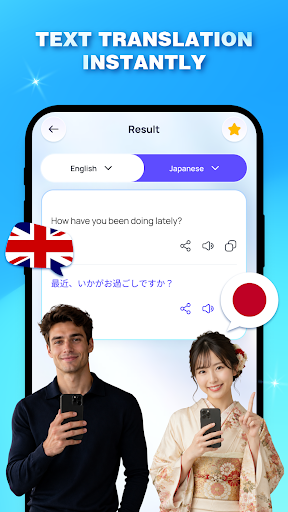
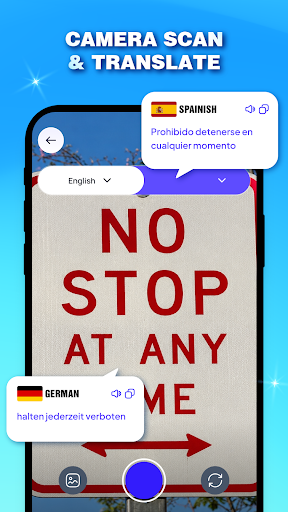
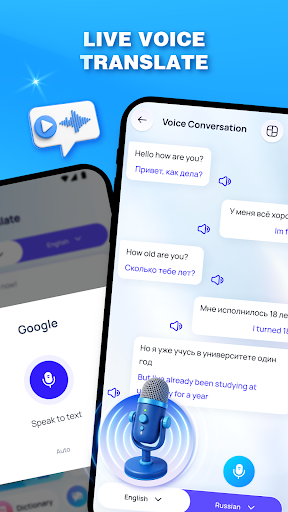
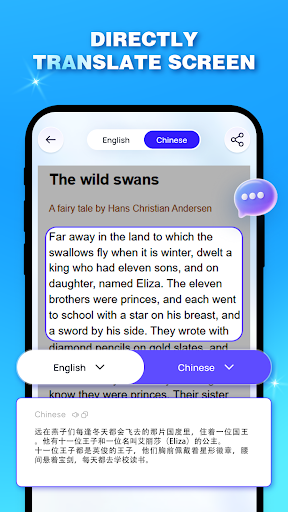
Break language barriers instantly with AI Translator – your all-in-one tool for voice, text, and screen translation.
Whether you are traveling the world, conducting international business, or learning a new language, this app provides high-speed, AI-powered accuracy in the palm of your hand. No more language confusion—just seamless communication in over 100 languages.
Core Features for Every Scenario
Our toolkit is designed to handle real-life communication challenges, ensuring you stay connected whether you are online or offline.
Tap to Speak (Voice Translation)
Speak naturally and get instant translations. Perfect for ordering food in Italy, chatting with a driver in Japan, or having real-time conversations with locals anywhere. It turns your phone into a professional interpreter.
Screen Translator (Translate on Any App)
Translate text directly on your mobile screen. Whether you are browsing foreign websites, reading social media posts, or using apps in another language, our screen overlay works like magic without needing to switch apps.
Phrase Dialogue (Travel Essentials)
Quickly access curated phrases for travel, shopping, hotels, and emergencies. Be confident in every interaction, even if you are just starting to learn the language.
Smart Dictionary
Go beyond simple translation. Look up word definitions, synonyms, and example sentences to understand the deeper context and improve your vocabulary every day.
Why Use AI Translator?
Fast & Reliable: Powered by advanced AI for natural-sounding results.
100+ Languages: From English and Spanish to Vietnamese and Arabic.
User-Centric: Clean interface designed for speed and ease of use.
Accessibility Service (Necessary)
Our app uses the AccessibilityService API to assist users in capturing text displayed on their screen from other applications. This enables seamless translation of content into the user's preferred language in real time.
We are committed to protecting user privacy. The app does not collect, store, or share any personal or sensitive data. All processed information is used solely to provide the translation feature and is not retained or transmitted externally.
Ready to speak the world's language? Download AI Translator now and start communicating without limits!
更多

1. 下載逍遙安裝器並完成設置

2. 啟動逍遙後打開位於桌面上的谷歌商店

3. 在谷歌商店中搜尋AI Translator: Voice & Screen
Install
4. 下載並安裝AI Translator: Voice & Screen
5. 下載完成後點擊圖標來啟動

6. 透過逍遙享受在電腦上體驗AI Translator: Voice & Screen
逍遙安卓是優秀的安卓模擬器,全球超過5000萬用戶的優先選擇。逍遙安卓以虛擬化技術為核心,為用户打造突破手機配備局限的應用平台!
大屏精細展示;無限待機,超越電池和流量限制
鍵鼠,手把操作全面支持,操作更精準
用逍遙多開同時運行多個遊戲、應用。
Use AI Translator: Voice & Screen on PC by following steps: