
Barber Chop
更新日期
目前版本
5.4.108
提供者

想體驗Barber Chop,可是手機熒幕太小,一載軟體就變燙,怎麼辦?透過逍遙模擬器,在電腦的大熒幕上暢快體驗!用鍵鼠操作更精準流暢,逍遙模擬器滿足您的所有期待。在電腦上下載安裝Barber Chop,不用擔心電池當掉,想體驗多久就多久,順暢跑一天~全新的逍遙模擬器9,絕對是您體驗Barber Chop電腦版的最佳選擇。完美的按鍵映射系統讓Barber Chop如PC軟體般順手;強大的多開功能可同時執行多個任務;獨家虛擬化技術更能徹底釋放電腦效能,保障長時間穩定運作。我們致力於不讓設備限制您的體驗,助您輕鬆高效,暢快無比!
更多
透過逍遙模擬器,在電腦上下載Barber Chop,享受大熒幕的暢快體驗。 Future barbers and stylists enjoy our characters, which represent diverse hairstyles, beauty, and cultures!
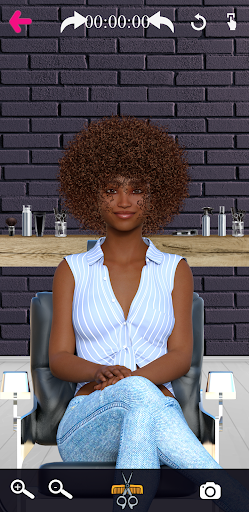
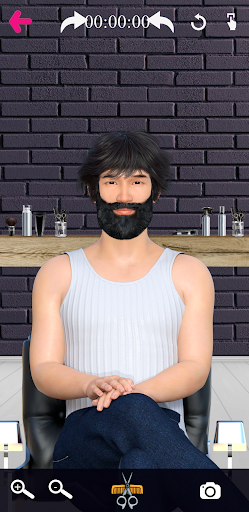
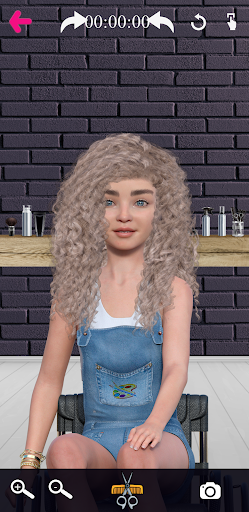
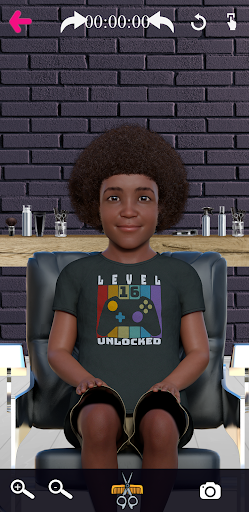
Future barbers and stylists enjoy our characters, which represent diverse hairstyles, beauty, and cultures!!
Characters:
A total of (28) characters from different background like BIPOC (Black, Indigenous, People of Color), people with disabilities, and Pride/LGBTQAI+.
A total of (3) holiday characters from different holidays like Christmas.
• 1 Male with Vitiligo
• 1 Female with Vitiligo
• 1 Pride/LGBTQAI+ teenager
• 1 Black Asian woman
• 1 Black Asian man
• 2 Black female teenagers
• 4 Asian males
• 3 Children (1 White child with disabilities, 1 Jewish child, 1 Black child)
• 3 White man
• 1 White Indigenous man
• 1 White woman with disabilities (wheelchair)
• 1 White man with disabilities (wheelchair)
• 5 Black men
• 1 Black women
• 1 Black male Santa
• 1 White male Santa
• 1 White female Santa
This game is for anybody with a creative mind. It’s also useful as a learning module for current and prospective hair stylists. All you need is your finger and your imagination. Turn on the volume on your device to hear the tools. You will feel like you’re right there in the barber shop or beauty hair salon.
• The ultimate hair salon and barber shop for men and women.
• Pick a character of your choice.
• Rotate the image to cut and design hair on each side of the head.
• Cut hair with precision using tools such as clippers, scissors, razors, and clip guards. The clip guards let you reduce the thickness of the hair, which is a technique known as a fade.
• Create a design and share your work on social media (Facebook, Instagram, Twitter).
Features:
• Added Design Feeds, check out cool designs by other players!
• Undo button to undo the last action you did. As long as your finger stays on the screen, it will count as one action.
• Zooming options for most characters, allowing more accurate cutting.
• Adjustable clip guards to reduce hair thickness.
• Razors for complete hair removal. You can shave the face or head bald.
• Share button.
• Music options to listen to while playing.
• Camera button to let you save your work into your photo album.
• Rotation button to rotate the head
Get ready to experience a realistic game that allows you to show off your skills, be creative or become a better barber. There are different ethnicities, genders, cultural backgrounds to choose from. Each character has plenty of hair on their head to give you a limitless number of hairstyles to create. A timer that appears on the screen once you start to play will show you how long it took you to create your hairstyle. It will also be displayed on your saved photo.
You and others will see how skillful you’re getting each time you play. Everything is free!
更多

1. 下載逍遙安裝器並完成設置

2. 啟動逍遙後打開位於桌面上的谷歌商店

3. 在谷歌商店中搜尋Barber Chop
Install
4. 下載並安裝Barber Chop
5. 下載完成後點擊圖標來啟動

6. 透過逍遙享受在電腦上體驗Barber Chop
逍遙安卓是優秀的安卓模擬器,全球超過5000萬用戶的優先選擇。逍遙安卓以虛擬化技術為核心,為用户打造突破手機配備局限的應用平台!
大屏精細展示;無限待機,超越電池和流量限制
鍵鼠,手把操作全面支持,操作更精準
用逍遙多開同時運行多個遊戲、應用。
Use Barber Chop on PC by following steps: