CleanX: AI Storage Optimizer
更新日期
目前版本
1.0.2
提供者

想體驗CleanX: AI Storage Optimizer,可是手機熒幕太小,一載軟體就變燙,怎麼辦?透過逍遙模擬器,在電腦的大熒幕上暢快體驗!用鍵鼠操作更精準流暢,逍遙模擬器滿足您的所有期待。在電腦上下載安裝CleanX: AI Storage Optimizer,不用擔心電池當掉,想體驗多久就多久,順暢跑一天~全新的逍遙模擬器9,絕對是您體驗CleanX: AI Storage Optimizer電腦版的最佳選擇。完美的按鍵映射系統讓CleanX: AI Storage Optimizer如PC軟體般順手;強大的多開功能可同時執行多個任務;獨家虛擬化技術更能徹底釋放電腦效能,保障長時間穩定運作。我們致力於不讓設備限制您的體驗,助您輕鬆高效,暢快無比!
更多
使用逍遙模擬器在電腦上享受CleanX: AI Storage Optimizer的卓越體驗。這是一款功能強大的免費安卓模擬器,為您提供數千款安卓應用程式的桌面版本。與好友互動,有效率完成工作,盡情享受! Running out of space?
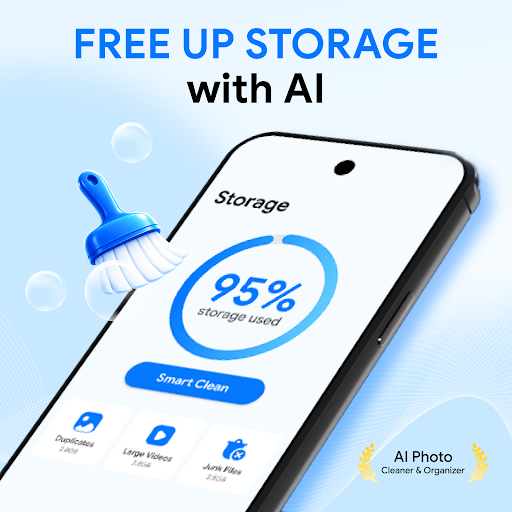
Running out of space? CleanX finds the photos and videos you don't need, so you can review them and free up storage on your phone in minutes. Nothing is deleted until you confirm.
Your gallery fills up fast: ten shots of the same moment, accidental photos of your pocket, old screenshots, the same video saved twice. CleanX sorts them into clear groups so you can clean up without scrolling through thousands of photos.
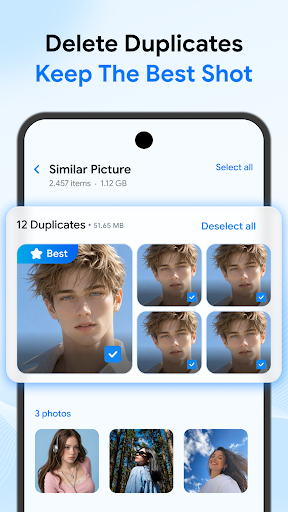
SIMILAR & DUPLICATE PHOTOS
• Groups burst shots and near-identical photos taken moments apart
• Suggests the best shot in each group to keep. Disagree? Change the pick with one tap
• Finds exact duplicate copies of the same photo
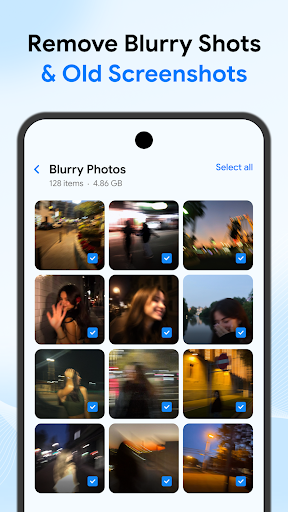
BLURRY PHOTOS & SCREENSHOTS
• Spots blurry photos, accidental shots and very small images
• Collects all your screenshots in one place so old ones are easy to clear out
SWIPE TO CLEAN
• Go through your photos month by month: swipe to keep, swipe to delete
• Review everything you marked before anything is removed
AI PHOTO CATEGORIES & TEXT SEARCH
• On-device AI sorts your photos into categories like People, Pets, Food, Travel, Nature and Documents
• Search for text inside your photos to find receipts, notes and documents (works best with Latin-alphabet languages)
VIDEO CLEANUP
• Browse all your videos in one place, grouped by where they came from
• Finds duplicate videos, including the same clip saved at a different size, such as the original and a copy compressed when it was sent
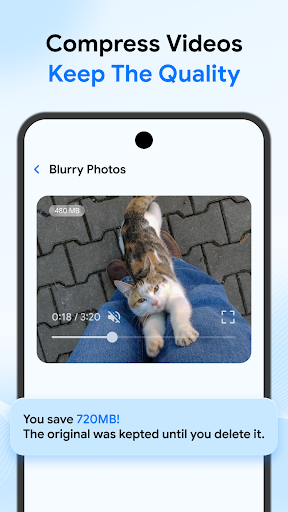
COMPRESS PHOTOS & VIDEOS
• Shrink large photos and videos to take up less space
• Choose how strong the compression is. Stronger compression saves more space but lowers quality more
• Keep both copies or replace the original, your choice
• Compressed photos keep their original date and location info
APP MANAGER
• See which apps take the most space and which ones you haven't opened in a while
• Select several apps and uninstall them in one go (Android asks you to confirm each one)
TRASH
On Android 11 and later, deleted photos and videos go to the system trash and keep using space until the trash is emptied. CleanX shows you what's in there so you can restore items or delete them permanently.
PRIVATE BY DESIGN
• Photo analysis runs on your device. Your photos are not uploaded to our servers
• CleanX cleans the photos and videos stored on your phone. It does not clean cloud storage such as Google Photos or Google Drive
• Photo and video access is used to find items to clean. Usage access is only requested for App Manager
FREE & PREMIUM
CleanX is free to download and use, with ads. Some clean-up and compression actions have free usage limits. CleanX Premium removes ads and these limits, and is available as a weekly or yearly subscription or a one-time purchase. Subscriptions renew automatically unless cancelled in Google Play > Payments & subscriptions.
Questions or ideas? Send us a message from Settings > Feedback in the app.
更多

1. 下載逍遙安裝器並完成設置

2. 啟動逍遙後打開位於桌面上的谷歌商店

3. 在谷歌商店中搜尋CleanX: AI Storage Optimizer
Install
4. 下載並安裝CleanX: AI Storage Optimizer
5. 下載完成後點擊圖標來啟動

6. 透過逍遙享受在電腦上體驗CleanX: AI Storage Optimizer
逍遙安卓是優秀的安卓模擬器,全球超過5000萬用戶的優先選擇。逍遙安卓以虛擬化技術為核心,為用户打造突破手機配備局限的應用平台!
大屏精細展示;無限待機,超越電池和流量限制
鍵鼠,手把操作全面支持,操作更精準
用逍遙多開同時運行多個遊戲、應用。
Use CleanX: AI Storage Optimizer on PC by following steps: