Essential Face HD Watch Face
更新日期
目前版本
6.2.2
提供者

想體驗Essential Face HD Watch Face,可是手機熒幕太小,一載軟體就變燙,怎麼辦?透過逍遙模擬器,在電腦的大熒幕上暢快體驗!用鍵鼠操作更精準流暢,逍遙模擬器滿足您的所有期待。在電腦上下載安裝Essential Face HD Watch Face,不用擔心電池當掉,想體驗多久就多久,順暢跑一天~全新的逍遙模擬器9,絕對是您體驗Essential Face HD Watch Face電腦版的最佳選擇。完美的按鍵映射系統讓Essential Face HD Watch Face如PC軟體般順手;強大的多開功能可同時執行多個任務;獨家虛擬化技術更能徹底釋放電腦效能,保障長時間穩定運作。我們致力於不讓設備限制您的體驗,助您輕鬆高效,暢快無比!
更多
透過逍遙模擬器,在電腦上下載Essential Face HD Watch Face,享受大熒幕的暢快體驗。 This completely customizable interactive HD Wear OS Watch Face, Clock Widget & Live Wallpaper brings a classic elegance to your wrist and Launcher.
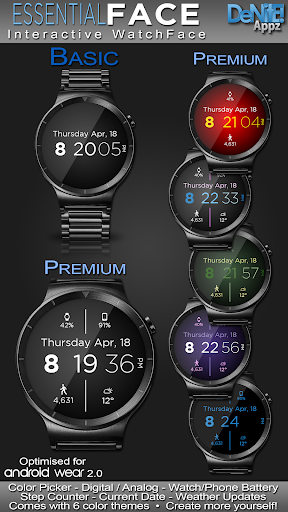
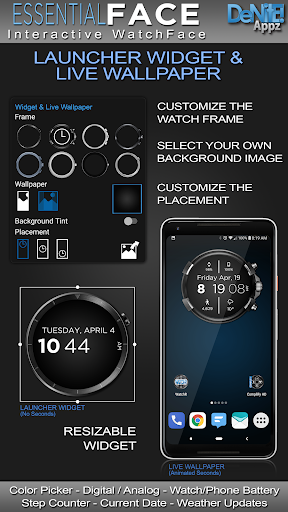
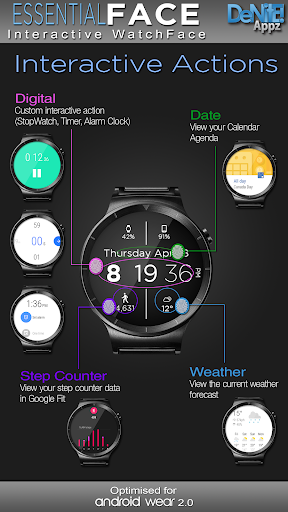
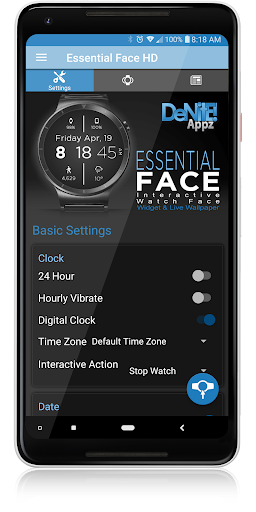
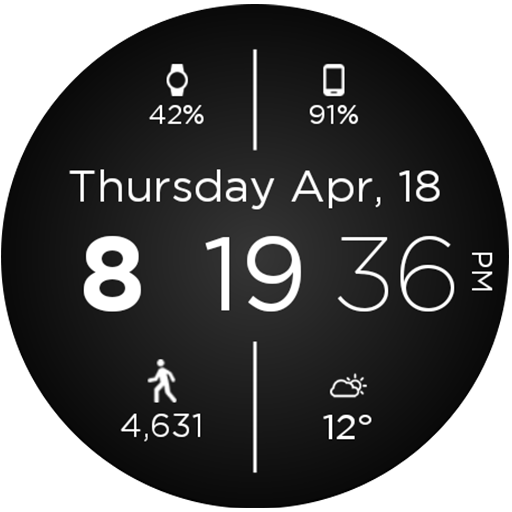
This completely customizable interactive HD Wear OS Watch Face, Clock Widget & Live Wallpaper brings a classic elegance to your wrist and Launcher. Features include custom complications, battery levels, weather conditions, step counter, color picker & date information. A settings app will also be installed on your mobile device to configure the watch face for any look you desire. Select any color and create a completely custom look for yourself! Don't have a Wear OS watch? No Problem! You can use the clock widget or Live Wallpaper on your launcher!
⭐ Compatible with all Wear OS watches including the new Samsung Galaxy Watch 4 & 5 Series! ⭐
❗ IMPORTANT ❗ - Not compatible with Samsung Watches that use Tizen or other smartwatches with other operating systems than Wear OS.
★Basic Features★
✔ Launcher Clock Widget (No animations or second hand due to battery consumption) (Mobile Only)
✔ Live Wallpaper (Mobile Only)
✔ Customizable digital
✔ Time zone selection
✔ Custom date format picker
✔ 24-Hour
✔ Burn-In protection
✔ Square Compatible
★Premium Features★
✔ Custom Complications
✔ Widget Frames
✔ Live Wallpaper (Animated Seconds)
✔ Screen Modes (Normal, Always Ambient, Always On)
✔ Screen on Time selection
✔ Interactive Actions (Currently unavailable on Samsung Watch 4/5)
✔ Ambient modes selector
✔ Color picker to select any color you like for the background text
✔ Save personal color themes (long press to delete theme)
✔ Watch battery status
✔ Phone battery status (When connected to an Android Phone)
✔ Current date
✔ Step Counter
✔ Weather conditions (When connected to an Android Phone)
★Translations★
✔ English
✔ Chinese
✔ Czech
✔ Dutch
✔ French
✔ German
✔ Italian
✔ Japanese
✔ Korean
✔ Russian
✔ Spanish
★How to install★
Watch Face - Once you have installed from the Play store, you may be asked to grant permissions to the app on your phone - be sure to approve all permissions. Once the app has installed on your phone, it may take 5-10 minutes to transfer over to you watch and the Wear OS app. Please be patient. Once installed, simply long press on your watch face to bring up the selection menu, or select this watchface from the Wear OS app. Use the accompanying settings app to configure the settings and options
Widget - Depending on what launcher you are using, you can either long press on your launcher to place a widget, or select this widget from the App Drawer -> Widgets list. Customize and change the widget settings with the accompanying App.
Live Wallpaper - Depending on what launcher you are using, you can either long press on your launcher to select your Wallpaper, or you can select the Live Wallpaper from the Settings App
If you have any problems at all, please send me an email before leaving a negative review - I will do my best to fix the issue as soon as possible.
★Trouble Shooting★
http://deniteappz.com/watchface/troubleshooting.html
Stay tuned for more watch faces to come!
更多

1. 下載逍遙安裝器並完成設置

2. 啟動逍遙後打開位於桌面上的谷歌商店

3. 在谷歌商店中搜尋Essential Face HD Watch Face
Install
4. 下載並安裝Essential Face HD Watch Face
5. 下載完成後點擊圖標來啟動

6. 透過逍遙享受在電腦上體驗Essential Face HD Watch Face
逍遙安卓是優秀的安卓模擬器,全球超過5000萬用戶的優先選擇。逍遙安卓以虛擬化技術為核心,為用户打造突破手機配備局限的應用平台!
大屏精細展示;無限待機,超越電池和流量限制
鍵鼠,手把操作全面支持,操作更精準
用逍遙多開同時運行多個遊戲、應用。
Use Essential Face HD Watch Face on PC by following steps: