
ID.me Authenticator
更新日期
目前版本
2
提供者

想體驗ID.me Authenticator,可是手機熒幕太小,一載軟體就變燙,怎麼辦?透過逍遙模擬器,在電腦的大熒幕上暢快體驗!用鍵鼠操作更精準流暢,逍遙模擬器滿足您的所有期待。在電腦上下載安裝ID.me Authenticator,不用擔心電池當掉,想體驗多久就多久,順暢跑一天~全新的逍遙模擬器9,絕對是您體驗ID.me Authenticator電腦版的最佳選擇。完美的按鍵映射系統讓ID.me Authenticator如PC軟體般順手;強大的多開功能可同時執行多個任務;獨家虛擬化技術更能徹底釋放電腦效能,保障長時間穩定運作。我們致力於不讓設備限制您的體驗,助您輕鬆高效,暢快無比!
更多
透過逍遙模擬器,在電腦上下載ID.me Authenticator,享受大熒幕的暢快體驗。 ID.
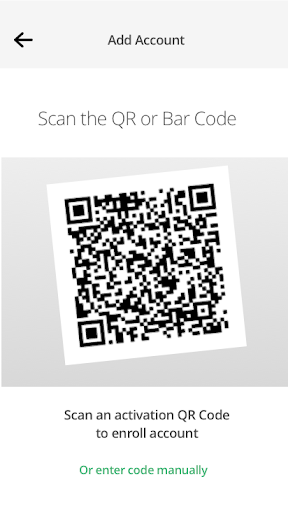
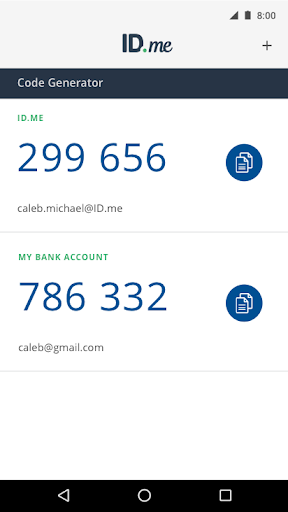
ID.me Authenticator是一款適用於您的ID.me帳戶的簡單免費雙因素身份驗證(2FA)解決方案。它可以使您的在線帳戶在支持2FA的網站上保持安全。此應用程序生成基於時間的一次性密碼(TOTP)和基於PUSH通知的6位數一鍵式身份驗證。
ID.me身份驗證器作為TOTP代碼生成器:登錄您的帳戶需要您使用此應用程序生成的用戶名,密碼和驗證碼。配置完成後,當此應用程序用作TOTP代碼生成器時,您無需網絡或蜂窩連接即可獲取驗證碼。您可以在設置時掃描QR碼,註冊ID.me身份驗證器並將其連接到您的帳戶2FA。
ID.me基於PUSH身份驗證的身份驗證器:您在登錄帳戶時輸入用戶名和密碼,然後批准發送到手機的推送通知。您需要註冊並將ID.me Authenticator連接到您的ID.me帳戶才能啟用此功能。
更多

1. 下載逍遙安裝器並完成設置

2. 啟動逍遙後打開位於桌面上的谷歌商店

3. 在谷歌商店中搜尋ID.me Authenticator
Install
4. 下載並安裝ID.me Authenticator
5. 下載完成後點擊圖標來啟動

6. 透過逍遙享受在電腦上體驗ID.me Authenticator
逍遙安卓是優秀的安卓模擬器,全球超過5000萬用戶的優先選擇。逍遙安卓以虛擬化技術為核心,為用户打造突破手機配備局限的應用平台!
大屏精細展示;無限待機,超越電池和流量限制
鍵鼠,手把操作全面支持,操作更精準
用逍遙多開同時運行多個遊戲、應用。
Use ID.me Authenticator on PC by following steps: