KinderMate for Kids Learning
更新日期
目前版本
2.2.105
提供者

想體驗KinderMate for Kids Learning,可是手機熒幕太小,一載軟體就變燙,怎麼辦?透過逍遙模擬器,在電腦的大熒幕上暢快體驗!用鍵鼠操作更精準流暢,逍遙模擬器滿足您的所有期待。在電腦上下載安裝KinderMate for Kids Learning,不用擔心電池當掉,想體驗多久就多久,順暢跑一天~全新的逍遙模擬器9,絕對是您體驗KinderMate for Kids Learning電腦版的最佳選擇。完美的按鍵映射系統讓KinderMate for Kids Learning如PC軟體般順手;強大的多開功能可同時執行多個任務;獨家虛擬化技術更能徹底釋放電腦效能,保障長時間穩定運作。我們致力於不讓設備限制您的體驗,助您輕鬆高效,暢快無比!
更多
透過逍遙模擬器,在電腦上下載KinderMate for Kids Learning,享受大熒幕的暢快體驗。 Welcome to KinderMate, where your child's curiosity meets the brilliance of AI!
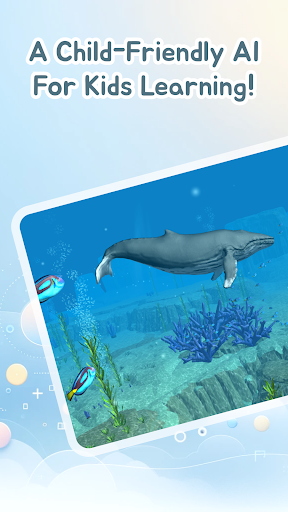

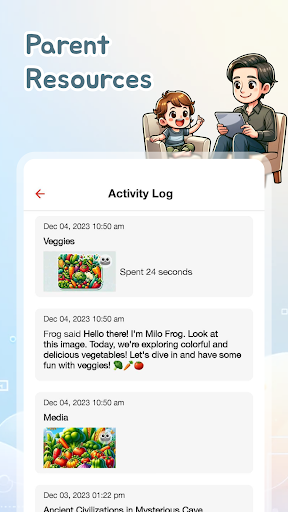
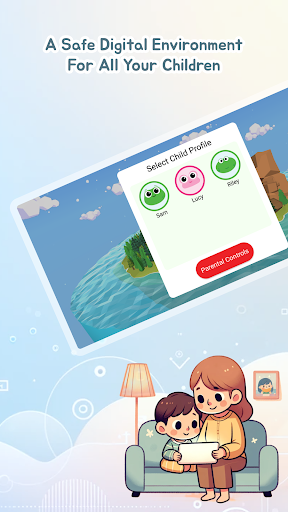
Welcome to KinderMate, where your child's curiosity meets the brilliance of AI! Dive into the world of interactive learning and discovery with a GPT-powered child-friendly AI. Engage in meaningful conversations, fostering cognitive, linguistic, and social-emotional development.
WHY KINDERMATE?
- INTERACTIVE AI EXPERIENCE: Engage in enriching discussions on topics ranging from science to literature. KinderMate is equipped to entertain, educate, and inspire your little ones.
- SMART & SAFE: KinderMate recognizes children's behavioral patterns, offering a personalized experience and delivering contextualized content.
- HANDPICKED VIDEOS: Your child can explore our curated collection of videos, that promote positive behavior and family values.
- ALWAYS 100% AD-FREE: We prioritize your child's uninterrupted experience.
- COPPA COMPLIANT: Our platform is built with privacy and safety at its core, adhering to the highest standards of digital safety.
FOR THE CURIOUS MINDS
- ENGAGE WITH KNOWLEDGE: KinderMate is your gateway to exploring a plethora of questions and narratives, making every interaction an opportunity to learn something new.
- NATURAL LANGUAGE PROCESSING: Leveraging natural language processing, KinderMate offers nuanced conversations that enrich your understanding and curiosity.
- FAVORITES FEATURE: Bookmark your favorite content for easy access, tailoring your learning journey to your preferences.
FOR THE PARENTS
- PARENTAL CONTROLS: Set screen time, content preferences, and ensure a safe digital environment for your child.
- ACTIVITY LOG: Stay informed about your child's interactions and discoveries.
SPECIAL OFFER
- TRY FOR FREE: Experience KinderMate FREE for 1 week. Dive into the world of AI and curated content with unlimited profiles and full access.
- AFFORDABLE SUBSCRIPTIONS: Continue the magic for just $7.99/month or opt for our yearly deal at $51.99.
Join the future of child-friendly AI interactions today! For more insights, visit kindermate.com.
更多

1. 下載逍遙安裝器並完成設置

2. 啟動逍遙後打開位於桌面上的谷歌商店

3. 在谷歌商店中搜尋KinderMate for Kids Learning
Install
4. 下載並安裝KinderMate for Kids Learning
5. 下載完成後點擊圖標來啟動

6. 透過逍遙享受在電腦上體驗KinderMate for Kids Learning
逍遙安卓是優秀的安卓模擬器,全球超過5000萬用戶的優先選擇。逍遙安卓以虛擬化技術為核心,為用户打造突破手機配備局限的應用平台!
大屏精細展示;無限待機,超越電池和流量限制
鍵鼠,手把操作全面支持,操作更精準
用逍遙多開同時運行多個遊戲、應用。
Use KinderMate for Kids Learning on PC by following steps: