Learn Canadian English. Speak電腦版

Learn Canadian English. Speak電腦版下載

Learn Canadian English. Speak電腦版

Learn Canadian English. Speak

  • 更新日期

  • 目前版本

    2.3.4

  • 提供者

    Learn Canadian English. Speak電腦版

Learn Canadian English. Speak電腦版簡介

想體驗Learn Canadian English. Speak,可是手機熒幕太小,一載軟體就變燙,怎麼辦?透過逍遙模擬器,在電腦的大熒幕上暢快體驗!用鍵鼠操作更精準流暢,逍遙模擬器滿足您的所有期待。在電腦上下載安裝Learn Canadian English. Speak,不用擔心電池當掉,想體驗多久就多久,順暢跑一天~全新的逍遙模擬器9,絕對是您體驗Learn Canadian English. Speak電腦版的最佳選擇。完美的按鍵映射系統讓Learn Canadian English. Speak如PC軟體般順手;強大的多開功能可同時執行多個任務;獨家虛擬化技術更能徹底釋放電腦效能,保障長時間穩定運作。我們致力於不讓設備限制您的體驗,助您輕鬆高效,暢快無比!

更多

Learn Canadian English. Speak電腦版截圖&影片

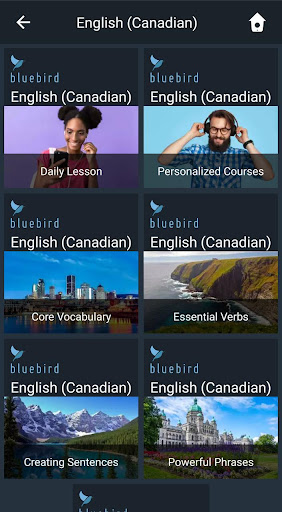
透過逍遙模擬器,在電腦上下載Learn Canadian English. Speak,享受大熒幕的暢快體驗。 Quickly learn to speak and understand Canadian English with interactive video lessons narrated in any of 146 languages.
應用訊息

Quickly learn to speak and understand Canadian English with interactive video lessons narrated in any of 146 languages.


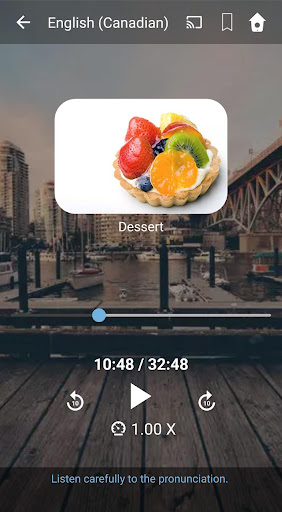
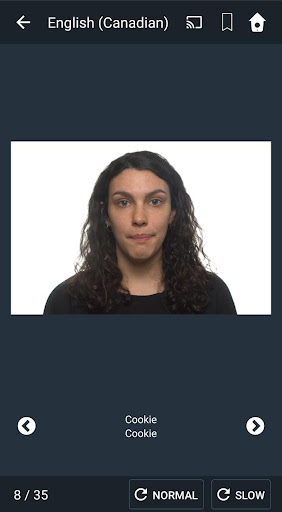
"Affordable, responsive, easy to set up, and simple to access, Bluebird is loaded with user-friendly features and contains an enormous amount of content. This is an excellent resource for users seeking a handy, enhanced mobile experience for language learning." - Library Journal

Choose from 2,000 pre-recorded lessons (over 5 years of lessons) or create a truly personalized course that revolves around the things you love.

If you’re learning for your job, you can even create a personalized course for any of 60 occupations.

Bluebird uses the scientifically proven spaced repetition technique, so you’ll learn quickly and retain what you learn long-term. Just listen and repeat – it’s that easy.

Learn Canadian English hands-free. No typing or swiping needed. Learn while you’re exercising, cooking, commuting, or relaxing at home. You can even stream your Bluebird lessons to smart speakers like Google Home or to your TV.

You’ll Learn:

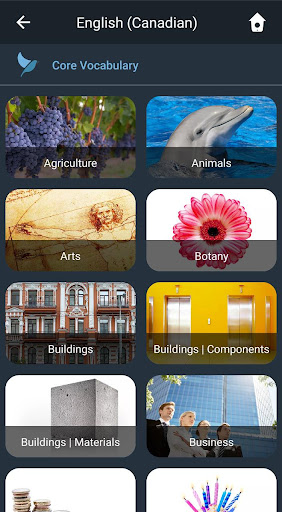
* 2,000 high frequency words. (84% of everyday speech includes these powerful words.)

* The top 100 verbs – with conjugations in the past, present, and future tenses.

* How to build complete sentences on your own.

* How to manage dozens of everyday situations.

* How to handle complex conversations.

Watch Your Progress:

* 2,000 quizzes will test your knowledge and reinforce what you learn.

* Each quiz contains a variety of question types to evaluate your listening, reading, and writing skills.

* See your statistics for both your lessons and quizzes at any time.

A Global Approach

Bluebird brings language learning to the world’s population in an unprecedented way. You can learn Canadian English from any of 146 narration languages.

Something for Everybody

Whether you’re preparing for a trip or want to learn Canadian English for fun, school, or work, Bluebird will teach you what you need to know, and ensure you remember what you learn long-term. And, with family-friendly content throughout, your whole family can enjoy learning Canadian English the Bluebird way.

Unparalleled Content and Quality

Bluebird has the most comprehensive language courses in the world, with an average of 10,000 instructional phrases per language. Each Bluebird lesson lasts between 15 and 45 minutes, with the average lesson lasting 30 minutes. Our curriculum is teacher-designed and human-translated; our narrators and actors are professional voice-over artists and native speakers of their respective languages; and our audio is studio-grade.

更多

在電腦上下載Learn Canadian English. Speak

  • Learn Canadian English. Speak電腦版

    1. 下載逍遙安裝器並完成設置

  • Learn Canadian English. Speak電腦版

    2. 啟動逍遙後打開位於桌面上的谷歌商店

  • Learn Canadian English. Speak電腦版

    3. 在谷歌商店中搜尋Learn Canadian English. Speak

  • Learn Canadian English. Speak電腦版 Install

    4. 下載並安裝Learn Canadian English. Speak

  • Learn Canadian English. Speak電腦版

    5. 下載完成後點擊圖標來啟動

  • Learn Canadian English. Speak電腦版
    Learn Canadian English. Speak電腦版 Learn Canadian English. Speak電腦版

    6. 透過逍遙享受在電腦上體驗Learn Canadian English. Speak

為什麼用逍遙體驗Learn Canadian English. Speak

逍遙安卓是優秀的安卓模擬器,全球超過5000萬用戶的優先選擇。逍遙安卓以虛擬化技術為核心,為用户打造突破手機配備局限的應用平台!

  • 大屏精細展示;無限待機,超越電池和流量限制

  • 鍵鼠,手把操作全面支持,操作更精準

  • 用逍遙多開同時運行多個遊戲、應用。

準備體驗了嗎?

熱門話題

Learn Canadian English. Speak - FAQs

  • How to use Learn Canadian English. Speak on PC?

    Use Learn Canadian English. Speak on PC by following steps:

    • Download MEmu, then install and launch it
    • Login to Google Play Store, install the app
    • Enjoy using the app on PC with MEmu
  • What are the minimum system requirements to run Learn Canadian English. Speak on PC?
    • Intel or AMD Processor
    • Microsoft Windows 7 and above
    • 2GB of memory
    • 5GB of free disk space
    • Hardware Virtualization Technology