
NAVER Antivirus
更新日期
目前版本
2.2.11
提供者

想體驗NAVER Antivirus,可是手機熒幕太小,一載軟體就變燙,怎麼辦?透過逍遙模擬器,在電腦的大熒幕上暢快體驗!用鍵鼠操作更精準流暢,逍遙模擬器滿足您的所有期待。在電腦上下載安裝NAVER Antivirus,不用擔心電池當掉,想體驗多久就多久,順暢跑一天~全新的逍遙模擬器9,絕對是您體驗NAVER Antivirus電腦版的最佳選擇。完美的按鍵映射系統讓NAVER Antivirus如PC軟體般順手;強大的多開功能可同時執行多個任務;獨家虛擬化技術更能徹底釋放電腦效能,保障長時間穩定運作。我們致力於不讓設備限制您的體驗,助您輕鬆高效,暢快無比!
更多
透過逍遙模擬器,在電腦上下載NAVER Antivirus,享受大熒幕的暢快體驗。 [Change Notice].
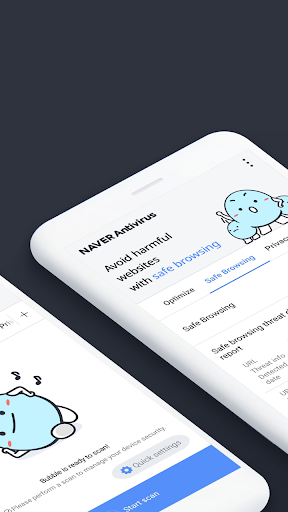
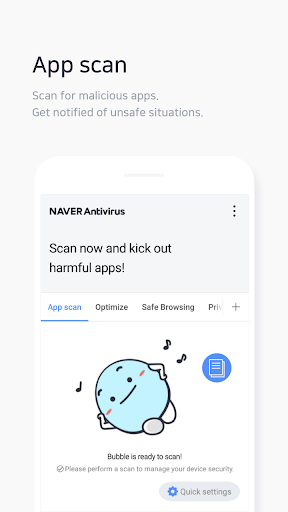
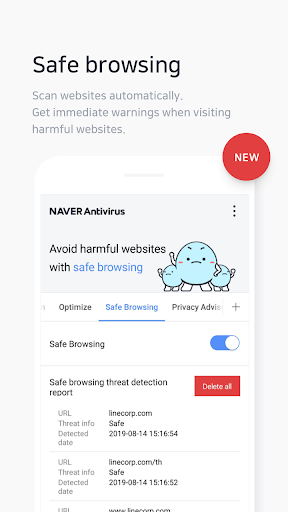
[Change Notice]
“LINE Antivirus” will be rebranded as “NAVER Antivirus” on September 25, 2023.
In order to provide better service and enhanced security, the service operations will be transferred to “NAVER Business Platform Corp.”
“NAVER Antivirus (LINE Antivirus)” does not collect or store personal information, and the service transfer will be completed, and the contract with LINE Corporation will be terminated when you agree to the terms and conditions of the newly upgraded app.
Also, LINE Corporation will be inherited to Z Holdings Corporation as per the reorganisation of the group, and the trade name of Z Holding Corporation will be changed to LY Corporation.
“NAVER Antivirus” will make every effort to repay your trust with even more reliable service.
[Key features]
- App scan
Check for harmful apps and malware
in your storage with a full in-depth scan.
- Find apps accessing your personal information
Easily track what information your apps are accessing, such as contact information, location information, calling history, and more.
- Safe browsing
Scan websites automatically and get real-time
warnings when you visit harmful websites.
- Wi-Fi scanning
Check info on nearby Wi-Fi networks and get warnings
when connecting to dangerous locations.
- Manage apps
Organize your old apps quickly and easily.
- Delete files securely
Delete your files permanently to keep your personal information safe even if your phone is lost or replaced.
[Useful features]
- Widgets and shortcuts
Quick access to features via widgets and shortcuts in the notifications bar.
- Real-time monitoring
Actively monitor your device and get notifications when a malicious app is installed.
- Scheduled scan
Set up personalized schedules to automatically scan your device.
About access permissions
[Required permission]
- Internet access: Needed to scan for malicious code in the cloud and update offline engines.
[Optional permissions]
- Storage: To scan for malicious code in storage when running a detailed scan.
- Location: To scan nearby Wi-Fi networks.
- Accessibility: To scan websites when safe browsing.
- Display over other apps: To notify you when danger is detected while safe browsing.
(You can use LINE Antivirus without allowing optional permissions, but some features may be unavailable.)"
更多

1. 下載逍遙安裝器並完成設置

2. 啟動逍遙後打開位於桌面上的谷歌商店

3. 在谷歌商店中搜尋NAVER Antivirus
Install
4. 下載並安裝NAVER Antivirus
5. 下載完成後點擊圖標來啟動

6. 透過逍遙享受在電腦上體驗NAVER Antivirus
逍遙安卓是優秀的安卓模擬器,全球超過5000萬用戶的優先選擇。逍遙安卓以虛擬化技術為核心,為用户打造突破手機配備局限的應用平台!
大屏精細展示;無限待機,超越電池和流量限制
鍵鼠,手把操作全面支持,操作更精準
用逍遙多開同時運行多個遊戲、應用。
Use NAVER Antivirus on PC by following steps: