Picsart Color - Painting, Draw
更新日期
目前版本
2.9.24
提供者

想體驗Picsart Color - Painting, Draw,可是手機熒幕太小,一載軟體就變燙,怎麼辦?透過逍遙模擬器,在電腦的大熒幕上暢快體驗!用鍵鼠操作更精準流暢,逍遙模擬器滿足您的所有期待。在電腦上下載安裝Picsart Color - Painting, Draw,不用擔心電池當掉,想體驗多久就多久,順暢跑一天~全新的逍遙模擬器9,絕對是您體驗Picsart Color - Painting, Draw電腦版的最佳選擇。完美的按鍵映射系統讓Picsart Color - Painting, Draw如PC軟體般順手;強大的多開功能可同時執行多個任務;獨家虛擬化技術更能徹底釋放電腦效能,保障長時間穩定運作。我們致力於不讓設備限制您的體驗,助您輕鬆高效,暢快無比!
更多
使用逍遙模擬器在電腦上享受Picsart Color - Painting, Draw的卓越體驗。這是一款功能強大的免費安卓模擬器,為您提供數千款安卓應用程式的桌面版本。與好友互動,有效率完成工作,盡情享受! Picsart Color 令人難以置信的數字插圖現在比以往任何時候都更容易和更棒。

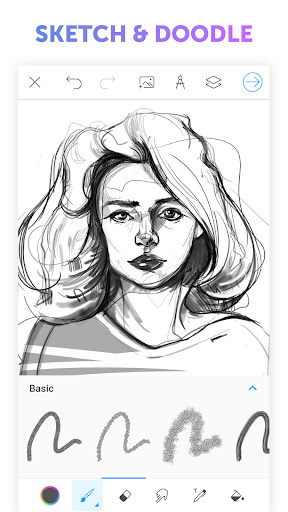
Picsart Color 令人難以置信的數字插圖現在比以往任何時候都更容易和更棒。
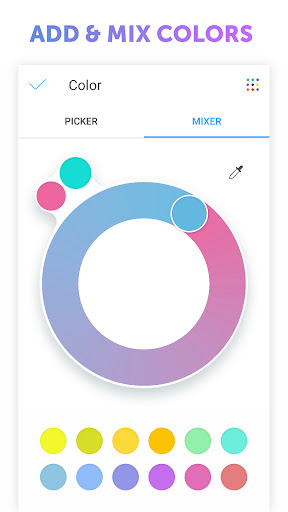
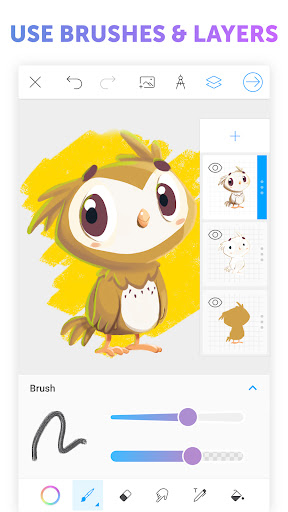
Picsart Color 為新手和專業人士提供了一個具有巨大功能的完整繪圖套件。層層疊疊,您可以想像的任何顏色組合的顏色混合器,完全可定制的畫筆,獨特的對稱繪圖功能和驚人的紋理畫筆只是您指尖(或繪圖筆)的一些創意功能。在您剛剛拍攝的自拍照上塗鴉,繪製令人驚嘆的幻想世界,或者只是為圖片著色 - 顏色適合每個人!直觀的界面可確保您花更多的時間來繪製精彩的事物而不是尋找事物。從草圖到完全拋光的插圖,Picsart Color 是您唯一需要的數字繪圖應用程序。
特徵
- 帶旋轉軸的對稱繪圖
- 紋理畫筆 - 不僅用顏色繪製,還用紋理繪製!
- 圖案和顏色填充
- 完整的可定制畫筆庫
- 色輪和混合器並匹配您想要的任何顏色
- 多層
- 混合模式
- 文本工具,可讓您用文本繪製和擦除
- 自動恢復,因此您的繪圖永遠不會丟失,而且還有更多免費可用且沒有煩人的廣告!
立即下載 Picsart Color,徹底改變您在平板電腦或手機上繪畫的方式。
更多

1. 下載逍遙安裝器並完成設置

2. 啟動逍遙後打開位於桌面上的谷歌商店

3. 在谷歌商店中搜尋Picsart Color - Painting, Draw
Install
4. 下載並安裝Picsart Color - Painting, Draw
5. 下載完成後點擊圖標來啟動

6. 透過逍遙享受在電腦上體驗Picsart Color - Painting, Draw
逍遙安卓是優秀的安卓模擬器,全球超過5000萬用戶的優先選擇。逍遙安卓以虛擬化技術為核心,為用户打造突破手機配備局限的應用平台!
大屏精細展示;無限待機,超越電池和流量限制
鍵鼠,手把操作全面支持,操作更精準
用逍遙多開同時運行多個遊戲、應用。
Use Picsart Color - Painting, Draw on PC by following steps: