PixelMe: Pixel Art AI Camera
更新日期
目前版本
4.7.2
提供者

想體驗PixelMe: Pixel Art AI Camera,可是手機熒幕太小,一載軟體就變燙,怎麼辦?透過逍遙模擬器,在電腦的大熒幕上暢快體驗!用鍵鼠操作更精準流暢,逍遙模擬器滿足您的所有期待。在電腦上下載安裝PixelMe: Pixel Art AI Camera,不用擔心電池當掉,想體驗多久就多久,順暢跑一天~全新的逍遙模擬器9,絕對是您體驗PixelMe: Pixel Art AI Camera電腦版的最佳選擇。完美的按鍵映射系統讓PixelMe: Pixel Art AI Camera如PC軟體般順手;強大的多開功能可同時執行多個任務;獨家虛擬化技術更能徹底釋放電腦效能,保障長時間穩定運作。我們致力於不讓設備限制您的體驗,助您輕鬆高效,暢快無比!
更多
透過逍遙模擬器,在電腦上下載PixelMe: Pixel Art AI Camera,享受大熒幕的暢快體驗。 Transform Your Photos into Stunning Pixel Art with PixelMe – Your Ultimate Pixel Art Studio!
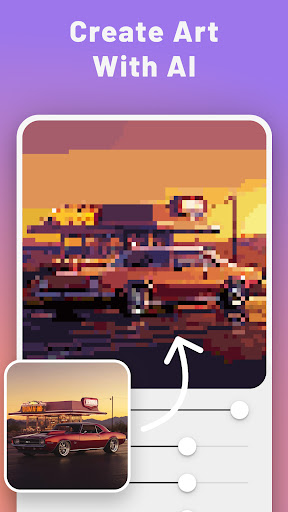
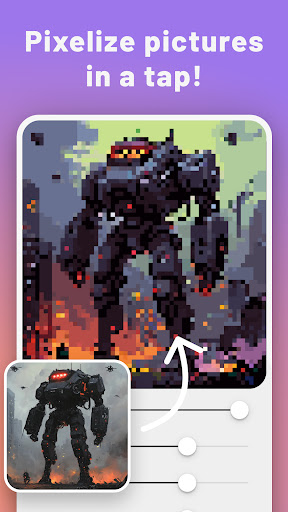
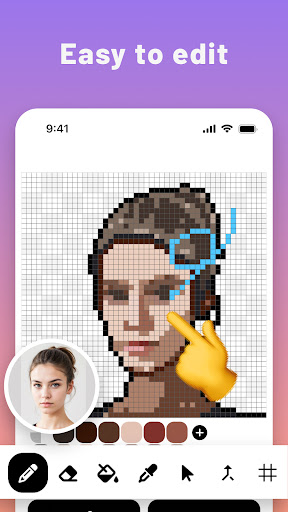
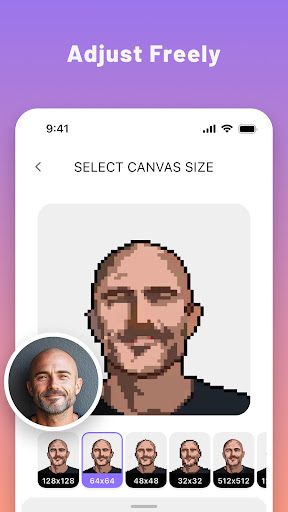
Transform Your Photos into Stunning Pixel Art with PixelMe – Your Ultimate Pixel Art Studio!
Ever dreamed of turning your photos into unique pixel art creations? With PixelMe, unleash your creativity by transforming any picture - whether it’s your face, pets, landscapes, or any scene - into distinctive 8-bit style artwork. Powered by advanced AI, PixelMe offers you the magical experience of pixelating images effortlessly, while giving you the freedom to enhance and personalize each piece with our intuitive editor.
Why Choose PixelMe for Your Pixel Art Journey?
AI-Powered Pixelation: Instantly convert your photos into pixel art with our sophisticated AI. Whether it’s a portrait, an animal, or a scenic view, PixelMe breathes life into your images with a nostalgic, 8-bit twist.
Hands-On Customization: Not entirely satisfied with the AI's creation? Dive in with PixelMe’s editing options - adjust hues, brightness, and contrast to perfection, or manually refine details to your taste.
Versatile Pixel Art Toolkit: From beginners to seasoned artists, PixelMe caters to all. Use our pixel art maker to start from scratch or add your personal touch to AI-generated artworks.
Be Your Own Pixel Artist: Embrace the full spectrum of pixel art with tools designed for both novices and experts. Draw, dot, or sprite your way to stunning creations using our user-friendly interface.
Share Your Masterpieces: Integrated seamlessly with social platforms, PixelMe makes it easy to showcase your pixel art. Share your work and inspire others in the pixel art community!
Endless Creativity with Various Themes: Whether you’re into game design, dotpict art, or classic studio creations, our app supports a wide range of pixel art styles, including beads, resprite, pixilart, and more.
Join the PixelMe community now and transform everyday photos into pixel-perfect artworks. Whether you're reminiscing in the retro charm of 8-bit graphics or exploring the artistic possibilities of pixaki, PixelMe is your companion on this colorful journey.
Privacy & Support:
We respect your privacy. For more details, please visit our Privacy Policy: https://pixel-me.tokyo/en/privacy.
PixelMe is not just a game maker or a simple photo editor; it's a gateway to a world where your photos become the canvas for pixel artistry. Download PixelMe now and start your pixel art adventure today!
更多

1. 下載逍遙安裝器並完成設置

2. 啟動逍遙後打開位於桌面上的谷歌商店

3. 在谷歌商店中搜尋PixelMe: Pixel Art AI Camera
Install
4. 下載並安裝PixelMe: Pixel Art AI Camera
5. 下載完成後點擊圖標來啟動

6. 透過逍遙享受在電腦上體驗PixelMe: Pixel Art AI Camera
逍遙安卓是優秀的安卓模擬器,全球超過5000萬用戶的優先選擇。逍遙安卓以虛擬化技術為核心,為用户打造突破手機配備局限的應用平台!
大屏精細展示;無限待機,超越電池和流量限制
鍵鼠,手把操作全面支持,操作更精準
用逍遙多開同時運行多個遊戲、應用。
Use PixelMe: Pixel Art AI Camera on PC by following steps: