Prism: AI Quick Path Browser
更新日期
目前版本
1.0.16
提供者

想體驗Prism: AI Quick Path Browser,可是手機熒幕太小,一載軟體就變燙,怎麼辦?透過逍遙模擬器,在電腦的大熒幕上暢快體驗!用鍵鼠操作更精準流暢,逍遙模擬器滿足您的所有期待。在電腦上下載安裝Prism: AI Quick Path Browser,不用擔心電池當掉,想體驗多久就多久,順暢跑一天~全新的逍遙模擬器9,絕對是您體驗Prism: AI Quick Path Browser電腦版的最佳選擇。完美的按鍵映射系統讓Prism: AI Quick Path Browser如PC軟體般順手;強大的多開功能可同時執行多個任務;獨家虛擬化技術更能徹底釋放電腦效能,保障長時間穩定運作。我們致力於不讓設備限制您的體驗,助您輕鬆高效,暢快無比!
更多
使用逍遙模擬器在電腦上享受Prism: AI Quick Path Browser的卓越體驗。這是一款功能強大的免費安卓模擬器,為您提供數千款安卓應用程式的桌面版本。與好友互動,有效率完成工作,盡情享受! Prism is a user-centric browser equipped with integrated device tools and comprehensive web navigation features.
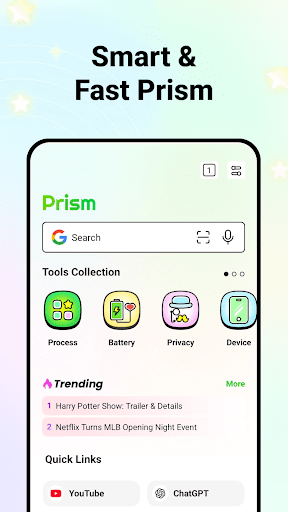

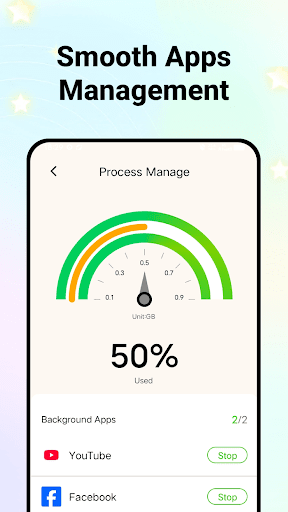
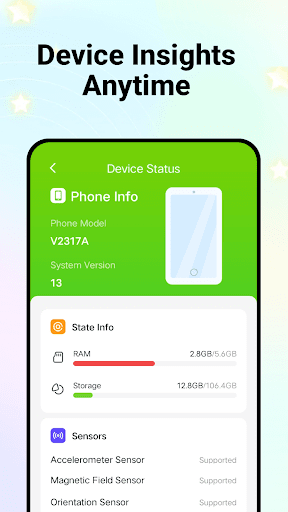
Prism is a user-centric browser equipped with integrated device tools and comprehensive web navigation features. It helps you explore the internet effortlessly while managing and viewing your device information, providing a reliable experience that meets your everyday browsing needs.
Key Features:
• Website Quick Links
We aggregate links to various AI platforms and popular trending websites. With one-click access, you can instantly reach your favorite sites without extra searching.
• Efficient Browsing with Real-Time News
Experience real-time news updates via a swipe-enabled interface, ensuring quick access to the latest information.
• User-Friendly Layout
The interface is streamlined with easy-to-use shortcuts, helping you locate essential tools without extra effort.
• Customizable Bookmark Management
Organize your frequently visited sites to build a personalized hub that fits your browsing habits.
• Privacy and Data Control
Manage your browsing data, such as history, cache, and cookies with ease to maintain a secure browsing environment.
• Efficient Process Management
Monitor background activities on your device and selectively close non-essential processes.
• Device Insights Anytime
Access detailed information about your device’s performance and battery status for better management.
Download Prism now to experience a secure, efficient browser designed for thoughtful, everyday connectivity.
更多

1. 下載逍遙安裝器並完成設置

2. 啟動逍遙後打開位於桌面上的谷歌商店

3. 在谷歌商店中搜尋Prism: AI Quick Path Browser
Install
4. 下載並安裝Prism: AI Quick Path Browser
5. 下載完成後點擊圖標來啟動

6. 透過逍遙享受在電腦上體驗Prism: AI Quick Path Browser
逍遙安卓是優秀的安卓模擬器,全球超過5000萬用戶的優先選擇。逍遙安卓以虛擬化技術為核心,為用户打造突破手機配備局限的應用平台!
大屏精細展示;無限待機,超越電池和流量限制
鍵鼠,手把操作全面支持,操作更精準
用逍遙多開同時運行多個遊戲、應用。
Use Prism: AI Quick Path Browser on PC by following steps: