
Proton Pass: Password Manager
更新日期
目前版本
1.40.0
提供者

想體驗Proton Pass: Password Manager,可是手機熒幕太小,一載軟體就變燙,怎麼辦?透過逍遙模擬器,在電腦的大熒幕上暢快體驗!用鍵鼠操作更精準流暢,逍遙模擬器滿足您的所有期待。在電腦上下載安裝Proton Pass: Password Manager,不用擔心電池當掉,想體驗多久就多久,順暢跑一天~全新的逍遙模擬器9,絕對是您體驗Proton Pass: Password Manager電腦版的最佳選擇。完美的按鍵映射系統讓Proton Pass: Password Manager如PC軟體般順手;強大的多開功能可同時執行多個任務;獨家虛擬化技術更能徹底釋放電腦效能,保障長時間穩定運作。我們致力於不讓設備限制您的體驗,助您輕鬆高效,暢快無比!
更多
使用逍遙模擬器在電腦上享受Proton Pass: Password Manager的卓越體驗。這是一款功能強大的免費安卓模擬器,為您提供數千款安卓應用程式的桌面版本。與好友互動,有效率完成工作,盡情享受! Get the password manager created by the scientists who met at CERN behind Proton Mail, the world’s largest encrypted email provider.
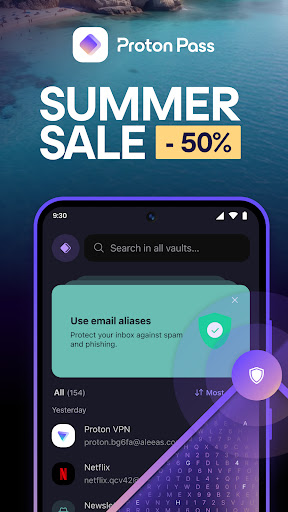
Get the password manager created by the scientists who met at CERN behind Proton Mail, the world’s largest encrypted email provider. Proton Pass is open source, end-to-end encrypted, and protected by Swiss privacy laws.
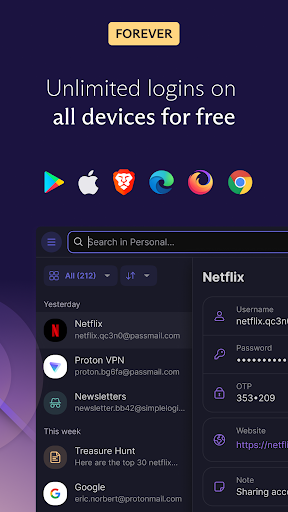
Pass offers more than other free password managers and has no ads or data collection. You can use it for free forever on all your devices to create and store unlimited passwords, autofill logins, generate 2FA codes, create email aliases, secure your notes, and more.
* How can Proton Pass be free forever?
We offer Pass for free because everyone deserves online privacy and security. This is possible thanks to our supportive community on paid plans. If you would like to support our work and get access to premium features, consider upgrading your plan.
* Protect more than just your passwords.
Join over 100 million people who have signed up for Proton’s privacy ecosystem, which includes Proton Mail, Proton Drive, Proton Calendar, Proton VPN, and more.
* Protect your logins and their metadata with battle-tested end-to-end encryption
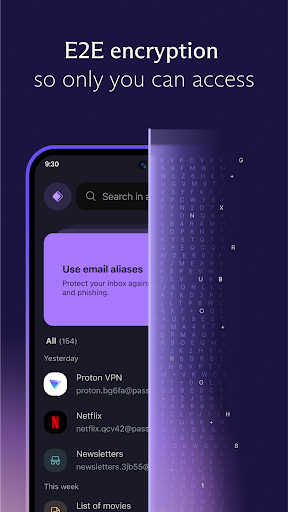
While many other password managers only encrypt your password, Proton Pass uses end-to-end encryption on all your stored login details (including your username, the website address, and more). Pass protects your information with the same battle-tested encryption libraries all Proton services use.
* Audit Pass’s open-source code
Like all other Proton services, Pass is open source and built on the principle of trust through transparency. As scientists, we know that transparency and peer review lead to better security. All Proton Pass apps are open source, meaning anyone can verify our security claims for themselves.
With Proton Pass, you can:
- Store and auto-sync unlimited logins on unlimited devices: You can create, store, and manage your credentials from anywhere with our browser extensions and apps for Android and iPhone/iPad.
- Sign in faster with Proton Pass autofill: You no longer need to copy and paste your username and password. Easily and securely log in with Proton Pass autofill technology.
- Avoid weak passwords: With our built-in secure password generator, you can easily generate strong, unique, and random passwords based on the security requirements for every website you sign up to.
- Safely store encrypted notes: You can save private notes in Pass and access them on all your devices.
- Protect Proton Pass with biometric login access: You can add an extra layer of protection to Proton Pass by using your fingerprint or face to unlock the app.
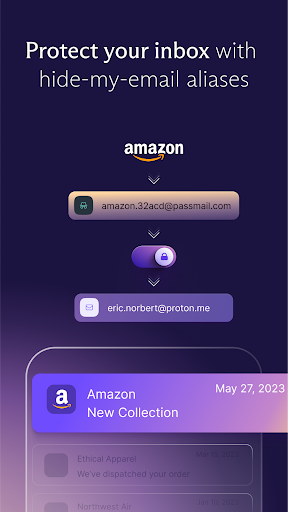
- Create unique email addresses with hide-my-email aliases: Proton Pass helps you hide your personal email address with email aliases. Keep spam out of your inbox, avoid being tracked everywhere, and protect yourself from data breaches.
- Make 2FA easy with our built-in authenticator: With Pass’s integrated 2FA authenticator, using 2FA is finally fast and convenient. Easily add a 2FA code for any website and autofill it when you log in.
- Easily organize and share your sensitive data with vaults: Manage your logins, secure notes, and email aliases with vaults. In the next version of Pass, you’ll be able to share individual items or an entire vault with your family, friends, or colleagues.
- Quick offline access to your login data: Access your stored passwords and notes in Pass from wherever you are, even when your phone has no internet connection.
- Secure your Pass account with additional security measures: Protect all your data with another layer of protection, either with TOTP or U2F/FIDO2 security keys.
- Get unlimited email forwards: There’s no limit on the number of emails you can have forwarded from your alias to your inbox.
- Easily import your passwords from: Apple iCloud Keychain, Google Chrome, Bitwarden, 1Password, Dashlane, LastPass, Nordpass, Keeper, and more!
For more information, visit: https://proton.me/pass
Learn more about Proton: https://proton.me
更多

1. 下載逍遙安裝器並完成設置

2. 啟動逍遙後打開位於桌面上的谷歌商店

3. 在谷歌商店中搜尋Proton Pass: Password Manager
Install
4. 下載並安裝Proton Pass: Password Manager
5. 下載完成後點擊圖標來啟動

6. 透過逍遙享受在電腦上體驗Proton Pass: Password Manager
逍遙安卓是優秀的安卓模擬器,全球超過5000萬用戶的優先選擇。逍遙安卓以虛擬化技術為核心,為用户打造突破手機配備局限的應用平台!
大屏精細展示;無限待機,超越電池和流量限制
鍵鼠,手把操作全面支持,操作更精準
用逍遙多開同時運行多個遊戲、應用。
Use Proton Pass: Password Manager on PC by following steps: