SHAREit: Transfer, Share Files
更新日期
目前版本
6.26.98_ww
提供者

想體驗SHAREit: Transfer, Share Files,可是手機熒幕太小,一載軟體就變燙,怎麼辦?透過逍遙模擬器,在電腦的大熒幕上暢快體驗!用鍵鼠操作更精準流暢,逍遙模擬器滿足您的所有期待。在電腦上下載安裝SHAREit: Transfer, Share Files,不用擔心電池當掉,想體驗多久就多久,順暢跑一天~全新的逍遙模擬器9,絕對是您體驗SHAREit: Transfer, Share Files電腦版的最佳選擇。完美的按鍵映射系統讓SHAREit: Transfer, Share Files如PC軟體般順手;強大的多開功能可同時執行多個任務;獨家虛擬化技術更能徹底釋放電腦效能,保障長時間穩定運作。我們致力於不讓設備限制您的體驗,助您輕鬆高效,暢快無比!
更多
透過逍遙模擬器,在電腦上下載SHAREit: Transfer, Share Files,享受大熒幕的暢快體驗。 It’s time to Share it!
It’s time to Share it!
Share files, apps, games, videos, photos, music, recordings, documents and more with the SHAREit file transfer app. As a super-fast and safe app to transfer big files, trusted by 2 billion+ users globally, SHAREit is the secure way to share files.
With SHAREit you can also download videos and photos directly with downloader, manage files on your phone with file manager. File transfers from Mobile to PC and vice versa are now faster and easier.
New function: when changing your phone, you can easily transfer contacts, apps, videos, photos, music, recordings, documents from an old phone to a new one through SHAREit's phone clone function.
It's super easy to use! And the best part? It's free!
Why you must use SHAREit, the #1 file share & data transfer app?
THE FASTEST FILE SHARING AND APP SHARING IN THE WORLD
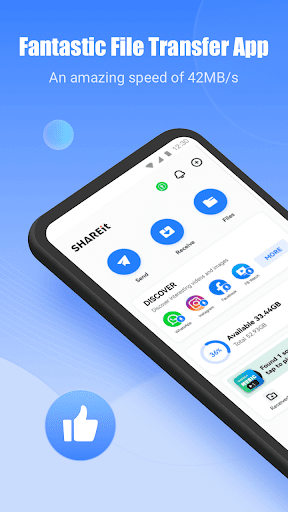
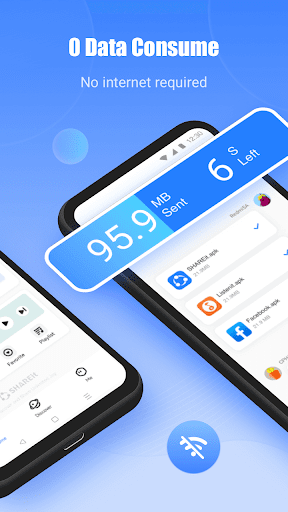
With 200 times faster than Bluetooth, the highest speed goes up to 42MB/s. Share and receive files without any data consumption, transfer files without any quality loss.
HIGH PRIVACY & DATA SECURITY
We know privacy and data security are important, so we make sure they're protected in the best way while you enjoy your files transfer, for free. With SHAREit, you can quickly and securely send and share any file, anywhere in the world.
POWERFUL CROSS-PLATFORM TRANSFERRING, SUPPORTS ALL TYPES OF FILES
Experience the best data-free file transferring and sharing app that offers cross-platform transferring, supports all types of files and makes your life easier. You don't have to worry about the size or type of data anymore because SHAREit helps you send large files without limitation across all your devices. Transfer: Apps, Games, Photos, Movies, Videos, Music, GIFs and Wallpapers with just one tap!
⬇ FAST DOWNLOADER
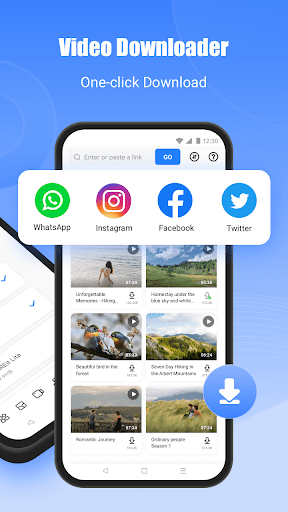
Support downloading videos and photos. Easily download videos and photos directly to your device.
INFINITE HD & SELECTIVE ONLINE VIDEOS
Watch unlimited high-definition videos find high-quality and fun new video content every time you open the app.
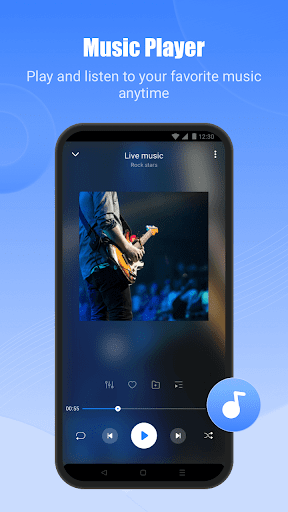
ELEGANT MUSIC PLAYER - AUDIO PLAYER
SHAREit Music Player is the best way to listen to your favorite songs. It's a powerful and user-friendly audio player that does much more than just play music.
PHONE CLONE
Phone Clone (Smart Switch) is a very handy data migration function when you change phones. You can easily transfer contacts, apps, videos, photos, music, recordings, documents from old phone to new phone. Samsung, Transsion, Xiaomi, OPPO, vivo, Huawei, OnePlus, iPhone and other smartphones all support this function.
SHAREit features:
TRANSFER GAME APPS: A new PUBG One Click Transmission feature - within seconds transfer large game apps, without needing to download the game cache file.
DOWNLOADER: Save videos and photos from WhatsApp, Facebook and Instagram for free.
FILE MANAGER: Manage the biggest files, move files or delete them.
More features:
Safebox: Easily hiding and encrypting photos and videos you prefer others not to see.
PDF Conversion: Conversions between PDF and images.
Download SHAREit now, the perfect app to share and transfer files! If you like it, SHARE it with your friends!
Share, Watch & Play. All day. With SHAREit.
更多

1. 下載逍遙安裝器並完成設置

2. 啟動逍遙後打開位於桌面上的谷歌商店

3. 在谷歌商店中搜尋SHAREit: Transfer, Share Files
Install
4. 下載並安裝SHAREit: Transfer, Share Files
5. 下載完成後點擊圖標來啟動

6. 透過逍遙享受在電腦上體驗SHAREit: Transfer, Share Files
逍遙安卓是優秀的安卓模擬器,全球超過5000萬用戶的優先選擇。逍遙安卓以虛擬化技術為核心,為用户打造突破手機配備局限的應用平台!
大屏精細展示;無限待機,超越電池和流量限制
鍵鼠,手把操作全面支持,操作更精準
用逍遙多開同時運行多個遊戲、應用。
Use SHAREit: Transfer, Share Files on PC by following steps: