SUPLA
更新日期
目前版本
24.12.01
提供者

想體驗SUPLA,可是手機熒幕太小,一載軟體就變燙,怎麼辦?透過逍遙模擬器,在電腦的大熒幕上暢快體驗!用鍵鼠操作更精準流暢,逍遙模擬器滿足您的所有期待。在電腦上下載安裝SUPLA,不用擔心電池當掉,想體驗多久就多久,順暢跑一天~全新的逍遙模擬器9,絕對是您體驗SUPLA電腦版的最佳選擇。完美的按鍵映射系統讓SUPLA如PC軟體般順手;強大的多開功能可同時執行多個任務;獨家虛擬化技術更能徹底釋放電腦效能,保障長時間穩定運作。我們致力於不讓設備限制您的體驗,助您輕鬆高效,暢快無比!
更多
透過逍遙模擬器,在電腦上下載SUPLA,享受大熒幕的暢快體驗。 SUPLA for Android is part of a project developed based on an open software and open hardware.
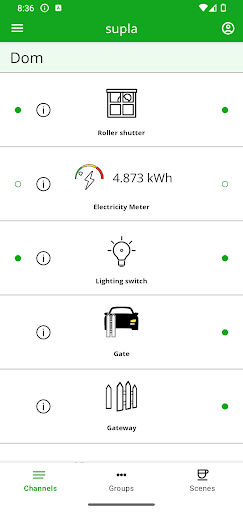
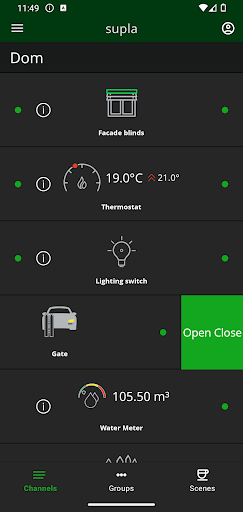
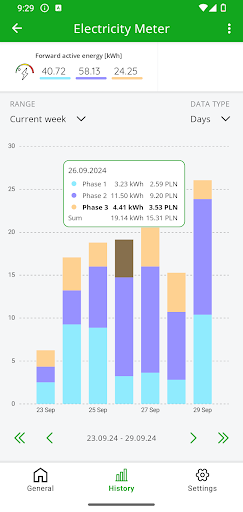
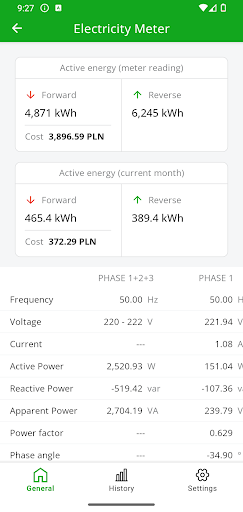
SUPLA for Android is part of a project developed based on an open software and open hardware. Control modules for Raspberry Pl and ESP8266/ESP32/Arduino platforms can be built to operate building automatics. The system allows to:
- Open and close the gate
- Open and close garage doors
- Open the door
- Open the gateway
- Open and close roller shutters
- Control RGB lighting
- Control light brightness level
- Varilight dimmer control (V-Pro Smart)
- Control of Heatpol Home+ heaters
- Turn the power on and off
- Turn the lighting on and off
- Monitor status of roller shutters, the gate, garage doors, the door and the gateway
- Monitor liquid sensor
- Monitor distance sensor
- Monitor depth sensor
- Present temperature and humidity from a connected sensors
- Monitoring of electricity, gas and water consumption
- Generating charts of temperature, humidity and consumption of electricity, gas and water
Supla is open, simple and free!
For details, please go to www.supla.org
更多

1. 下載逍遙安裝器並完成設置

2. 啟動逍遙後打開位於桌面上的谷歌商店

3. 在谷歌商店中搜尋SUPLA
Install
4. 下載並安裝SUPLA
5. 下載完成後點擊圖標來啟動

6. 透過逍遙享受在電腦上體驗SUPLA
逍遙安卓是優秀的安卓模擬器,全球超過5000萬用戶的優先選擇。逍遙安卓以虛擬化技術為核心,為用户打造突破手機配備局限的應用平台!
大屏精細展示;無限待機,超越電池和流量限制
鍵鼠,手把操作全面支持,操作更精準
用逍遙多開同時運行多個遊戲、應用。
Use SUPLA on PC by following steps: