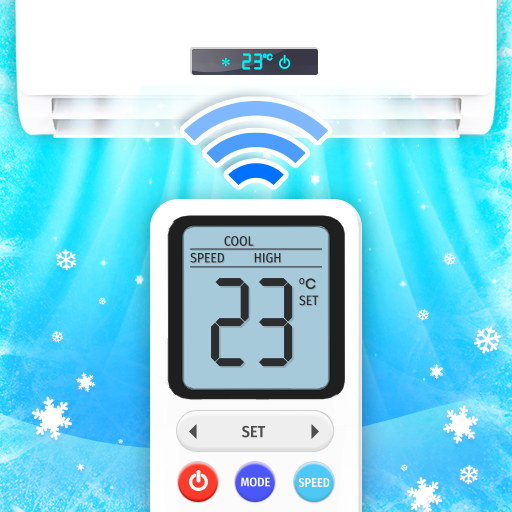
Universal TV Remote Control
更新日期
目前版本
2.8.9
提供者

想體驗Universal TV Remote Control,可是手機熒幕太小,一載軟體就變燙,怎麼辦?透過逍遙模擬器,在電腦的大熒幕上暢快體驗!用鍵鼠操作更精準流暢,逍遙模擬器滿足您的所有期待。在電腦上下載安裝Universal TV Remote Control,不用擔心電池當掉,想體驗多久就多久,順暢跑一天~全新的逍遙模擬器9,絕對是您體驗Universal TV Remote Control電腦版的最佳選擇。完美的按鍵映射系統讓Universal TV Remote Control如PC軟體般順手;強大的多開功能可同時執行多個任務;獨家虛擬化技術更能徹底釋放電腦效能,保障長時間穩定運作。我們致力於不讓設備限制您的體驗,助您輕鬆高效,暢快無比!
更多
透過逍遙模擬器,在電腦上下載Universal TV Remote Control,享受大熒幕的暢快體驗。 The No.
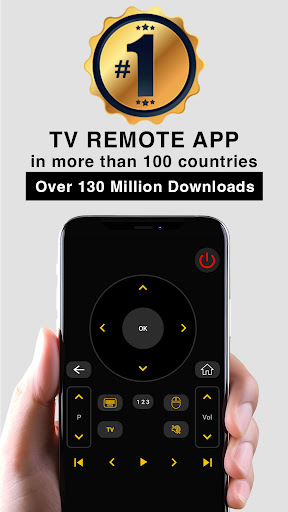
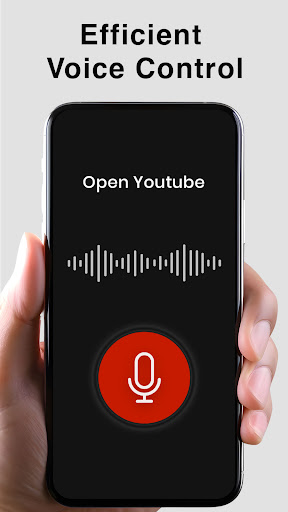
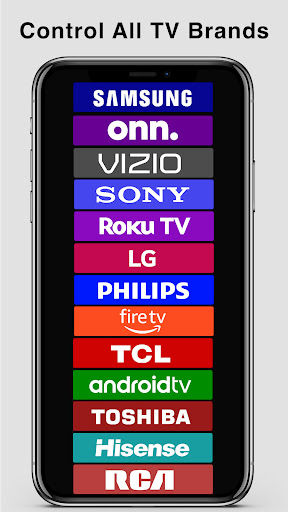
The No.1 Universal TV Remote Control - Smart and IR Remotes App in more than 100 countries.
For Smart TVs / Devices, the only setting required is to connect your phone as well as your Smart TV / Device to the same Wifi network.
For IR TVs, your phone must have a built-in Infrared (IR) feature for the app to work as a remote control. The IR feature is required to send signals from your phone to the TV set just like a normal TV remote.
Now you can Cast media files stored on your mobile phone to your Smart TV screen.
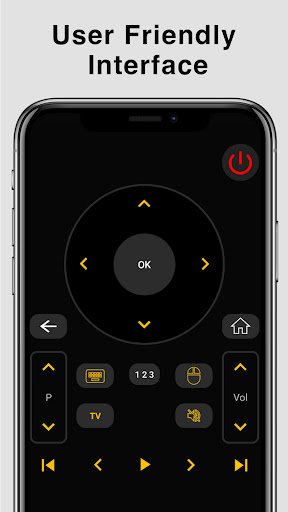
Smart TV functionalities
>> Voice Search
>> Power Control.
>> Mute / Volume Control.
>> Smart Sharing / Casting: View your Pictures and Videos, and listen to music on your TV.
>> Mouse Navigation and Easy Keyboard.
>> Input
>> Home
>> Apps installed on your TV.
>> Channel lists / Up / Down.
>> Play / Stop / Reverse / Fast Forward.
>> Up / Down / Left / Right Navigation.
The TOP Universal TV remote control app that has been downloaded and used by more than 120 Million users throughout the world. The simplicity which this app offers to its users has been acknowledged and appreciated widely throughout the world.
So, Get rid of the annoying regular temper problems caused by:
• Losing your remote,
• Batteries worn out,
• Smacking your little sibling for breaking the remote,
• Biting and / or boiling your batteries in water hoping it would result in magically recharging them, etc.
Just right before one of your favourite TV season or show is about to start, OR your favourite sports game is about to begin, OR you want to watch news and your TV remote control is not within your reach.
No setup required. Just select your TV brand and start using it.
Very Useful
It is always good and easy to use a single Universal remote control device to control all you electronic equipments. As mobile phone has become a major gadget that people always carry with them, so having an application installed on your mobile device that works as a TV remote control will make your life easier.
Very easy to Contact Us
CodeMatics very cordial Customer Support is here to assist you in anything you need. Our team is working continuously to include maximum TV brands and functionalities. The smart remote control app is being updated accordingly.
If your brand is not listed or the TV remote control application is not working with your television, please drop us an email with your TV brand and remote model. We will work on to make this application compatible with your TV brand.
Features of Traditional IR Universal Remote Control:
• Power ON / OFF Control.
• AV / TV.
• Mute / Un-Mute.
• Channel Digits buttons.
• Channel index and lists.
• Volume Up Control.
• Volume Down Control.
• Channel Up Control.
• Channel Down Control.
• Menu Button with up / down and left / right Controls.
• Red / Green / Blue / Yellow (Multiple purpose soft keys).
Note:
• Phone or Tablet with built in IR blaster is required for the Traditional IR TV devices.
• For Smart TVs / devices, both the smartTV device and user's mobile device must be connected to the same network.
• This app is compatible with the TV brands / models currently available in the app. This is an unofficial TV remote application for these Television brands.
• "Email us" the Model of your TV and we will try our best to make it available as soon as we possibly can. Your patience and positive feedback will be highly appreciated.
ENJOY!!!! Your feedback is very important to us.
更多

1. 下載逍遙安裝器並完成設置

2. 啟動逍遙後打開位於桌面上的谷歌商店

3. 在谷歌商店中搜尋Universal TV Remote Control
Install
4. 下載並安裝Universal TV Remote Control
5. 下載完成後點擊圖標來啟動

6. 透過逍遙享受在電腦上體驗Universal TV Remote Control
逍遙安卓是優秀的安卓模擬器,全球超過5000萬用戶的優先選擇。逍遙安卓以虛擬化技術為核心,為用户打造突破手機配備局限的應用平台!
大屏精細展示;無限待機,超越電池和流量限制
鍵鼠,手把操作全面支持,操作更精準
用逍遙多開同時運行多個遊戲、應用。
Use Universal TV Remote Control on PC by following steps: