ViiTor AI-Video Translation
更新日期
目前版本
1.4.3
提供者

想體驗ViiTor AI-Video Translation,可是手機熒幕太小,一載軟體就變燙,怎麼辦?透過逍遙模擬器,在電腦的大熒幕上暢快體驗!用鍵鼠操作更精準流暢,逍遙模擬器滿足您的所有期待。在電腦上下載安裝ViiTor AI-Video Translation,不用擔心電池當掉,想體驗多久就多久,順暢跑一天~全新的逍遙模擬器9,絕對是您體驗ViiTor AI-Video Translation電腦版的最佳選擇。完美的按鍵映射系統讓ViiTor AI-Video Translation如PC軟體般順手;強大的多開功能可同時執行多個任務;獨家虛擬化技術更能徹底釋放電腦效能,保障長時間穩定運作。我們致力於不讓設備限制您的體驗,助您輕鬆高效,暢快無比!
更多
使用逍遙模擬器在電腦上享受ViiTor AI-Video Translation的卓越體驗。這是一款功能強大的免費安卓模擬器,為您提供數千款安卓應用程式的桌面版本。與好友互動,有效率完成工作,盡情享受! I.
I. Core Products
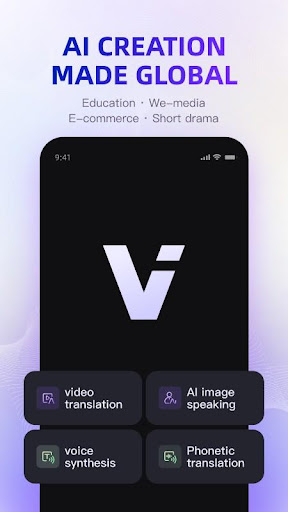
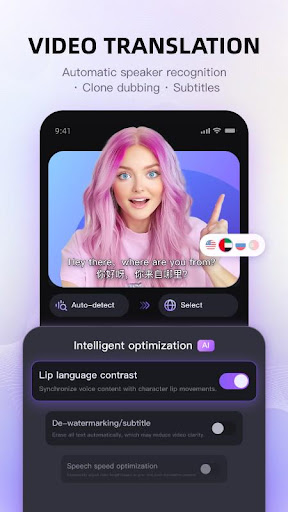
1. Video Translation
Automatically detects every spoken line in videos and generates precise subtitles. Our AI instantly translates content into 18 languages, while our massive voice bank and voice cloning technology let you speak foreign languages in your own voice - or switch between 1000+ professional voice styles like news anchors and cartoon characters. One-click sharing to social platforms makes cross-language video production easier than ever!
2. AI Photo Animation
Transform any static image into a talking, emoting video with just one picture! Simply input text or upload voice recordings, and our AI synchronizes lifelike lip movements and micro-expressions to create immersive audiovisual experiences. No filming equipment needed - turn old photos into viral-ready content that moves and speaks!
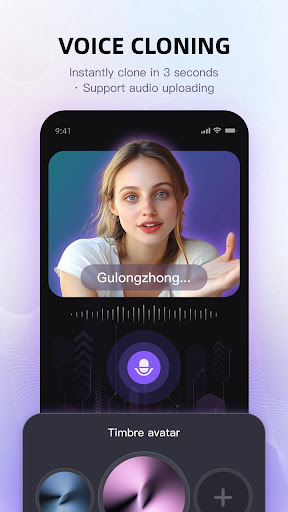
3. Voice Cloning
Your portable voice studio!
- Clone unique vocal prints in just 3 seconds
- Smart emotion modulation for expressive delivery
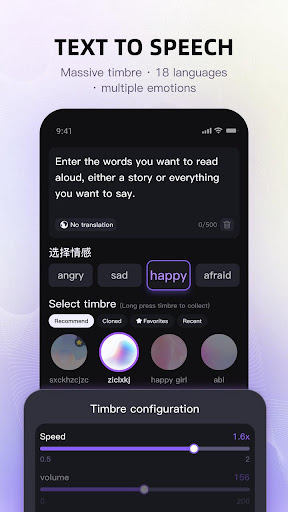
4. Text-to-Speech
Breathe life into text with natural-sounding AI voices:
- 1000+ curated voices covering all ages and styles
- Personalized voice cloning with 3-second sampling
- Precise control over emotion, speed, and volume
- Supports 18 languages including Chinese, English, Japanese, and Korean
5. Audio Translation
Instantly convert uploaded audio files into multiple languages while preserving or modifying voice characteristics. Let your voice transcend language barriers and reach global audiences.
II. Why Choose Us
- Entertainment Features: Our AI photo animation brings still images to life with natural speech, blinking, and nodding. Combine with multi-style voice options to create dramatic character contrasts (e.g., instantly switching between high-pitched and deep voices).
- Mobile-First Convenience: Featuring an intuitive interface that eliminates video production complexity. Real-time mobile processing delivers professional results without specialized equipment - create anywhere, anytime.
- Global Language Support: 18 languages including:
• Asian: Mandarin, Cantonese, Japanese, Korean, Thai, Vietnamese
• Southeast Asian: Indonesian, Malay, Filipino, Hindi
• European/American: English, French, German, Italian, Spanish, Portuguese, Russian
• Middle Eastern: Arabic, Turkish
Experience it now and embark on an endless journey of creative content possibilities!
更多

1. 下載逍遙安裝器並完成設置

2. 啟動逍遙後打開位於桌面上的谷歌商店

3. 在谷歌商店中搜尋ViiTor AI-Video Translation
Install
4. 下載並安裝ViiTor AI-Video Translation
5. 下載完成後點擊圖標來啟動

6. 透過逍遙享受在電腦上體驗ViiTor AI-Video Translation
逍遙安卓是優秀的安卓模擬器,全球超過5000萬用戶的優先選擇。逍遙安卓以虛擬化技術為核心,為用户打造突破手機配備局限的應用平台!
大屏精細展示;無限待機,超越電池和流量限制
鍵鼠,手把操作全面支持,操作更精準
用逍遙多開同時運行多個遊戲、應用。
Use ViiTor AI-Video Translation on PC by following steps: