Tekken 3
تاریخ بهروزرسانی
نسخه کنونی
1.3
ارائهکننده

با تمام اشتیاق شما به بازی Tekken 3، قرار نیست دست های شما روی صفحه نمایش کوچک گوشی شما محدود شود. مانند یک حرفه ای بازی کنید و کنترل کامل بازی خود را با صفحه کلید و ماوس بدست آورید.MEmu همه ی انتظاراتی که دارید را برآورده می کند.Tekken 3 را بر روی رایانه شخصی دانلود و بازی کنید. تا زمانی که می خواهید بازی کنید، دیگر محدودیتی در باتری، داده تلفن همراه و تماس های مزاحم وجود ندارد.MEmu 9 کاملاً جدید و بهترین انتخاب برای بازی Tekken 3 روی رایانه شخصی است. با تخصص ما، سیستم keymapping از پیش تعیین شده عالی،Tekken 3 را به یک بازی رایانه شخصی واقعی تبدیل می کند.مدیریت چند موردی MEmu امکان اجرای 2 یا چندین حساب در یک دستگاه را فراهم می کند.و مهمتر از همه، موتور شبیهسازی انحصاری ما میتواند پتانسیل کامل رایانه شما را آزاد کند و همه چیز را روان کند.
بیشتر نشان بده
Download Tekken 3 on PC with MEmu Android Emulator. Enjoy playing on big screen. Tekken 3 fits short sessions and longer play, letting you jump into bouts without extra setup.
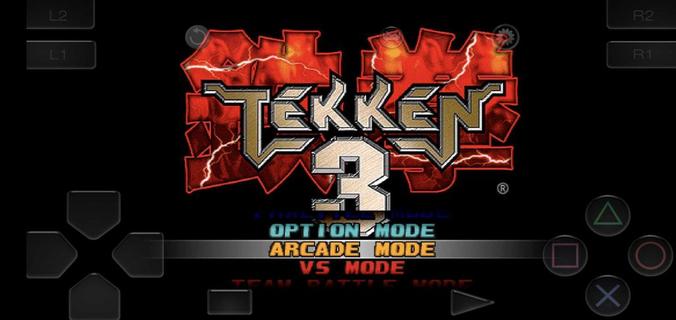
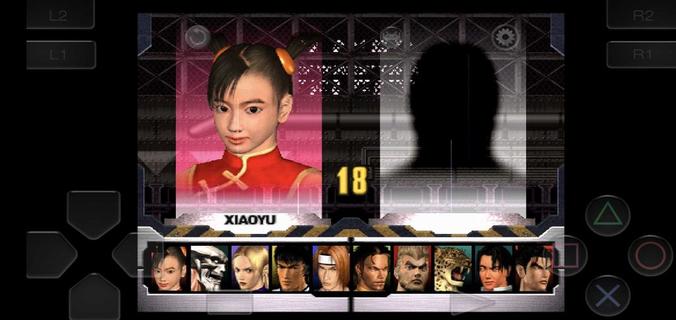
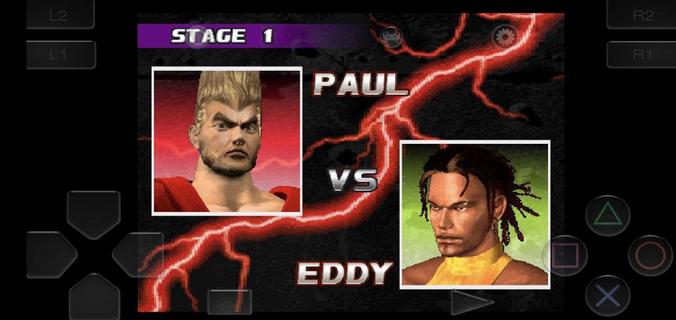
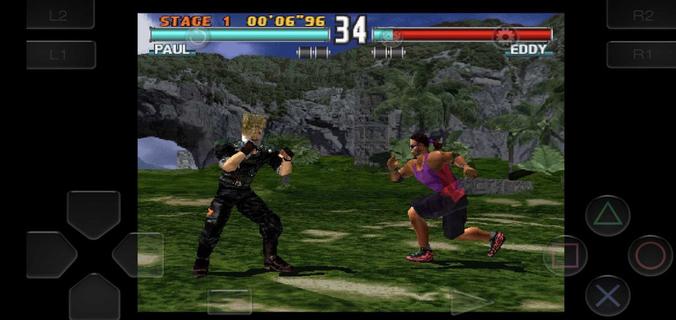
Tekken 3 fits short sessions and longer play, letting you jump into bouts without extra setup. The game keeps the arcade feel while adapting to phones, so you can focus on matches instead of configuration. Meanwhile, the embedded emulator streamlines installation and gets you playing in minutes. Tekken 3 APK is designed for a quick start, with clear menus and mode selection that feel familiar to series fans and approachable for new players. Tekken 3 features on AndroidTwo Android builds for different displaysTekken 3 offers a full screen variant without ads and a regular build that keeps the classic aspect ratio with ads. Both versions share the same gameplay and content. If you see black bars on the sides, that is the fixed aspect build. Switching to the full screen option fills modern displays more naturally.Simple install with a built in emulatorTekken 3 includes an embedded PlayStation emulator, so no separate app is required. You download once and play, which reduces steps and keeps setup straightforward. The game launches directly into the main menu after the first run, making it easy to choose a mode and start a match.Responsive controls and optional controller pairingTekken 3 uses on screen buttons and a virtual stick tuned for low latency inputs. You can perform juggles, side steps, and timed escapes with consistent response. The pause menu provides a move list, which helps you check strings between rounds. If you prefer a gamepad, you can pair a Bluetooth controller in the emulator settings and map buttons for a console like layout.Classic modes and mechanics preservedTekken 3 keeps Arcade and Story for solo runs, along with Tekken Force and Tekken Ball as extra challenges. Core mechanics such as side-stepping, air combos, quicker recoveries, and combo throws are intact. This setup keeps the original flow of rounds while fitting phone screens, so players familiar with the series can rely on known timings.Roster depth with clear progressionTekken 3 features 21 fighters, each with distinct styles, intros, and ending scenes. You start with a core lineup and unlock counterparts by clearing Arcade or Story with various characters. For special unlocks, Gon appears through mini modes like Tekken Ball or Survival, while Doctor B is tied to Tekken Force. These paths address common questions about missing fighters by showing how to open the full roster through regular play. How to play Tekken 3 on AndroidGetting started takes only a few steps and focuses on quick play. If you plan to download Tekken 3 for the first time, choose the build that fits your screen preference and follow the setup prompts.Choose the full screen or fixed aspect build on this page, then start the download and wait until it completes.Open the APK from your notifications, allow installation from APKPure in your device settings if prompted, and finish the install.Launch Tekken 3, pick Arcade, Story, Tekken Force, or Tekken Ball, and enter your first match.Pause during a round to open the move list, then practice simple strings and throws before trying juggles or side steps.If you want a pad, pair a Bluetooth controller in the emulator settings and map buttons. To unlock more characters, clear Arcade or Story with different fighters and try mini modes for the special unlocks. Start playing on mobileTekken 3 brings familiar 3D fighting to phones with a quick install and preserved modes. Players can pick a display fit, use responsive touch controls, or pair a controller for longer sessions. To keep up with improvements, download the Tekken 3 latest version APK on APKPure when ready to update.
بیشتر نشان بده

1. نصب کننده Memu را دانلود کرده و راه اندازی را تمام کنید

2. Memu را اجرا کنید و سپس گوگل پلی را بر روی دستکتاپ باز کنید

3. Tekken 3 را بر روی گوگل پلی جستجو کنید
Install
4. Tekken 3 را دانلود و نصب کنید
5. پس از اتمام نصب روی آیکون کلیک کنید تا اجرا شود

6. از بازی کردن Tekken 3 بر روی رایانه شخصی با MEmu لذت ببرید
MEmu بهترین نمونه ساز رایگان اندروید است و پیش از این 50 میلیون نفر از تجربه بسیار خوب بازی اندروید در آن لذت برده اند. تکنولوژی مجازی ساز MEmu شما را قادر می سازد هزاران بازی اندرویدی را در کامپیوتر به طور روان اجرا کنید، حتی آنهایی که گرافیک سنگین تری دارند.
صفحه نمایش بزرگتر با گرافیک بهتر؛ زمان طولانی تر، بدون محدودیت باتری یا داده تلفن همراه.
پشتیبانی کامل از Keymapping برای کنترل دقیق صفحه کلید و ماوس یا گیم پد.
چندین حساب بازی یا وظایف در یک رایانه شخصی در یک زمان با مدیریت همزمان همه
Play Tekken 3 on PC by following steps: