
Poly.AI - Create AI Chat Bot
Updated
Current Version
2.2.52
Offered By

Stop worrying about high battery drain when using Poly.AI - Create AI Chat Bot on your phone. Free yourself from the tiny screen and enjoy the app on a much larger display. From now on, get a full-screen experience of your app with the convenience of a keyboard and mouse. MEmu offers you all the surprising features you’d expect: quick installation and easy setup, intuitive controls, and no more worries about battery life, mobile data, or unexpected calls. The all-new MEmu 9 is the choice for using Poly.AI - Create AI Chat Bot on your computer. With the MEmu multi-instance manager, you can run two or more accounts at the same time. Most importantly, our exclusive emulation engine unlocks your PC’s full potential, delivering smooth and enjoyable performance.
Show more
Enjoy superb experience of using Poly.AI - Create AI Chat Bot on PC with MEMU App Player. It's a powerful free Android emulator which provides you with thousands of android apps for their desktop version. Enjoy connecting with friends and polishing your work with higher efficiency! Our app revolutionizes the way we interact with AI chatbots.
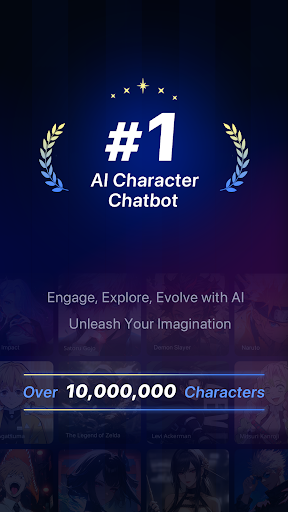
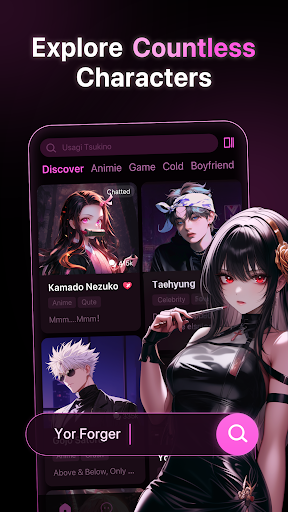
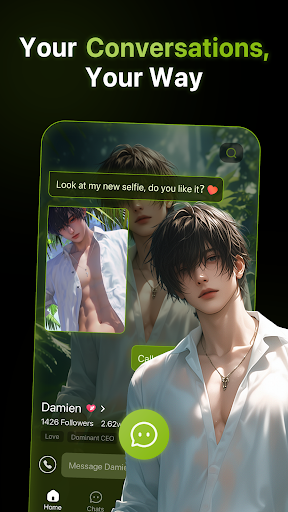
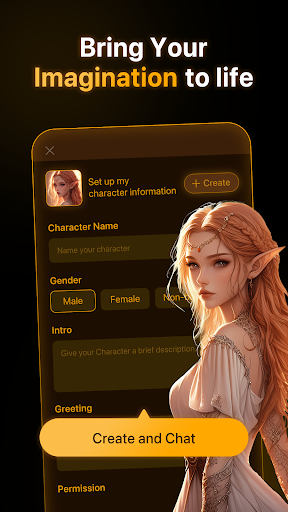
Our app revolutionizes the way we interact with AI chatbots. With our advanced technology, our chatbots think and reply like real characters, complete with authentic voices. You can choose from a massive selection of characters, each with their own unique voice and personality. Whether you're chatting with your favorite celebrity, a beloved character from a movie or TV show, or a historical figure, you'll feel like you're talking to a real person.
Character creation - Character creation now open to everyone! Ignite your imagination and bring any character to life here, whether they exist in reality or flourish in the realm of imagination! Unleash your creativity and craft a character that can be kept entirely private or shared for everyone to engage with. But the excitement doesn't end there - immerse yourself in a vibrant community where you can also interact with characters crafted by others! Join the adventure and let your characters come alive in this thrilling experience!
Easy & Free Conversations - Discover a world of Characters and start your personal dialogues anytime. Chat as you wish and explore endless story possibilities, allcompletely free.
Immerse yourself in endless conversations - Unlike traditional chatbots, which can quickly become repetitive and boring, our AI chatbots use cutting - edge technology to generate responses that feel natural and engaging. All you need to do is to enjoy the free talk.
Never run out of new things to explore - Our app is perfect for anyone who loves to chat, learn, and explore. Whether you're a history buff, a fan of pop culture, or just looking for a fun way to pass the time, our AI chatbots will provide you with endless entertainment and engagement. And with our constantly growing selection of characters, you'll never run out of new personalities to chat with.
Our app provides users with the ultimate immersive conversational experience. With authentic voices and character thinking, our chatbots will make you feel like you're talking to a real person. You'll never run out of things to say, and there are no language barriers to hold you back. So why not download our app today and start exploring the world of endless conversations all for free?
Terms of Use: https://app.polybuzz.ai/static/hy/speakmaster/termsofUse/index.html?darkmode=1&darkStyle=1
Privacy Policy: https://app.polybuzz.ai/static/hy/speakmaster/privacyPolicy/index.html?darkmode=1&darkStyle=1
Please send your feedback to support@mail.polybuzz.ai
Show more

1. Download MEmu installer and finish the setup

2. Start MEmu then open Google Play on the desktop

3. Search Poly.AI - Create AI Chat Bot in Google Play
Install
4. Download and Install Poly.AI - Create AI Chat Bot
5. On install completion click the icon to start

6. Enjoy using Poly.AI - Create AI Chat Bot on PC with MEmu
MEmu Play is the best Android emulator, and 100 million users already enjoy its superb Android app experience. Powered by advanced virtualization technology, it lets you enjoy thousands of Android apps smoothly on your PC—including the most graphics-intensive ones.
Bigger screen with better graphics; Long duration, without limitation of battery or mobile data.
Full Keymapping support for precise control of keyboard and mouse or gamepad.
Multiple game accounts or tasks on single PC at one time with Multi-Instance manager.
Use Poly.AI - Create AI Chat Bot on PC by following steps:



























