Bead Loop 3D
Aggiornata
Versione corrente
Offerta da

Vista tutta la passione dimostrata nel giocare a Bead Loop 3D, le tue mani non dovrebbero essere limitate al minuscolo schermo di un telefono. Gioca come un professionista e ottieni il pieno controllo del gioco con tastiera e mouse. MEmu ti offre tutto ciò che ti aspetti. Scarica e gioca a Bead Loop 3D su PC. Gioca quanto vuoi, niente più limitazioni di batteria, dati mobili e chiamate inquietanti. Il nuovissimo MEmu 9 è la scelta migliore per giocare a Bead Loop 3D su PC. Realizzato sulla base della nostra esperienza, lo squisito sistema di mappatura dei tasti preimpostati rende Bead Loop 3D un vero e proprio gioco per PC. MEmu è un gestore multi-instanza che permette di giocare con 2 o più account sullo stesso dispositivo. E la cosa più importante, il nostro esclusivo motore di emulazione può liberare tutto il potenziale del tuo PC, rendendo tutto fluido.
Mostra altro
Scarica Bead Loop 3D su PC con MEmu Android Emulator. Divertiti giocando sul grande schermo. Scrambled colors.
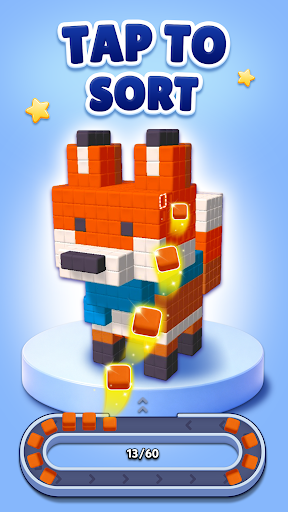
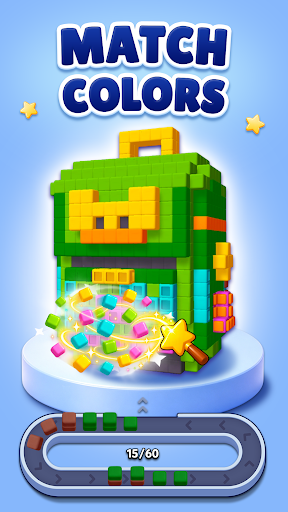
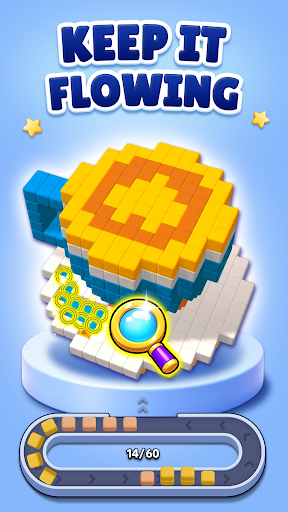
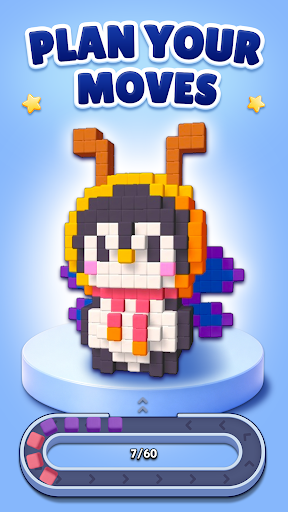
Scrambled colors. A moving loop. A 3D model waiting to be completed!
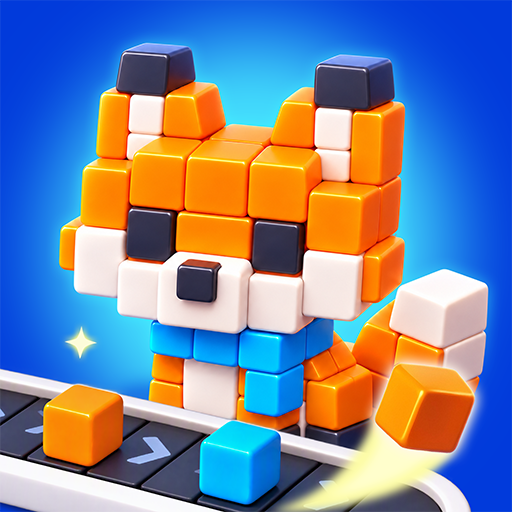
Bead Loop 3D is a color sorting puzzle where you tap misplaced blocks to send them onto a conveyor loop. As they travel around the loop, they automatically return to matching color positions on the model. Keep sorting until every color is in place and the finished 3D pixel art is revealed!
SORT COLORS IN 3D
Each model starts with blocks in the wrong color positions. Rotate it to explore every side, spot the misplaced blocks, and choose which ones to send onto the loop. Watch them move around the track and settle into the spots where their colors belong.
Simple taps start the movement. Your choices bring the colors together.
HOW TO PLAY
- Rotate the model to inspect its scrambled colors.
- Tap misplaced blocks to send them onto the loop.
- Watch blocks travel around the loop and automatically fill matching color positions.
- Keep sorting until the whole model is correctly colored.
PLAN YOUR NEXT MOVE
Look beyond the front of the model. Decide which blocks to move first and plan your taps as colors circulate around the loop. Combine observation and strategy to solve each 3D block puzzle.
WATCH EACH COLOR FALL INTO PLACE
Follow colorful cubes around the loop and enjoy the satisfying moment when they return to the right spots. Every match brings the model closer to its finished design.
REVEAL COLORFUL 3D ART
Complete voxel animals, everyday objects, and buildings, one color at a time. Explore each shape from different angles and watch scrambled blocks become a fully colored model.
If you enjoy color matching games, block sorting puzzles, and 3D pixel art, take Bead Loop 3D for a spin.
Tap, loop, match—and bring every model together!
Mostra altro

1. Scarica il programma di installazione di MEmu e completa l'installazione

2. Avvia il Memu e apri il Google Play sulla homepage

3. Cerca Bead Loop 3D in Google Play
Install
4. Scarica e installa Bead Loop 3D
5. Al termine dell'installazione, fai clic sull'icona per avviar

6. Divertiti giocando a Bead Loop 3D su PC con MEmu
MEmu App Player è il miglior emulatore Android gratuito, utilizzato da 50 milioni di persone per ottenere un'esperienza di gioco Android superba. La tecnilogia di virtualizzazione MEmu ti permette di giocare a migliaia di giochi Android con semplicità sul tuo computer, anche i giochi con la grafica più esigente.
Schermo più grande con una grafica migliore; Lunga durata, senza limitazione di batteria o dati mobili.
Supporto completo per mappa di tastiera per un controllo preciso di tastiera e mouse o gamepad.
Multipli account di gioco o attività su un singolo PC contemporaneamente con il gestore di multi istanza.
Play Bead Loop 3D on PC by following steps: