Crayon Shinchan: GO!
Aggiornata
Versione corrente
1.0.5
Offerta da

Vista tutta la passione dimostrata nel giocare a Crayon Shinchan: GO!, le tue mani non dovrebbero essere limitate al minuscolo schermo di un telefono. Gioca come un professionista e ottieni il pieno controllo del gioco con tastiera e mouse. MEmu ti offre tutto ciò che ti aspetti. Scarica e gioca a Crayon Shinchan: GO! su PC. Gioca quanto vuoi, niente più limitazioni di batteria, dati mobili e chiamate inquietanti. Il nuovissimo MEmu 9 è la scelta migliore per giocare a Crayon Shinchan: GO! su PC. Realizzato sulla base della nostra esperienza, lo squisito sistema di mappatura dei tasti preimpostati rende Crayon Shinchan: GO! un vero e proprio gioco per PC. MEmu è un gestore multi-instanza che permette di giocare con 2 o più account sullo stesso dispositivo. E la cosa più importante, il nostro esclusivo motore di emulazione può liberare tutto il potenziale del tuo PC, rendendo tutto fluido.
Mostra altro
Scarica Crayon Shinchan: GO! su PC con MEmu Android Emulator. Divertiti giocando sul grande schermo. Life in Singapore getting a little hectic?
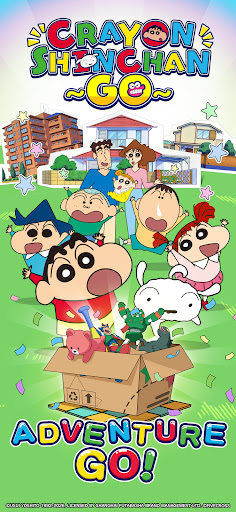
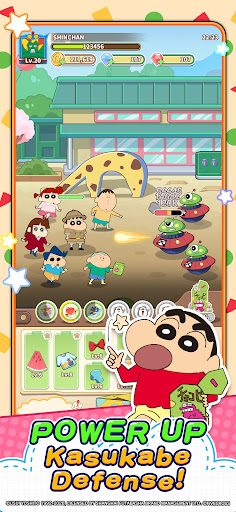
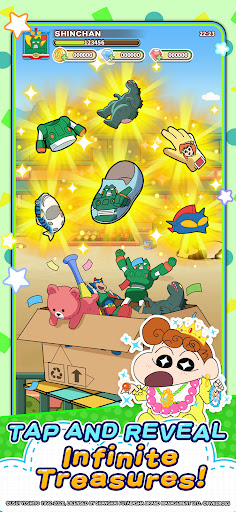
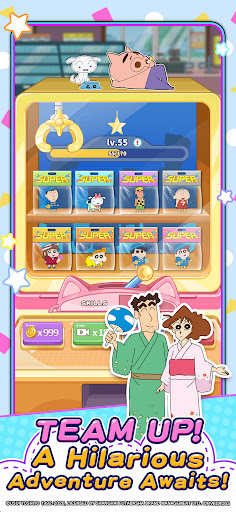
Life in Singapore getting a little hectic? Shinchan's got you covered.
Crayon Shinchan: GO! — the official Crayon Shinchan mobile RPG is finally
here, and it's everything fans have been waiting for. Explore Kasukabe with
Shinnosuke and the whole Nohara family in the most charming, stress-free RPG
you'll play all year.
■ Draw & Craft — Use crayons to unlock the most powerful gear in the game.
No complicated menus, just creativity and fun.
■ Explore Together — Wander through Kasukabe, the kindergarten, the park
and beyond. Every corner hides a surprise.
■ Full Nohara Family — Recruit Misae, Hiroshi, Himawari, Shiro, and
Shinchan's whole crew of friends including Kazama, Nene, Masao, and Bochan.
■ 100+ Outfits — Action Mask armor, everyday wear, school uniforms and
dozens more iconic looks to mix, match, and collect.
The perfect escape from your busy day. Free to play, no pressure — just pure
Crayon Shinchan: GO! joy.
※ Free-to-play with optional in-game purchases.
※ Please play in moderation and take regular breaks.
©USUI YOSHITO 1992-2026, Licensed by Shanghai Futabasha Brand Management Ltd.
Follow the official Crayon Shinchan: GO! account now for more updates!
※ In-app Purchases: Free-to-play with optional in-game purchases.
※ Usage Policy: Please play in moderation and take regular breaks.
Mostra altro

1. Scarica il programma di installazione di MEmu e completa l'installazione

2. Avvia il Memu e apri il Google Play sulla homepage

3. Cerca Crayon Shinchan: GO! in Google Play
Install
4. Scarica e installa Crayon Shinchan: GO!
5. Al termine dell'installazione, fai clic sull'icona per avviar

6. Divertiti giocando a Crayon Shinchan: GO! su PC con MEmu
MEmu App Player è il miglior emulatore Android gratuito, utilizzato da 50 milioni di persone per ottenere un'esperienza di gioco Android superba. La tecnilogia di virtualizzazione MEmu ti permette di giocare a migliaia di giochi Android con semplicità sul tuo computer, anche i giochi con la grafica più esigente.
Schermo più grande con una grafica migliore; Lunga durata, senza limitazione di batteria o dati mobili.
Supporto completo per mappa di tastiera per un controllo preciso di tastiera e mouse o gamepad.
Multipli account di gioco o attività su un singolo PC contemporaneamente con il gestore di multi istanza.
Play Crayon Shinchan: GO! on PC by following steps: