Glyph Toy - Glyph Bike
Aggiornata
Versione corrente
4.0.0
Offerta da

Vista tutta la passione dimostrata nel giocare a Glyph Toy - Glyph Bike, le tue mani non dovrebbero essere limitate al minuscolo schermo di un telefono. Gioca come un professionista e ottieni il pieno controllo del gioco con tastiera e mouse. MEmu ti offre tutto ciò che ti aspetti. Scarica e gioca a Glyph Toy - Glyph Bike su PC. Gioca quanto vuoi, niente più limitazioni di batteria, dati mobili e chiamate inquietanti. Il nuovissimo MEmu 9 è la scelta migliore per giocare a Glyph Toy - Glyph Bike su PC. Realizzato sulla base della nostra esperienza, lo squisito sistema di mappatura dei tasti preimpostati rende Glyph Toy - Glyph Bike un vero e proprio gioco per PC. MEmu è un gestore multi-instanza che permette di giocare con 2 o più account sullo stesso dispositivo. E la cosa più importante, il nostro esclusivo motore di emulazione può liberare tutto il potenziale del tuo PC, rendendo tutto fluido.
Mostra altro
Scarica Glyph Toy - Glyph Bike su PC con MEmu Android Emulator. Divertiti giocando sul grande schermo. The first fully interactive Glyph toy for the Nothing Phone (3)'s revolutionary Glyph Matrix.
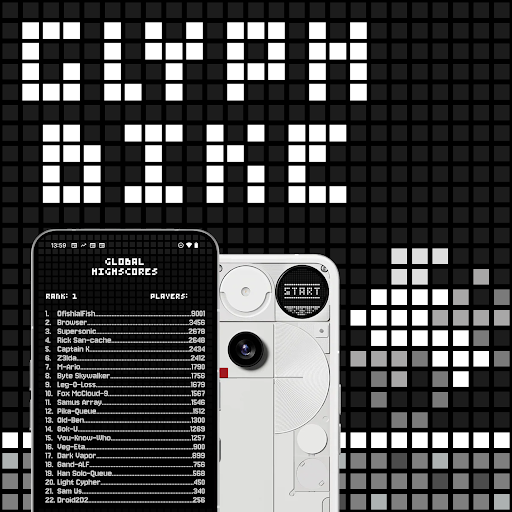
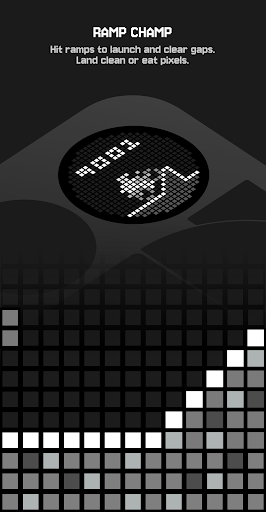
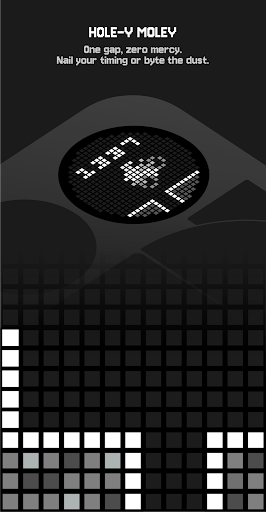
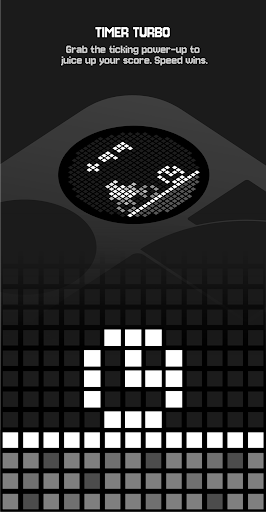
The first fully interactive Glyph toy for the Nothing Phone (3)'s revolutionary Glyph Matrix... Rev up for Glyph Bike! A retro-flavoured infinite scroller where clean lines and clean landings are everything. Thread hazards, hit perfect jumps, snag time boosts, and keep the throttle steady as the world dials up the difficulty. Last longer, score higher, claim your spot on the high-score screen.
Ride, jump, survive.
How to Play
• Tilt to jump: Gently tilt your phone towards you to hop over obstacles.
• Auto-calibrate: The neutral position is set at the start of each new game.
• Ramps = airtime: Ride up ramps to get lift and clear hazards.
• Turbo Timers: Collect to get a speed boost and +99 score.
• Bananas: Slip and you’ll lose –10 points—steer clean.
• High Scores: Beat your best to save it to Leaderboards and the Glyph Bike title screen.
• Progress: Unlock Achievements, Characters, and Game Modes by completing in-game missions.
• Player Stats: Track everything in the Player Stats tab.
Leaderboards
• Device Leaderboard: Stored locally for offline play; every new high score is added to your history.
• Global Leaderboard: Uses your Google Play account to compete worldwide.
• Submitting scores: Scores are sent to Google Play when you open the Global High Scores tab in the companion app.
Achievements
• Tracked by Google Play: Progress towards missions is recorded for your Play Games profile (earn XP).
• Completion chase: See how close you are to 100%.
• Sync timing: Progress updates when you open the Achievements tab in the companion app.
Rewards
• Characters: Eight unlockable riders—swap out your Glyph Bike for fun alternatives.
• Game Modes: Unlock Mirror Mode and The Upside Down; combine them for the ultimate challenge.
• Local unlocks: Rewards are saved on your device—no Google Play required.
Player Stats
• View your lifetime totals and recent runs.
• Trying to unlock a character or finish an achievement? Check Player Stats to see how close you are.
Mostra altro

1. Scarica il programma di installazione di MEmu e completa l'installazione

2. Avvia il Memu e apri il Google Play sulla homepage

3. Cerca Glyph Toy - Glyph Bike in Google Play
Install
4. Scarica e installa Glyph Toy - Glyph Bike
5. Al termine dell'installazione, fai clic sull'icona per avviar

6. Divertiti giocando a Glyph Toy - Glyph Bike su PC con MEmu
MEmu App Player è il miglior emulatore Android gratuito, utilizzato da 50 milioni di persone per ottenere un'esperienza di gioco Android superba. La tecnilogia di virtualizzazione MEmu ti permette di giocare a migliaia di giochi Android con semplicità sul tuo computer, anche i giochi con la grafica più esigente.
Schermo più grande con una grafica migliore; Lunga durata, senza limitazione di batteria o dati mobili.
Supporto completo per mappa di tastiera per un controllo preciso di tastiera e mouse o gamepad.
Multipli account di gioco o attività su un singolo PC contemporaneamente con il gestore di multi istanza.
Play Glyph Toy - Glyph Bike on PC by following steps: