Ice Cream Games: Rainbow Maker
Aggiornata
Versione corrente
3.2.0
Offerta da

Vista tutta la passione dimostrata nel giocare a Ice Cream Games: Rainbow Maker, le tue mani non dovrebbero essere limitate al minuscolo schermo di un telefono. Gioca come un professionista e ottieni il pieno controllo del gioco con tastiera e mouse. MEmu ti offre tutto ciò che ti aspetti. Scarica e gioca a Ice Cream Games: Rainbow Maker su PC. Gioca quanto vuoi, niente più limitazioni di batteria, dati mobili e chiamate inquietanti. Il nuovissimo MEmu 9 è la scelta migliore per giocare a Ice Cream Games: Rainbow Maker su PC. Realizzato sulla base della nostra esperienza, lo squisito sistema di mappatura dei tasti preimpostati rende Ice Cream Games: Rainbow Maker un vero e proprio gioco per PC. MEmu è un gestore multi-instanza che permette di giocare con 2 o più account sullo stesso dispositivo. E la cosa più importante, il nostro esclusivo motore di emulazione può liberare tutto il potenziale del tuo PC, rendendo tutto fluido.
Mostra altro
Scarica Ice Cream Games: Rainbow Maker su PC con MEmu Android Emulator. Divertiti giocando sul grande schermo. Cindy is a big unicorn fan!
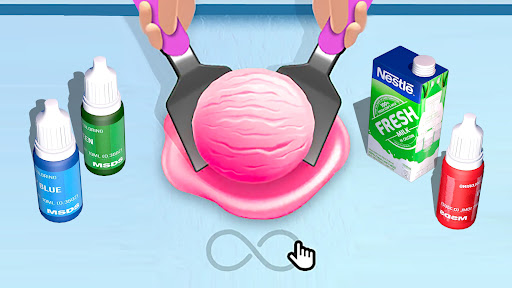
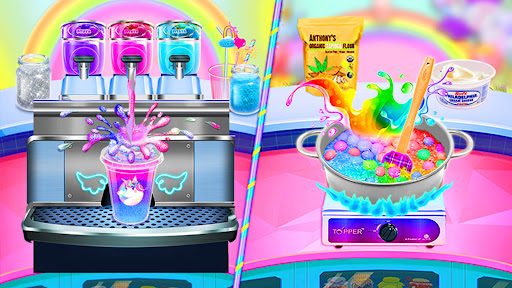
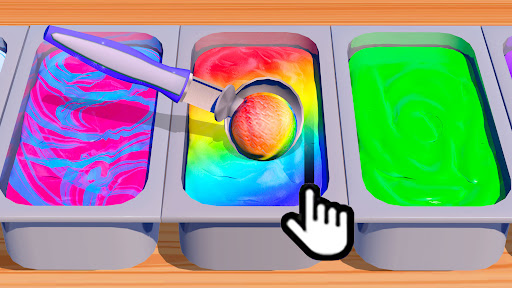

Cindy is a big unicorn fan! She collected many interesting things about unicorn! She is going to have a magic unicorn party at this weekend! All of us have received her invitation!
Party day finally arrive! Everybody come to Cindy’s house!
The unicorn party is so cool! We can find many decorations, toys and yummy frozen desserts that all about unicorn!
The unicorn desserts are my favorite part of this party! She prepared 5 trendy unicorn desserts for us! Like galaxy frappuccino, unicorn ice cream cupcakes, unicorn ice cream sundae, rainbow yogurt swirl and classic ice cream with unicorn cones!
Do you want to try these amazing desserts and have fun with us? Come on! Let’s get start right now!
Product Features:
-A super fun food-making game
-Make yummy rainbow & unicorn frozen desserts
-Five kinds of desserts to make: galaxy frappuccino, unicorn ice cream cupcakes, unicorn ice cream sundae, rainbow yogurt swirl and classic ice cream
-Tons of realistic cooking tools to play: glasses, slushy dispenser, ice cube molds, kettle, freezer, cutting board, knife, food processors, spatula, ice cream dispenser, spoon, paper cups, bowl, cream mixer, home ice cream maker, pan, induction cooker, ice cream mold, straws, flour sieve, cupcake mold, oven, piping bags and so much more
-Tons of food materials and decorations to try: water, ice, fruits, candies, sprinkles, cream, marshmallows, milk, chocolate syrup, sugar, eggs, butter, salt, powder food coloring, straws, baking powder, flour, food coloring and so much more
How to play:
- Use interactive controls to play the game
- Take different cooking modules for galaxy frappuccino, unicorn ice cream cupcakes, unicorn ice cream sundae, rainbow yogurt swirl and classic ice cream
- Try different tools to make your desserts
- Mix various ingredients to create the unique flavor and color of your desserts
- Decorate your desserts with beautiful chocolate syrup, sprinkles, candies, fruits and straws
Important Message for Purchases:
- This App is free to play but certain in-game items may require payment. You may restrict in-app purchases by disabling them on your device.
Mostra altro

1. Scarica il programma di installazione di MEmu e completa l'installazione

2. Avvia il Memu e apri il Google Play sulla homepage

3. Cerca Ice Cream Games: Rainbow Maker in Google Play
Install
4. Scarica e installa Ice Cream Games: Rainbow Maker
5. Al termine dell'installazione, fai clic sull'icona per avviar

6. Divertiti giocando a Ice Cream Games: Rainbow Maker su PC con MEmu
MEmu App Player è il miglior emulatore Android gratuito, utilizzato da 50 milioni di persone per ottenere un'esperienza di gioco Android superba. La tecnilogia di virtualizzazione MEmu ti permette di giocare a migliaia di giochi Android con semplicità sul tuo computer, anche i giochi con la grafica più esigente.
Schermo più grande con una grafica migliore; Lunga durata, senza limitazione di batteria o dati mobili.
Supporto completo per mappa di tastiera per un controllo preciso di tastiera e mouse o gamepad.
Multipli account di gioco o attività su un singolo PC contemporaneamente con il gestore di multi istanza.
Play Ice Cream Games: Rainbow Maker on PC by following steps: