JoJo's Bizarre Adventure: GS
Aggiornata
Versione corrente
1.0.17
Offerta da

Vista tutta la passione dimostrata nel giocare a JoJo's Bizarre Adventure: GS, le tue mani non dovrebbero essere limitate al minuscolo schermo di un telefono. Gioca come un professionista e ottieni il pieno controllo del gioco con tastiera e mouse. MEmu ti offre tutto ciò che ti aspetti. Scarica e gioca a JoJo's Bizarre Adventure: GS su PC. Gioca quanto vuoi, niente più limitazioni di batteria, dati mobili e chiamate inquietanti. Il nuovissimo MEmu 9 è la scelta migliore per giocare a JoJo's Bizarre Adventure: GS su PC. Realizzato sulla base della nostra esperienza, lo squisito sistema di mappatura dei tasti preimpostati rende JoJo's Bizarre Adventure: GS un vero e proprio gioco per PC. MEmu è un gestore multi-instanza che permette di giocare con 2 o più account sullo stesso dispositivo. E la cosa più importante, il nostro esclusivo motore di emulazione può liberare tutto il potenziale del tuo PC, rendendo tutto fluido.
Mostra altro
Scarica JoJo's Bizarre Adventure: GS su PC con MEmu Android Emulator. Divertiti giocando sul grande schermo. "Ogni ode all'essere umano è un'ode al coraggio!
"Ogni ode all'essere umano è un'ode al coraggio!"
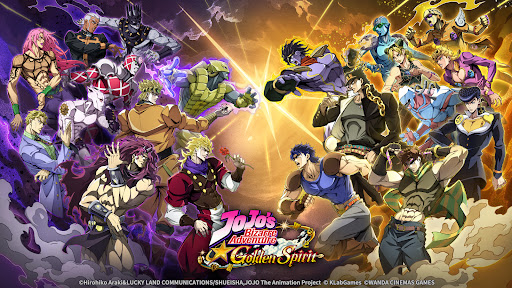
Il gioco mobile ufficiale dell'anime JoJo's Bizarre Adventure! Un nuovo RPG fedele all'opera originale che ripercorre tutte le stagioni, "JoJo's Bizarre Adventure: Golden Spirit" è finalmente qui! Eredita lo Spirito dorato della famiglia Joestar e parti per le tue bizzarre avventure!
▶ Modelli 3D e scene iconiche ricreate con la tecnologia Live2D
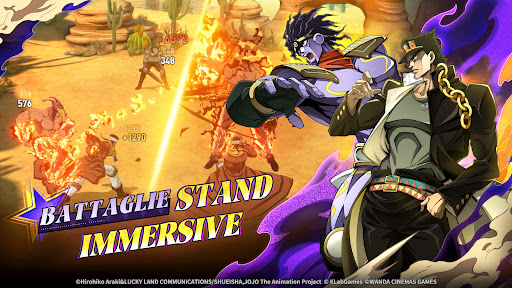
Non ti attende un semplice gioco, ma un'immersiva esperienza cinematografica! Grazie ai fedeli modelli 3D e alla tecnologia Live2D, i momenti classici dell'anime prendono vita in ogni fotogramma. I brani originali del maestro Yugo Kanno, responsabile delle musiche da "Stardust Crusaders" fino al più recente "The JoJoLands", insieme alla visuale libera a 360° e alle inquadrature cinematografiche, trasformano ogni scontro in uno spettacolo epico!
▶ Riunisci i JoJo di tutte le generazioni e lotta fianco a fianco con gli Stand
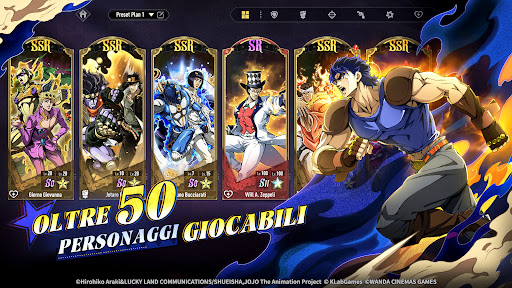
Da Phantom Blood a Stone Ocean, i protagonisti e i volti più amati di tutte le stagioni di JoJo ti aspettano! Domina il campo di battaglia sfruttando strategicamente gli Stand e i loro poteri. Ogni mossa suprema sprigiona abilità uniche, ricreando le scene iconiche dell'anime. Crea una squadra con i tuoi personaggi preferiti di ogni epoca e scrivi la tua personale leggenda nel mondo di JoJo!
▶ Scontri strategici: sfrutta il RUSH per ribaltare le sorti della battaglia
Dimentica i soliti combattimenti statici! Sfrutta la portata dei personaggi per creare la tua formazione ideale e scatena il RUSH per ribaltare la situazione. Ti aspettano innumerevoli elementi strategici: proprio come nell'opera originale, la chiave per la vittoria è la battaglia psicologica! Usa ogni stratagemma a tua disposizione per avere la meglio sul nemico. L'ingegno sarà la tua arma più potente!
▶ Visione a 360° e sistema meteorologico dinamico
Vivi il brivido di scontri in tempo reale come mai prima d'ora! Passa liberamente tra diverse inquadrature con una visuale a 360° per non perderti neanche un istante dell'azione. Il sistema meteorologico dinamico influenza i poteri dei personaggi e l'esito delle battaglie: non sai mai cosa ti aspetta!
▶ Crea la squadra dei tuoi sogni e potenziala con un sistema multidimensionale
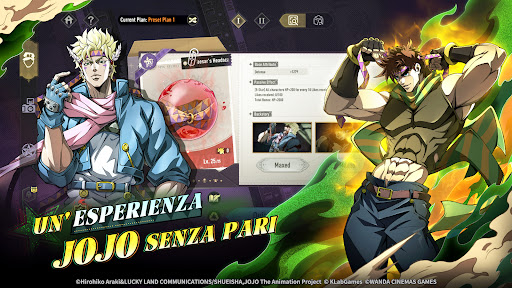
Dal risveglio degli Stand al potenziamento delle abilità, dallo sviluppo dell'equipaggiamento all'evoluzione dei personaggi: i vari sistemi di crescita offrono un'enorme libertà strategica. Non esistono personaggi forti o deboli, ma solo combinazioni perfette: crea la squadra dei tuoi sogni capace di travolgere ogni nemico!
▶ Tantissime modalità di sfida: rivivi la storia originale, affronta i Boss mondiali e domina il PvP
Numerose modalità di sfida ti attendono! Immergiti nei capitoli della storia originale, affronta i temibili Boss in battaglie epiche e scala le classifiche PvP sfidando giocatori da tutto il mondo in astuti duelli psicologici. Dimostra di essere il migliore in questa bizzarra avventura!
Account social ufficiali:
X: https://x.com/jojogs_official
Facebook : https://www.facebook.com/jojogoldenspiritit
YouTube: https://www.youtube.com/@jojo_goldenspirit
Instagram: https://www.instagram.com/jojo_goldenspirit_official
TikTok: https://www.tiktok.com/@jojo_goldenspirit
©Hirohiko Araki&LUCKY LAND COMMUNICATIONS/SHUEISHA,JOJO The Animation Project
©KLabGames
©WANDA CINEMAS GAMES
Mostra altro

1. Scarica il programma di installazione di MEmu e completa l'installazione

2. Avvia il Memu e apri il Google Play sulla homepage

3. Cerca JoJo's Bizarre Adventure: GS in Google Play
Install
4. Scarica e installa JoJo's Bizarre Adventure: GS
5. Al termine dell'installazione, fai clic sull'icona per avviar

6. Divertiti giocando a JoJo's Bizarre Adventure: GS su PC con MEmu
MEmu App Player è il miglior emulatore Android gratuito, utilizzato da 50 milioni di persone per ottenere un'esperienza di gioco Android superba. La tecnilogia di virtualizzazione MEmu ti permette di giocare a migliaia di giochi Android con semplicità sul tuo computer, anche i giochi con la grafica più esigente.
Schermo più grande con una grafica migliore; Lunga durata, senza limitazione di batteria o dati mobili.
Supporto completo per mappa di tastiera per un controllo preciso di tastiera e mouse o gamepad.
Multipli account di gioco o attività su un singolo PC contemporaneamente con il gestore di multi istanza.
Play JoJo's Bizarre Adventure: GS on PC by following steps: