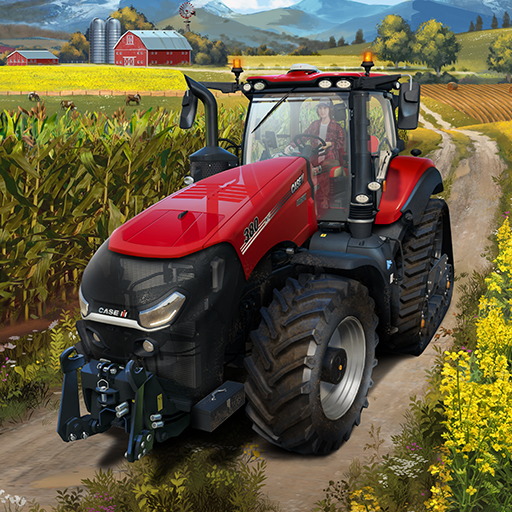
Machinery Simulator
Aggiornata
Versione corrente
0.21
Offerta da

Vista tutta la passione dimostrata nel giocare a Machinery Simulator, le tue mani non dovrebbero essere limitate al minuscolo schermo di un telefono. Gioca come un professionista e ottieni il pieno controllo del gioco con tastiera e mouse. MEmu ti offre tutto ciò che ti aspetti. Scarica e gioca a Machinery Simulator su PC. Gioca quanto vuoi, niente più limitazioni di batteria, dati mobili e chiamate inquietanti. Il nuovissimo MEmu 9 è la scelta migliore per giocare a Machinery Simulator su PC. Realizzato sulla base della nostra esperienza, lo squisito sistema di mappatura dei tasti preimpostati rende Machinery Simulator un vero e proprio gioco per PC. MEmu è un gestore multi-instanza che permette di giocare con 2 o più account sullo stesso dispositivo. E la cosa più importante, il nostro esclusivo motore di emulazione può liberare tutto il potenziale del tuo PC, rendendo tutto fluido.
Mostra altro
Scarica Machinery Simulator su PC con MEmu Android Emulator. Divertiti giocando sul grande schermo. Machinery Simulator puts you in control of a powerful fleet of machines across five exciting industries.
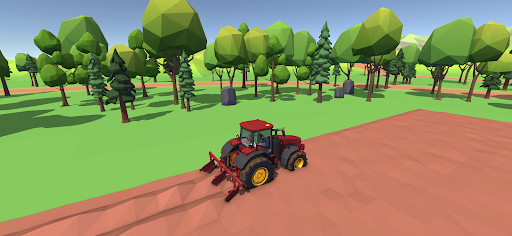
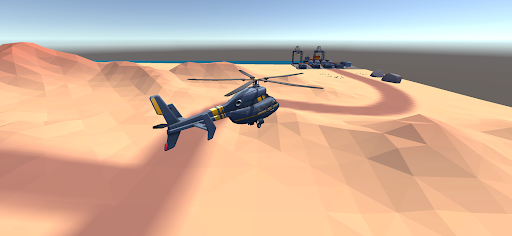
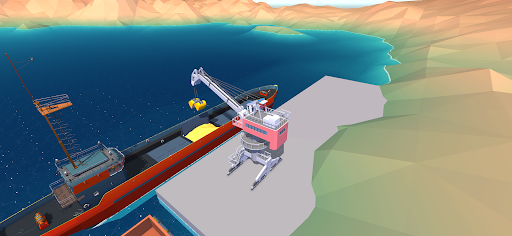
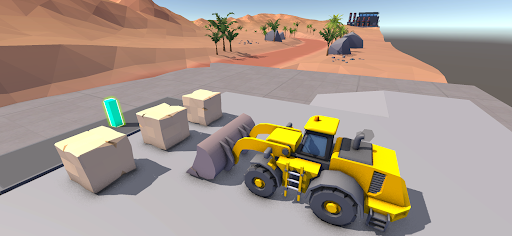
Machinery Simulator puts you in control of a powerful fleet of machines across five exciting industries. From massive construction sites to busy farms, highways, ports and the skies — there’s always a new job to take on.
CONSTRUCTION
Take on demanding construction projects. Operate excavators, bulldozers, wheel loaders, cranes, dump trucks and more. Dig, load, transport and build your way to success.
FARMING
Work the land and grow your agricultural business. Plow fields, plant crops, harvest your produce and manage powerful farming machinery.
TRANSPORTATION
Get behind the wheel and move cargo across the world. Drive trucks, haul heavy loads and complete challenging delivery jobs to expand your transport business.
MARINE
Take your operations to the water. Control ships, tugboats and port machinery, move cargo and complete challenging jobs around busy harbors.
HELICOPTER
Take your business to the skies. Fly helicopters, transport cargo, perform aerial jobs and take on missions that require skill and precision.
BUILD YOUR MACHINERY EMPIRE
Complete jobs, earn money and expand your business. Upgrade your machines, unlock new equipment and take on bigger and more rewarding contracts.
FIVE INDUSTRIES. ONE WORLD.
• Construction
• Farming
• Transportation
• Marine
• Helicopter
Operate powerful machines, explore diverse environments and build your career across multiple industries.
Machinery Simulator — Your Machines. Your Jobs. Your Empire.
Mostra altro

1. Scarica il programma di installazione di MEmu e completa l'installazione

2. Avvia il Memu e apri il Google Play sulla homepage

3. Cerca Machinery Simulator in Google Play
Install
4. Scarica e installa Machinery Simulator
5. Al termine dell'installazione, fai clic sull'icona per avviar

6. Divertiti giocando a Machinery Simulator su PC con MEmu
MEmu App Player è il miglior emulatore Android gratuito, utilizzato da 50 milioni di persone per ottenere un'esperienza di gioco Android superba. La tecnilogia di virtualizzazione MEmu ti permette di giocare a migliaia di giochi Android con semplicità sul tuo computer, anche i giochi con la grafica più esigente.
Schermo più grande con una grafica migliore; Lunga durata, senza limitazione di batteria o dati mobili.
Supporto completo per mappa di tastiera per un controllo preciso di tastiera e mouse o gamepad.
Multipli account di gioco o attività su un singolo PC contemporaneamente con il gestore di multi istanza.
Play Machinery Simulator on PC by following steps: