Play Magnus - Chess Academy
Aggiornata
Versione corrente
2.0.1
Offerta da

Vista tutta la passione dimostrata nel giocare a Play Magnus - Chess Academy, le tue mani non dovrebbero essere limitate al minuscolo schermo di un telefono. Gioca come un professionista e ottieni il pieno controllo del gioco con tastiera e mouse. MEmu ti offre tutto ciò che ti aspetti. Scarica e gioca a Play Magnus - Chess Academy su PC. Gioca quanto vuoi, niente più limitazioni di batteria, dati mobili e chiamate inquietanti. Il nuovissimo MEmu 9 è la scelta migliore per giocare a Play Magnus - Chess Academy su PC. Realizzato sulla base della nostra esperienza, lo squisito sistema di mappatura dei tasti preimpostati rende Play Magnus - Chess Academy un vero e proprio gioco per PC. MEmu è un gestore multi-instanza che permette di giocare con 2 o più account sullo stesso dispositivo. E la cosa più importante, il nostro esclusivo motore di emulazione può liberare tutto il potenziale del tuo PC, rendendo tutto fluido.
Mostra altro
Scarica Play Magnus - Chess Academy su PC con MEmu Android Emulator. Divertiti giocando sul grande schermo. The Magnus Chess Academy is recruiting students!
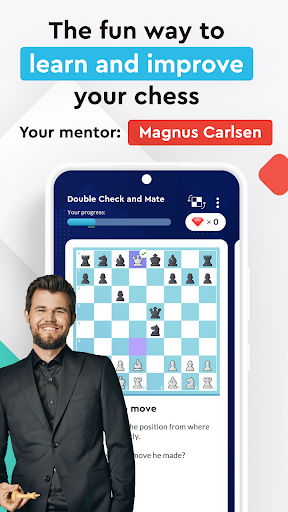
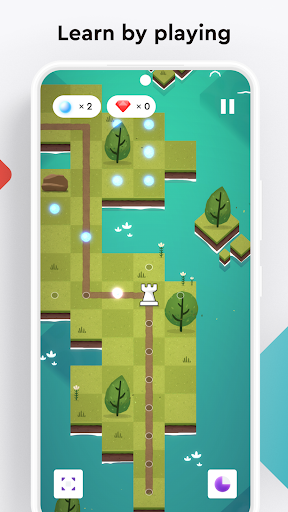
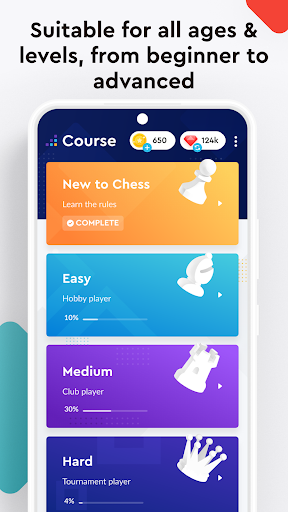
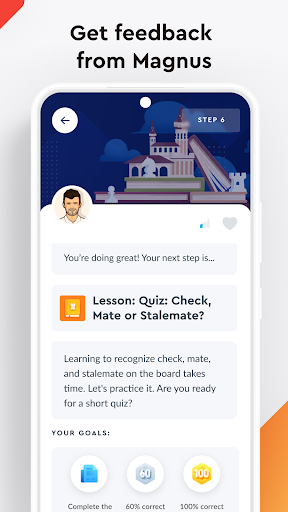
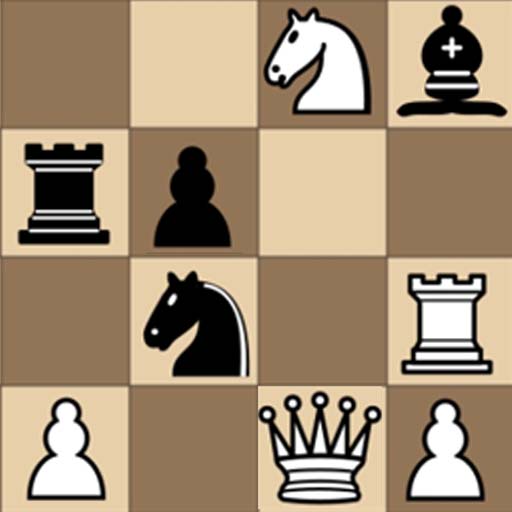
The Magnus Chess Academy is recruiting students! Are you ready to conquer the chess world? Our new app combines education with entertainment, offering you a fun way to learn chess. Study interactive lessons, take on puzzles and mini-games, and play chess online!
YOUR COACH IS MAGNUS CARLSEN, 5-TIME WORLD CHESS CHAMPION
- Learn the secrets of chess from the highest-rated player of all time.
- Magnus will guide and teach you throughout the app, offering feedback on your performance.
- Challenge Magnus at various age levels. Can you beat five-year-old Magnus? How about at 30?
- Let Magnus accompany you anywhere you like. Train your brain regularly and efficiently at home, on the go, or during your Zoom meetings.
INTERACTIVE LESSONS
- Created by World Chess Champion Magnus Carlsen and his star-studded team of chess, education, and game design experts.
- Make the most of your chess training by following a structured plan tailored to your skill level.
- Never played chess before? Learn the fundamentals in a series of introductory lessons.
- Experienced amateur? Master the opening, middlegame, endgame, and throw some strategic principles and tactical tricks into the mix.
- Tournament warrior? Reach new heights by taking a sneak peek into the home lab of the reigning World Chess Champion.
- Learn by doing. Take on tricky exercises and answer multi-choice questions.
TRICKY PUZZLES
- Solve thousands of unique, entertaining, and high-quality chess puzzles covering all the key mating and tactical motifs in chess.
- Train tactics at your own speed in timed/untimed modes.
ㅤ
ADDICTIVE MINI-GAMES
- Bite-sized and exciting games designed to reinforce your chess learning.
- Each mini-game has dozens of levels, ranging from beginner to advanced, making sure you will find a challenging fit to improve your skills and have fun!
PLAY OTHERS ONLINE
- Want to try out that new opening or tactic you’ve learned?
- Duel other chess fans in our Challenge the World mini-game. It’s time to put your skills to the test!
----------------------------
ABOUT US
Made by Chess Lovers - For Chess Lovers
ㅤ
Facebook: https://www.facebook.com/playmagnus
Twitter: https://twitter.com/playmagnus
Instagram: https://www.instagram.com/playmagnus
YouTube: https://www.youtube.com/playmagnusofficial
Website: https://www.playmagnus.com
ㅤ
----------------------------
TERMS OF USE
https://www.playmagnus.com/terms
ㅤ
PRIVACY POLICY
https://www.playmagnus.com/mca/privacy
Mostra altro

1. Scarica il programma di installazione di MEmu e completa l'installazione

2. Avvia il Memu e apri il Google Play sulla homepage

3. Cerca Play Magnus - Chess Academy in Google Play
Install
4. Scarica e installa Play Magnus - Chess Academy
5. Al termine dell'installazione, fai clic sull'icona per avviar

6. Divertiti giocando a Play Magnus - Chess Academy su PC con MEmu
MEmu App Player è il miglior emulatore Android gratuito, utilizzato da 50 milioni di persone per ottenere un'esperienza di gioco Android superba. La tecnilogia di virtualizzazione MEmu ti permette di giocare a migliaia di giochi Android con semplicità sul tuo computer, anche i giochi con la grafica più esigente.
Schermo più grande con una grafica migliore; Lunga durata, senza limitazione di batteria o dati mobili.
Supporto completo per mappa di tastiera per un controllo preciso di tastiera e mouse o gamepad.
Multipli account di gioco o attività su un singolo PC contemporaneamente con il gestore di multi istanza.
Play Play Magnus - Chess Academy on PC by following steps: