S.M.T.H.
Aggiornata
Versione corrente
1.8.91
Offerta da

Vista tutta la passione dimostrata nel giocare a S.M.T.H., le tue mani non dovrebbero essere limitate al minuscolo schermo di un telefono. Gioca come un professionista e ottieni il pieno controllo del gioco con tastiera e mouse. MEmu ti offre tutto ciò che ti aspetti. Scarica e gioca a S.M.T.H. su PC. Gioca quanto vuoi, niente più limitazioni di batteria, dati mobili e chiamate inquietanti. Il nuovissimo MEmu 9 è la scelta migliore per giocare a S.M.T.H. su PC. Realizzato sulla base della nostra esperienza, lo squisito sistema di mappatura dei tasti preimpostati rende S.M.T.H. un vero e proprio gioco per PC. MEmu è un gestore multi-instanza che permette di giocare con 2 o più account sullo stesso dispositivo. E la cosa più importante, il nostro esclusivo motore di emulazione può liberare tutto il potenziale del tuo PC, rendendo tutto fluido.
Mostra altro
Scarica S.M.T.H. su PC con MEmu Android Emulator. Divertiti giocando sul grande schermo. NOT SUITABLE FOR CHILDREN!

NOT SUITABLE FOR CHILDREN!
YOU MUST BE OLDER THAN 18 YEARS TO DOWNLOAD THIS GAME!
DON´T PLAY IF YOU ARE A SISSY!
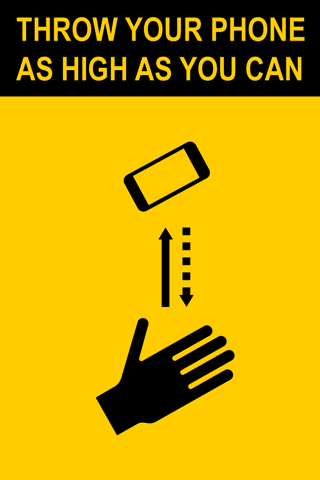
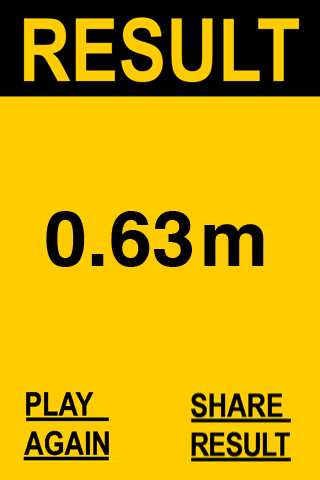
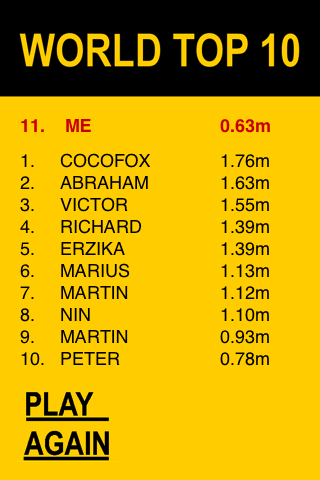
S.M.T.H. (Send Me To Heaven) is a sports game. The player throws his phone as high as he can. The higher, the better. The phone registers the height and uploads result to leader boards. World Top 10, Week Top 10, Day Top 10, Local Top 10 (national) and Facebook Friends lists are available.
SAFETY FIRST
The game can be dangerous. Be careful not to injure yourself or others. Be always aware that there is enough space above you and around you.
WARNING
Throwing a smartphone high into the air may result in both damages to the smartphone, property, and/or personal injury. The author and distributor of S.M.T.H. are not liable for any damages or injuries arising out of playing the S.M.T.H. game.
HINTS
Avoid rotations in the air. Rotating phones can give wrong results. Every phone is different, so it needs a different treatment. Start to throw your phone gently about 20 cm, find the way which works for you and increase the height gradually. Having skills is part of the game!
Q&A:
Q: I want to change my nickname. How?
A: Uninstall S.M.T.H. App and install it again. You will be asked to pick your name again.
Q: Results are not precise. Why?
A: The app measures the distance from hand to the highest point achieved - not from the ground! Also, if the phone rotates in the air results are not accurate.
Q: How can somebody toss the phone over 40 meters?
A: I received some photographs. I don't want to publish them as I wouldn't recommend to anyone to try that. It's not a safe practice.
Q: I keep getting results 0 meters even if I toss my phone high. Why?
A: Every type of phone behaves differently as sensors are differently implemented. In most cases, the problem is caused by rotations in the air.
Be sure that S.M.T.H. is the only App running on your phone. Place your phone on your palm, screen up. SLOWLY move your hand down. STOP for a moment. SMOOTHLY throw your phone up in the air about 50 cm from your hand, avoiding any rotation. Let it land on your palm, the screen still UP. Increase the height gradually.
Learn proper skills. Master your tool. Become a champion!
Q: How can I delete my account?
A: Swipe right just after the app starts. Follow instructions. Remember, that your results will be deleted from all leaderboards, too.
Post photos and videos of your attempts: https://www.facebook.com/S.M.T.H.game
Does your bro want it on iOS? He can buy it here: https://www.saatchiart.com/art/New-Media-S-M-T-H-Send-Me-to-Heaven-iPhone/1354065/6649289/view
Copyright © 2012 - 2024 Petr Svarovsky
Mostra altro

1. Scarica il programma di installazione di MEmu e completa l'installazione

2. Avvia il Memu e apri il Google Play sulla homepage

3. Cerca S.M.T.H. in Google Play
Install
4. Scarica e installa S.M.T.H.
5. Al termine dell'installazione, fai clic sull'icona per avviar

6. Divertiti giocando a S.M.T.H. su PC con MEmu
MEmu App Player è il miglior emulatore Android gratuito, utilizzato da 50 milioni di persone per ottenere un'esperienza di gioco Android superba. La tecnilogia di virtualizzazione MEmu ti permette di giocare a migliaia di giochi Android con semplicità sul tuo computer, anche i giochi con la grafica più esigente.
Schermo più grande con una grafica migliore; Lunga durata, senza limitazione di batteria o dati mobili.
Supporto completo per mappa di tastiera per un controllo preciso di tastiera e mouse o gamepad.
Multipli account di gioco o attività su un singolo PC contemporaneamente con il gestore di multi istanza.
Play S.M.T.H. on PC by following steps: