Sky Fortress: Odyssey
Aggiornata
Versione corrente
Offerta da

Vista tutta la passione dimostrata nel giocare a Sky Fortress: Odyssey, le tue mani non dovrebbero essere limitate al minuscolo schermo di un telefono. Gioca come un professionista e ottieni il pieno controllo del gioco con tastiera e mouse. MEmu ti offre tutto ciò che ti aspetti. Scarica e gioca a Sky Fortress: Odyssey su PC. Gioca quanto vuoi, niente più limitazioni di batteria, dati mobili e chiamate inquietanti. Il nuovissimo MEmu 9 è la scelta migliore per giocare a Sky Fortress: Odyssey su PC. Realizzato sulla base della nostra esperienza, lo squisito sistema di mappatura dei tasti preimpostati rende Sky Fortress: Odyssey un vero e proprio gioco per PC. MEmu è un gestore multi-instanza che permette di giocare con 2 o più account sullo stesso dispositivo. E la cosa più importante, il nostro esclusivo motore di emulazione può liberare tutto il potenziale del tuo PC, rendendo tutto fluido.
Mostra altro
Scarica Sky Fortress: Odyssey su PC con MEmu Android Emulator. Divertiti giocando sul grande schermo. Steam up!
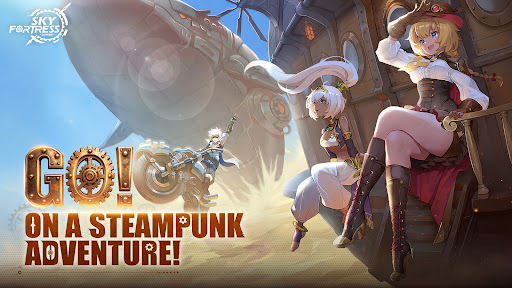


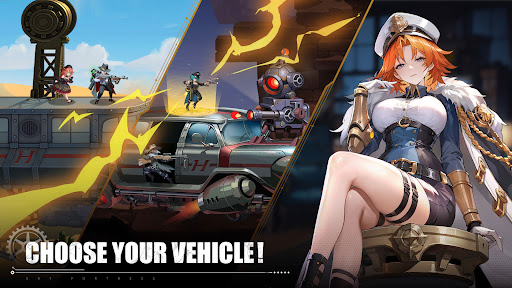
Steam up! Set sail for adventure!
Beyond the forgotten reaches of the clouds, ancient treasures lie slumbering.
Sky Fortress: Odyssey is a steampunk adventure parkour mobile game. You will step into the shoes of Ethan, a young adventurer, and pilot your airship across Setersel - our fantastical alternate world - on a global journey to find the legendary floating city. Along the way, you’ll meet a vibrant cast of companions with distinct personalities, traverse exotic lands, explore ancient ruins, and uncover the hidden secrets of your own origin...
==============
◆ One-of-a-Kind Steampunk Aesthetic ◆ Set in an alternate Industrial Revolution era where technology and fantasy intertwine, the game delivers a truly unique visual style, brought to life by the metal rhapsody of clashing gears and bearings.
◆ Ingenious, Varied Parkour Design ◆ Easy-to-learn controls meet deep, rewarding skill and strategy. Each map features exclusive level mechanics, traps and enemy setups. Pair characters with different abilities to form your party and clear stages, for a fresh adventure experience every time you play.
◆ Epic, Expansive Worldbuilding ◆ In an alternate era of booming new technology, ancient fantastical legends, and the gripping mystery surrounding our young hero – every step of your adventure will peel back the fog and reveal the truth beneath.
◆ Airship Management & Breathtaking Voyages ◆ What’s a steampunk adventure without an airship? Manage and customize your very own airship: cook delicious meals, research groundbreaking technologies, and even receive unexpected messages delivered by owls. What’s more, airship combat gameplay is currently in active development!
◆ Innovative Social & Competitive Gameplay ◆ Dive into a wide range of innovative parkour modes: team up with other players for co-op parkour levels, or compete in real-time multiplayer matches on the same screen. Countless fresh gameplay experiences await you.
Mostra altro

1. Scarica il programma di installazione di MEmu e completa l'installazione

2. Avvia il Memu e apri il Google Play sulla homepage

3. Cerca Sky Fortress: Odyssey in Google Play
Install
4. Scarica e installa Sky Fortress: Odyssey
5. Al termine dell'installazione, fai clic sull'icona per avviar

6. Divertiti giocando a Sky Fortress: Odyssey su PC con MEmu
MEmu App Player è il miglior emulatore Android gratuito, utilizzato da 50 milioni di persone per ottenere un'esperienza di gioco Android superba. La tecnilogia di virtualizzazione MEmu ti permette di giocare a migliaia di giochi Android con semplicità sul tuo computer, anche i giochi con la grafica più esigente.
Schermo più grande con una grafica migliore; Lunga durata, senza limitazione di batteria o dati mobili.
Supporto completo per mappa di tastiera per un controllo preciso di tastiera e mouse o gamepad.
Multipli account di gioco o attività su un singolo PC contemporaneamente con il gestore di multi istanza.
Play Sky Fortress: Odyssey on PC by following steps: