Addons Mods Minecraft Bedrock
Aggiornata
Versione corrente
2.0.2
Offerta da

Non devi più preoccuparti dei sovraccarichi durante l'utilizzo di Addons Mods Minecraft Bedrock sul tuo cellulare, liberati dal piccolo schermo e goditi dell'App su uno schermo molto più grande. D'ora in poi, sperimenta la tua App a schermo intero con tastiera e mouse. MEmu ti offre tutte le sorprendenti funzioni che ti aspettavi: installazione rapida e impostazione semplice, controlli intuitivi, niente più limitazioni di batteria, dati mobili e chiamate fastidiose. Il MEmu 9 nuovo di zecca è la prima scelta per utilizzare Addons Mods Minecraft Bedrock sul tuo computer. Codificato con il nostro assorbimento, il gestore multi-istanza consente di aprire 2 o più account contemporaneamente. E soprattutto, il nostro esclusivo motore di emulazione può sbloccare il pieno potenziale del tuo PC, rendendo tutto liscio e piacevole.
Mostra altro
Goditi un'esperienza straordinaria con Addons Mods Minecraft Bedrock su PC con MEmu Play. È un potente emulatore Android gratuito che ti offre migliaia di app Android per la versione desktop. Divertiti a connetterti con gli amici e a perfezionare il tuo lavoro con maggiore efficienza! Discover the best Minecraft Bedrock addons, along with maps, textures, mods, seeds, and skins you can easily install with this Minecraft Bedrock tool.
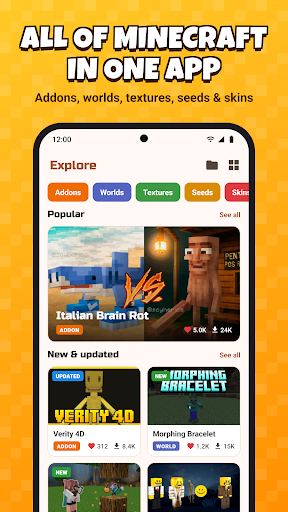
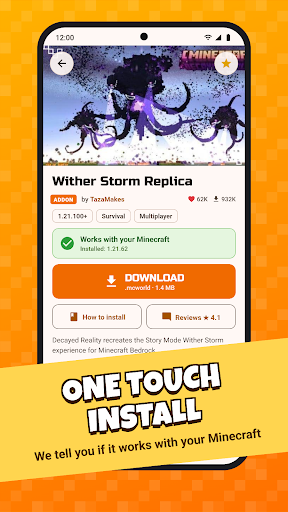
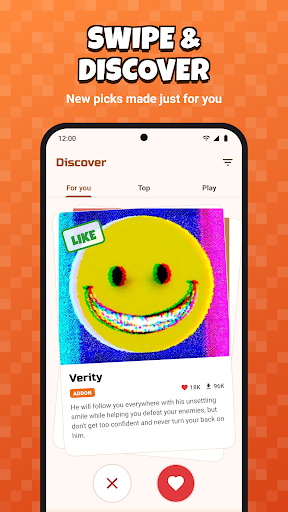
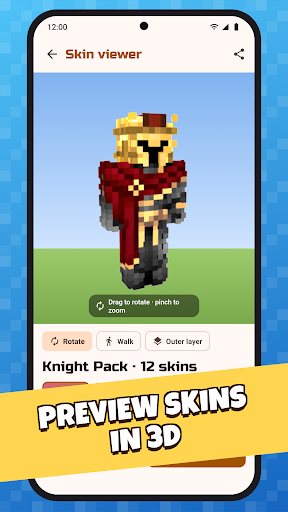
Discover the best Minecraft Bedrock addons, along with maps, textures, mods, seeds, and skins you can easily install with this Minecraft Bedrock tool.
All addons and other content have been tested to ensure they work correctly with Minecraft Bedrock Edition. In this app, you'll find unique and fascinating Bedrock addons that can completely transform your Minecraft experience. New addons are added regularly, and existing addons are constantly updated so your content stays compatible with the latest Bedrock versions.
Explore amazing addons for Minecraft Bedrock that introduce new mobs, blocks, special abilities, and unique gameplay mechanics. You'll also find custom worlds with minigames, stunning builds, and much more community-created content. Customize your world even further with colorful and appealing Bedrock texture packs. Discover incredible seeds and find the best skins and skin packs to personalize your character.
WHY USE THIS MINECRAFT BEDROCK TOOL
Installing addons for Minecraft Bedrock shouldn't be complicated. This tool lets you browse, preview, and install addons, mods, maps, skins, and textures directly, without dealing with file managers or manual imports. Every addon is organized so you can quickly find exactly the type of Bedrock content you're looking for:
- Addons — new mobs, items, blocks, and mechanics for Minecraft Bedrock
- Mods — gameplay tweaks and enhancements built for Bedrock Edition
- Maps — custom worlds, minigames, parkour, and adventure maps
- Skins — a huge library of skins and skin packs to personalize your character
- Textures — resource and texture packs that transform how your world looks
- Seeds — hand-picked seeds for unique and interesting worlds
Are you a creator of Minecraft Bedrock addons, maps, textures, or skins? Or did you find a cool skin or seed you'd like to share? You can easily submit your addon or content by following the instructions inside the app. Feel free to include a link to your addon, map, or other content so others can enjoy it too. Our team reviews every submission to keep the quality of addons, mods, and other Bedrock content high.
With regular updates, tested addons, and an easy install process, this is the go-to tool for anyone who wants to customize their Minecraft Bedrock experience — addons, mods, maps, skins, textures, and seeds, all in one place.
Note: This app requires Minecraft to be installed in order to use the addons and other content.
Disclaimer:
This is not an official Minecraft product. It is not approved or associated with Mojang.
The name Minecraft, the Minecraft brand, and related assets are the property of Mojang AB or their respective owners. All rights reserved.
According to: https://www.minecraft.net/en-us/usage-guidelines
Mostra altro

1. Scarica il programma di installazione di MEmu e completa l'installazione

2. Avvia il Memu e apri il Google Play sulla homepage

3. Cerca Addons Mods Minecraft Bedrock in Google Play
Install
4. Scarica e installa Addons Mods Minecraft Bedrock
5. Al termine dell'installazione, fai clic sull'icona per avviar

6. Divertiti giocando a Addons Mods Minecraft Bedrock su PC con MEmu
MEmu App Player è il miglior emulatore Android gratuito, utilizzato da 50 milioni di persone per ottenere un'esperienza di gioco Android superba. La tecnilogia di virtualizzazione MEmu ti permette di giocare a migliaia di giochi Android con semplicità sul tuo computer, anche i giochi con la grafica più esigente.
Schermo più grande con una grafica migliore; Lunga durata, senza limitazione di batteria o dati mobili.
Supporto completo per mappa di tastiera per un controllo preciso di tastiera e mouse o gamepad.
Multipli account di gioco o attività su un singolo PC contemporaneamente con il gestore di multi istanza.
Use Addons Mods Minecraft Bedrock on PC by following steps: