AgriBus: GPS farming navigator
Aggiornata
Versione corrente
1730962025
Offerta da

Non devi più preoccuparti dei sovraccarichi durante l'utilizzo di AgriBus: GPS farming navigator sul tuo cellulare, liberati dal piccolo schermo e goditi dell'App su uno schermo molto più grande. D'ora in poi, sperimenta la tua App a schermo intero con tastiera e mouse. MEmu ti offre tutte le sorprendenti funzioni che ti aspettavi: installazione rapida e impostazione semplice, controlli intuitivi, niente più limitazioni di batteria, dati mobili e chiamate fastidiose. Il MEmu 9 nuovo di zecca è la prima scelta per utilizzare AgriBus: GPS farming navigator sul tuo computer. Codificato con il nostro assorbimento, il gestore multi-istanza consente di aprire 2 o più account contemporaneamente. E soprattutto, il nostro esclusivo motore di emulazione può sbloccare il pieno potenziale del tuo PC, rendendo tutto liscio e piacevole.
Mostra altro
Scarica AgriBus: GPS farming navigator su PC con MEmu Android Emulator. Divertiti giocando sul grande schermo. AgriBus-NAVI is a GPS/GNSS navigation app for tractors that helps farmers around the world to save money on fertilizers, pesticides, etc.
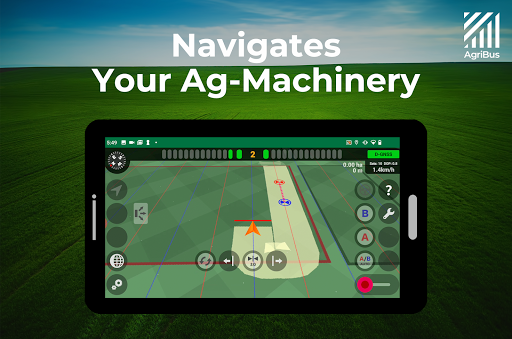
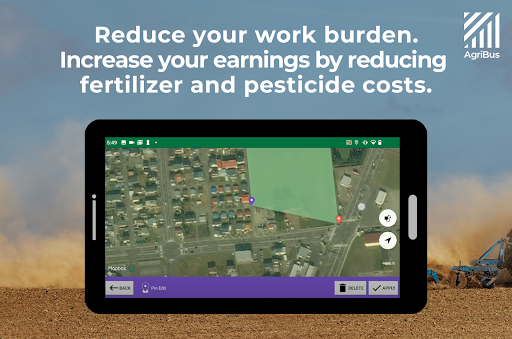
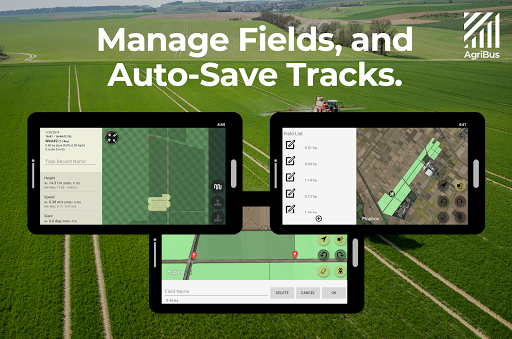
AgriBus-NAVI is a GPS/GNSS navigation app for tractors that helps farmers around the world to save money on fertilizers, pesticides, etc., and to farm more efficiently.
It is used by mounting a smartphone/tablet with this app installed on a tractor or other agricultural machinery/vehicle using a mounting holder.
By driving while checking the screen display, it is possible to perform farming work in a straight line and at even intervals in a large field. You can see at a glance if you have overspread or underspread fertilizer or chemicals, which can greatly improve the efficiency of your farming work.
* AgriBus-NAVI also works with GPS/GNSS built in smartphones/tablets, but using external GPS/GNSS devices such as GARMIN allows you to get more accurate position information (0.2m-0.3m) and work more efficiently.
In addition, by combining our hardware products (AgriBus-GMiniR or AgriBus-AutoSteer), you can upgrade to RTK and automatic steering systems with higher accuracy (0.02m-0.03m).
【AgriBus-Store】https://shop.agri-info-design.com/en-eu
◆ Advantages of using GPS navigation
- Straight and evenly spaced work makes it possible to skip one line of work.
- Reduce the number of times the tractor has to be turned over, thus reducing the load on the machine.
- It is possible to suspend and resume work that is difficult to distinguish visually, such as fertilizer application and pest control.
- By streamlining the application of fertilizers and pesticides, costs can be reduced.
◆ Features of this app
- Basic functions are free and ready to use.
- Smooth navigation and smooth trajectory display.
- You can work while checking the screen even at night when visibility is poor.
- Can be used without an Internet connection.
- No limit on the number of users.
- Ultra-high precision navigation in units of centimeters (when an external GPS/GNSS receiver is installed)
◆ Functions available in the free version
・Unlimited GNSS/GPS navigation
・Field creation
・Guidance Line settings, filling in work pathing
・Work history (2 days) and field management functions/
・Free updates
◆ Function available with paid version
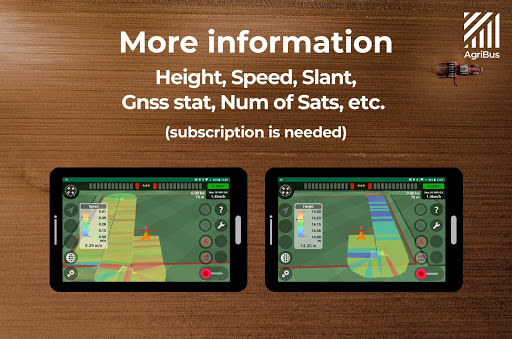
・Information display tray that shows altitude difference, inclination, moving speed, number of satellites, etc. in different colors
・Unlimited work history management
・Use of the AgriBus-Web cloud service
・Export saved data
・Save Guidance Lines and apply them for next time
・Curve navigation
・Retrieve and apply saved Guidance Lines near your current location
・Use of the “AgriBus-Caster” RTK-GNSS correction data transmission service
・Assignment of actions to multi-functional headset buttons
・Online Support
For requests to delete personal information data, please use the form below to submit your request.
https://agri-info-design.com/en/personal-information-deletion-request/
Mostra altro

1. Scarica il programma di installazione di MEmu e completa l'installazione

2. Avvia il Memu e apri il Google Play sulla homepage

3. Cerca AgriBus: GPS farming navigator in Google Play
Install
4. Scarica e installa AgriBus: GPS farming navigator
5. Al termine dell'installazione, fai clic sull'icona per avviar

6. Divertiti giocando a AgriBus: GPS farming navigator su PC con MEmu
MEmu App Player è il miglior emulatore Android gratuito, utilizzato da 50 milioni di persone per ottenere un'esperienza di gioco Android superba. La tecnilogia di virtualizzazione MEmu ti permette di giocare a migliaia di giochi Android con semplicità sul tuo computer, anche i giochi con la grafica più esigente.
Schermo più grande con una grafica migliore; Lunga durata, senza limitazione di batteria o dati mobili.
Supporto completo per mappa di tastiera per un controllo preciso di tastiera e mouse o gamepad.
Multipli account di gioco o attività su un singolo PC contemporaneamente con il gestore di multi istanza.
Use AgriBus: GPS farming navigator on PC by following steps: