Attendy Registrazione Presenze
Aggiornata
Versione corrente
3.5.1
Offerta da

Non devi più preoccuparti dei sovraccarichi durante l'utilizzo di Attendy Registrazione Presenze sul tuo cellulare, liberati dal piccolo schermo e goditi dell'App su uno schermo molto più grande. D'ora in poi, sperimenta la tua App a schermo intero con tastiera e mouse. MEmu ti offre tutte le sorprendenti funzioni che ti aspettavi: installazione rapida e impostazione semplice, controlli intuitivi, niente più limitazioni di batteria, dati mobili e chiamate fastidiose. Il MEmu 9 nuovo di zecca è la prima scelta per utilizzare Attendy Registrazione Presenze sul tuo computer. Codificato con il nostro assorbimento, il gestore multi-istanza consente di aprire 2 o più account contemporaneamente. E soprattutto, il nostro esclusivo motore di emulazione può sbloccare il pieno potenziale del tuo PC, rendendo tutto liscio e piacevole.
Mostra altro
Scarica Attendy Registrazione Presenze su PC con MEmu Android Emulator. Divertiti giocando sul grande schermo. Designed for individuals seeking efficient attendance tracking.
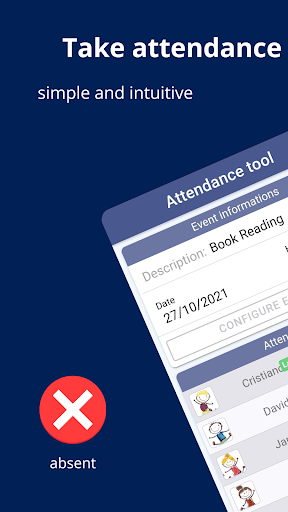
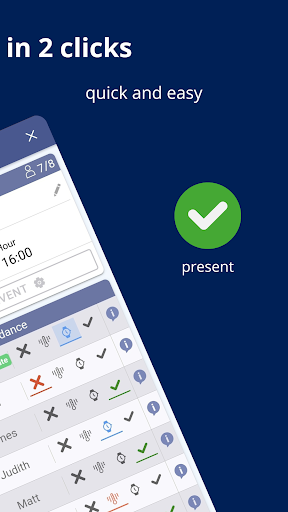
Designed for individuals seeking efficient attendance tracking.
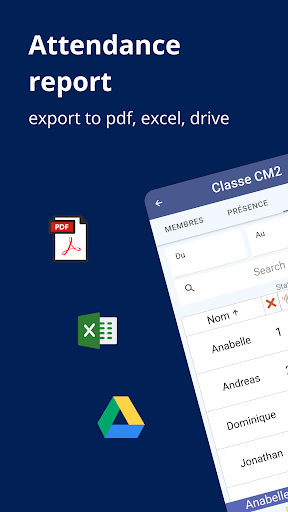
Attendy is an online attendance tracker that provides attendance statistics and export attendance data to PDF, Excel or Google Drive. Receive notifications to ensure you never forget to take attendance
Tracking attendance has never been easier. No more paper needed with Attendy – an attendance tracker app for quick and efficient attendance management
Attendy features to quickly manage attendance:
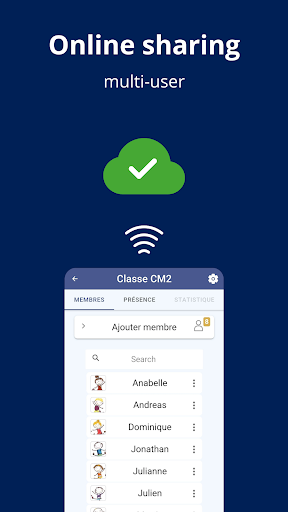
Enable online sharing for multi users sharing and multi-device support with real-time attendance tracking
Manage and visualize statistics by event or member
Export data (PDF, CSV, XLS) and share statistics via email, WhatsApp, or directly on Google Drive
Manage groups of people effortlessly
Easily add members to your groups
Quickly manage and record attendance
Absent, present or late, sick?
Quick, easy and intuitive this application allows you to track attendance online on a day to day basis (school tracker app, teacher kit, student tracker, staff tracker, teacher tracker, employee tracker, app tracker for quickly attendance..)
Very fast and easy to use, you can manage fast live attendance and track a list of presence / absence. Count the participation for example with students absences. It is an easy way for attendants registering.
Attendy - Attendance register is an attendance manager tool which supports a calendar mode to add events, it allows you to easily register presence and absence attendance.
Download and export data in an excel sheet to track attendances and share it easily for more visibility (excel export, pdf export).
Remind app with notification adding so that you are notified to not forget to add an attendance (reminder app)
Online attendance is available with AttendyBot, share attendance through multi devices (multi device support)
Easy follow up and easy attendance tracking, Attendy simply use statistics visualisations and graphical analysis with dashboard smartly built (charts attendance tracking).
Attendance register app can be used for attendance work register, attendance for students, employee attendance tracker, register class attendance to follow students assiduity, follow and track employee's attendance, manage attendance for groups of people regarding all kind of activities as sport, culture or any hobbies and lots of more concrete cases.
School attendance and student tracker attendance: Attendance manager is a teacher app, teacher kit, teacher attendance help, apps for teacher, custom school app or even school parent app. Maintain a gradebook, behavior management, progress report and taking attendance. As a school app, class dojo, lessons can be used as events to register attendance (lesson plan with attendance tracking). Grades can be added through the custom fields app (it is an easy grader - asistencias alumnos, anwesenheitsliste, anwesenheitslisten, anwesenheit). Attendance manager app can be used as a remind school app thanks to the use of custom notifications. Taking attendance has never been so easy with attendance manager, this app is used as an attendance tracker for teachers and students attendance (attending, participation).
Business attendance tracker app: Attendance manager can be used to track employee absenteeism, absence tracker staff link, employee tracker (time clock), tardy tracker, attendance app can also be considered as conference tracker for lateness tracker (control de atrasos - presença confirmada). It is easy to use for manager tracking time (employee time card, employee time punch clock, clock puncher). A manager, chef, leader can see attendants register through the available statistics in the app. An attendance sheet is available after excel export or pdf export or online export.
Attendy - Attendance register Privacy Policy https://matthieuavrgs.github.io/attendancyapp.github.io/
Mostra altro

1. Scarica il programma di installazione di MEmu e completa l'installazione

2. Avvia il Memu e apri il Google Play sulla homepage

3. Cerca Attendy Registrazione Presenze in Google Play
Install
4. Scarica e installa Attendy Registrazione Presenze
5. Al termine dell'installazione, fai clic sull'icona per avviar

6. Divertiti giocando a Attendy Registrazione Presenze su PC con MEmu
MEmu App Player è il miglior emulatore Android gratuito, utilizzato da 50 milioni di persone per ottenere un'esperienza di gioco Android superba. La tecnilogia di virtualizzazione MEmu ti permette di giocare a migliaia di giochi Android con semplicità sul tuo computer, anche i giochi con la grafica più esigente.
Schermo più grande con una grafica migliore; Lunga durata, senza limitazione di batteria o dati mobili.
Supporto completo per mappa di tastiera per un controllo preciso di tastiera e mouse o gamepad.
Multipli account di gioco o attività su un singolo PC contemporaneamente con il gestore di multi istanza.
Use Attendy Registrazione Presenze on PC by following steps: