belo: global wallet
Aggiornata
Versione corrente
7.25.0
Offerta da

Non devi più preoccuparti dei sovraccarichi durante l'utilizzo di belo: global wallet sul tuo cellulare, liberati dal piccolo schermo e goditi dell'App su uno schermo molto più grande. D'ora in poi, sperimenta la tua App a schermo intero con tastiera e mouse. MEmu ti offre tutte le sorprendenti funzioni che ti aspettavi: installazione rapida e impostazione semplice, controlli intuitivi, niente più limitazioni di batteria, dati mobili e chiamate fastidiose. Il MEmu 9 nuovo di zecca è la prima scelta per utilizzare belo: global wallet sul tuo computer. Codificato con il nostro assorbimento, il gestore multi-istanza consente di aprire 2 o più account contemporaneamente. E soprattutto, il nostro esclusivo motore di emulazione può sbloccare il pieno potenziale del tuo PC, rendendo tutto liscio e piacevole.
Mostra altro
Goditi un'esperienza straordinaria con belo: global wallet su PC con MEmu Play. È un potente emulatore Android gratuito che ti offre migliaia di app Android per la versione desktop. Divertiti a connetterti con gli amici e a perfezionare il tuo lavoro con maggiore efficienza! Move your money without borders with belo.
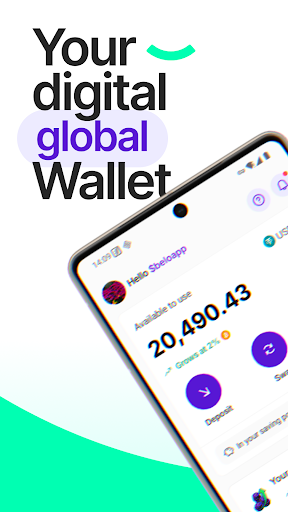
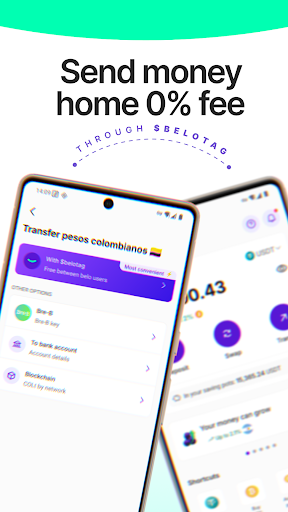
Move your money without borders with belo.
belo is the multicurrency digital wallet with a physical and virtual card, built to get paid, transfer and pay all over the world, in a simple, fast way with no hidden fees.
It's the ideal app for freelancers, remote workers, travelers and citizens of the world: sort out your international payments in one tap.
Everything you can do:
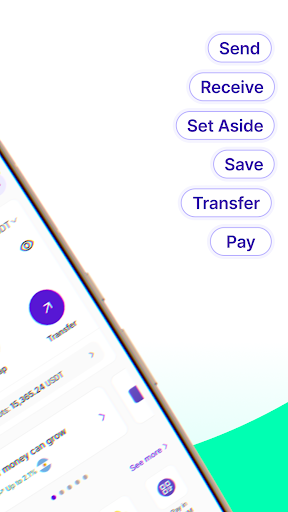
Send and receive money across Latin America with 0% fees: Transfer to other belo users instantly, at no cost and with no limits, using just your $belotag.
Get paid in dollars, euros, reais and more, straight from platforms like Wise, Deel, Payoneer, PayPal, Upwork, Airbnb, Ontop, Airtm and many others, with no hassle and no delays.
Buy, sell and invest in crypto: Add bitcoin and other cryptocurrencies to your portfolio, track prices in real time and invest whenever you want, with the security of a reliable digital wallet.
Order your belo LUX, an international card to pay anywhere in the world where VISA is accepted.
Grow your money earning variable, non-guaranteed yields in different currencies and cryptocurrencies.
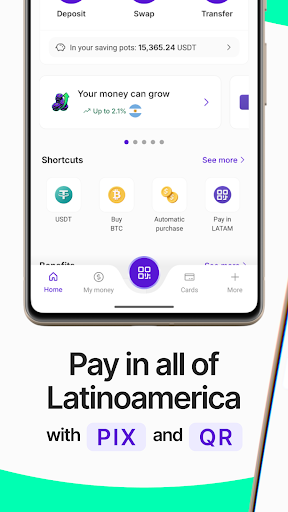
Pay with belo Pix Brasil using Brazil's most popular payment method like a local, and save compared to other payment methods.
Pay with QR across Latin America, scanning and paying instantly at local shops, with no cash and no hassle.
Swap currencies instantly. Move between currencies and crypto with no complications, whenever you need.
Got questions? Our support team, with human support 24 hours a day, 7 days a week, is available in the app to help with whatever you need.
Download belo now and start moving your money without borders.
Mostra altro

1. Scarica il programma di installazione di MEmu e completa l'installazione

2. Avvia il Memu e apri il Google Play sulla homepage

3. Cerca belo: global wallet in Google Play
Install
4. Scarica e installa belo: global wallet
5. Al termine dell'installazione, fai clic sull'icona per avviar

6. Divertiti giocando a belo: global wallet su PC con MEmu
MEmu App Player è il miglior emulatore Android gratuito, utilizzato da 50 milioni di persone per ottenere un'esperienza di gioco Android superba. La tecnilogia di virtualizzazione MEmu ti permette di giocare a migliaia di giochi Android con semplicità sul tuo computer, anche i giochi con la grafica più esigente.
Schermo più grande con una grafica migliore; Lunga durata, senza limitazione di batteria o dati mobili.
Supporto completo per mappa di tastiera per un controllo preciso di tastiera e mouse o gamepad.
Multipli account di gioco o attività su un singolo PC contemporaneamente con il gestore di multi istanza.
Use belo: global wallet on PC by following steps: