Pregnancy App & Baby Tracker
Aggiornata
Versione corrente
5.21.0
Offerta da

Non devi più preoccuparti dei sovraccarichi durante l'utilizzo di Pregnancy App & Baby Tracker sul tuo cellulare, liberati dal piccolo schermo e goditi dell'App su uno schermo molto più grande. D'ora in poi, sperimenta la tua App a schermo intero con tastiera e mouse. MEmu ti offre tutte le sorprendenti funzioni che ti aspettavi: installazione rapida e impostazione semplice, controlli intuitivi, niente più limitazioni di batteria, dati mobili e chiamate fastidiose. Il MEmu 9 nuovo di zecca è la prima scelta per utilizzare Pregnancy App & Baby Tracker sul tuo computer. Codificato con il nostro assorbimento, il gestore multi-istanza consente di aprire 2 o più account contemporaneamente. E soprattutto, il nostro esclusivo motore di emulazione può sbloccare il pieno potenziale del tuo PC, rendendo tutto liscio e piacevole.
Mostra altro
Scarica Pregnancy App & Baby Tracker su PC con MEmu Android Emulator. Divertiti giocando sul grande schermo. BabyCenter is a top-rated pregnancy and parenting brand, offering a pregnancy & baby tracker app that guides you through pregnancy and parenting with daily updates and week-by-week information on baby development.
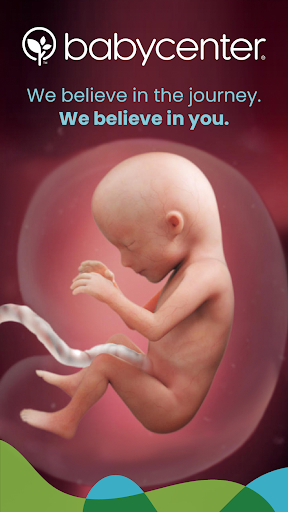
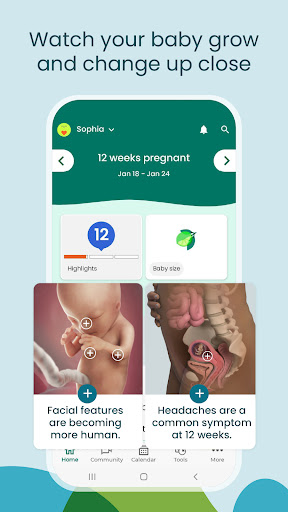
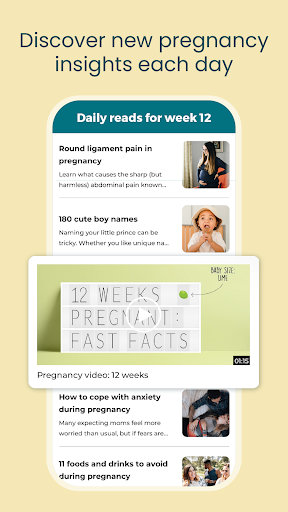
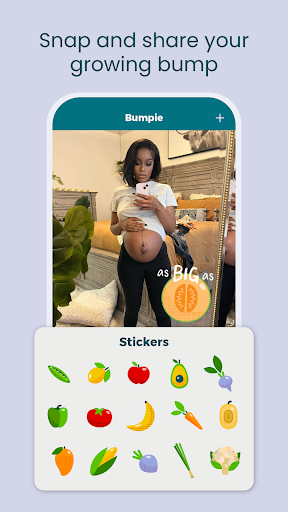
BabyCenter is a top-rated pregnancy and parenting brand, offering a pregnancy & baby tracker app that guides you through pregnancy and parenting with daily updates and week-by-week information on baby development.. The BabyCenter community provides resources and information to improve your pregnancy, motherhood and parenting experience.
Enter your baby's due date ,or find it using our Pregnancy Due Date Calculator, to customize our pregnancy tracker and receive week by week updates tailored to your pregnancy. Look at photos and 3-D videos to track your baby’s development and growth. Get answers to your pregnancy questions from thousands of medically reviewed articles.
BabyCenter’s free pregnancy and baby tracker also supports you after your baby’s arrival with daily parenting updates, tools like the Baby Growth Tracker, and baby sleep and feeding guides for your baby or toddler
All health information is written by experts and reviewed and approved by the BabyCenter Medical Advisory Board. These doctors and other professionals ensure that our pregnancy and parenting information is thorough and accurate for women and their baby.
Pregnancy & Maternity
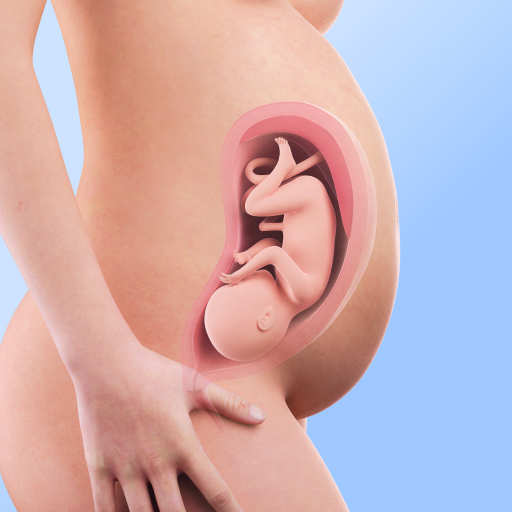
* Learn about your baby’s growth during pregnancy with our 3-D fetal development videos
* Get helpful tips about dealing with common pregnancy symptoms and questions
* Enjoy pregnancy workouts, food guides and nutrition advice tailored to your trimester
* Use our Pregnancy Calendar to track appointments and symptoms
* Find the best pregnancy and baby products recommended by parents and editors
* Choose a name for your baby with our Baby Names Finder
* Get organized with our comprehensive Baby Registry Checklist
* Take BabyCenter’s online birth class so you’re prepared for labor and delivery
* Get ready for the big day with our printable hospital bag checklist and birth plan.
Parenthood
* Use our Baby Growth Tracker to chart your baby’s progress
* Follow along with your baby’s big milestones
* Get ideas for fun baby and toddler games and activities to boost your child’s development
* Sing your little one to sleep with our lullabies for babies
* Solve feeding problems with our breastfeeding and formula-feeding tips
Starting a Family
* Track ovulation and fertility with our Ovulation Calculator
* Get tips on how to get pregnant
* Learn which prenatal vitamins experts recommend
* Spot the early signs of pregnancy
BabyCenter Community
* Take comfort in this supportive space and connect with moms, parents and parents-to-be during your pregnancy journey
* Join your Birth Club to meet people with due dates in the same month
* Ask questions, read stories, and share your pregnancy and parenting experiences
Pregnancy Apps & Tools
* Ovulation Calculator: Predict your fertile window while TTC
* Pregnancy Due Date Calculator: Calculate your baby’s due date
* Registry Builder: Research your favorite pregnancy and baby products
* Baby Name Generator: Choose the perfect baby name
* Baby Kick Tracker: Count your baby’s kicks during pregnancy
* Baby Growth & Development Tracker: Track your baby’s growth milestones
* Birth Plan Template: Document your preferences for your birth experience
* Contraction Timer: Track contractions during late pregnancy and labor
An Award-Winning Experience
BabyCenter is proud to be recognized by leading organizations for its excellence in delivering expert content and top-of-the-line experiences to the parents who visit our site and use our pregnancy app and baby tracker app.
Do not sell my info: https://www.babycenter.com/0_notice-to-california-consumers_40006872.bc
We value you as a part of the BabyCenter community and would love to hear from you. Please tell us what’s on your mind:
feedback@babycenter.com
Let’s connect!
Facebook: facebook.com/babycenter
Instagram: @babycenter
Twitter: @BabyCenter
Pinterest: pinterest.com/babycenter
YouTube: youtube.com/babycenter
© 2011–2023 BabyCenter, LLC, a Ziff Davis company. All rights reserved.
Mostra altro

1. Scarica il programma di installazione di MEmu e completa l'installazione

2. Avvia il Memu e apri il Google Play sulla homepage

3. Cerca Pregnancy App & Baby Tracker in Google Play
Install
4. Scarica e installa Pregnancy App & Baby Tracker
5. Al termine dell'installazione, fai clic sull'icona per avviar

6. Divertiti giocando a Pregnancy App & Baby Tracker su PC con MEmu
MEmu App Player è il miglior emulatore Android gratuito, utilizzato da 50 milioni di persone per ottenere un'esperienza di gioco Android superba. La tecnilogia di virtualizzazione MEmu ti permette di giocare a migliaia di giochi Android con semplicità sul tuo computer, anche i giochi con la grafica più esigente.
Schermo più grande con una grafica migliore; Lunga durata, senza limitazione di batteria o dati mobili.
Supporto completo per mappa di tastiera per un controllo preciso di tastiera e mouse o gamepad.
Multipli account di gioco o attività su un singolo PC contemporaneamente con il gestore di multi istanza.
Use Pregnancy App & Baby Tracker on PC by following steps: