EnBW mobility+: EV charging
Aggiornata
Versione corrente
8.12.1
Offerta da

Non devi più preoccuparti dei sovraccarichi durante l'utilizzo di EnBW mobility+: EV charging sul tuo cellulare, liberati dal piccolo schermo e goditi dell'App su uno schermo molto più grande. D'ora in poi, sperimenta la tua App a schermo intero con tastiera e mouse. MEmu ti offre tutte le sorprendenti funzioni che ti aspettavi: installazione rapida e impostazione semplice, controlli intuitivi, niente più limitazioni di batteria, dati mobili e chiamate fastidiose. Il MEmu 9 nuovo di zecca è la prima scelta per utilizzare EnBW mobility+: EV charging sul tuo computer. Codificato con il nostro assorbimento, il gestore multi-istanza consente di aprire 2 o più account contemporaneamente. E soprattutto, il nostro esclusivo motore di emulazione può sbloccare il pieno potenziale del tuo PC, rendendo tutto liscio e piacevole.
Mostra altro
Scarica EnBW mobility+: EV charging su PC con MEmu Android Emulator. Divertiti giocando sul grande schermo. Welcome to Germany's best e-mobility provider!
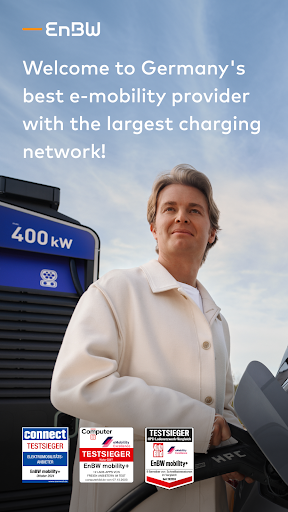
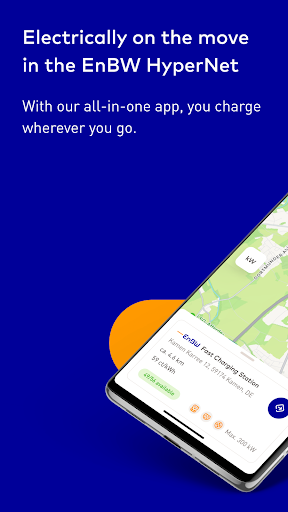
Welcome to Germany's best e-mobility provider!
EnBW mobility+ is the smart all-in-one solution for your e-mobility. Our Electric Vehicle (EV) copilot offers three functions in one app:
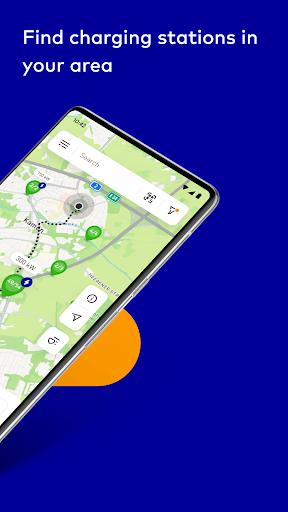
1. Easily find charging stations nearby
2. Charge your EV via App, charging card or AutoCharge
3. Simple payment process
Everywhere. Always charging stations nearby.
Find the nearest charging stations in your area. It doesn’t matter if your EV trip leads you to Germany, Austria, Switzerland or other neighboring countries in Europe – with the EnBW mobility+ App you can easily find the next charging station in our widespread charging network. Thanks to a multitude of EnBW chargers and roaming partners you can reliably reach any destination with your EV. Our interactive map makes it easy for you to find free charging stations for electric cars in your area. With Android Auto, the EnBW mobility+ app can be connected to the display in your car. This makes finding the nearest charging station even easier.
Simple. Charge and pay.
With the EnBW mobility+ App, you can conveniently start the charging process for your EV and, if you wish, pay directly via your smartphone. Basically, set up your EnBW mobility+ account and choose one of our charging tariffs. You can switch between our tariffs at any time to accommodate your needs. Now all you have to do is to select a payment method and you’re ready to go! Use the app to monitor your charging progress and stop the charge once you have enough energy for your trip. You prefer a charging card? No worries. Just order your charging card via the app.
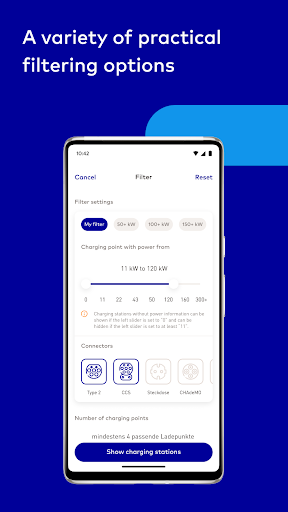
Since accessibility must also apply to e-mobility, people with disabilities can select low-barrier charging points in the app using a filter. These charging points offer extra space to easily start and stop the charging process.
It’s even easier with AutoCharge!
Plug, charge, drive on! With AutoCharge, your charging process at EnBW fast charging stations starts automatically. After a one-off activation in the EnBW mobility+ App, you only have to plug in the charging plug and off you go - without app or charging card.
Full price transparency at any time
You can always keep an eye on your charging costs and current account balance with the EnBW mobility+ app. With a price filter, you can set your individual price limit. You can view and check your monthly bills at any time in the app.
Award winning. The number one app.
Connect: best e-mobility provider
EnBW mobility+ wins once again the test as Germany’s best e-mobility provider and impresses in various categories.
COMPUTER BILD: best charging app
In COMPUTER BILD's charging app comparison 2024, the EnBW mobility+ App takes first place thanks to its ease of use and excellent filtering functions.
AUTO BILD: charging app usability
The EnBW mobility+ app has once again established itself as an exceptional provider among the independent charging apps. Particularly noted are the excellent usability, the useful filtering options, and the outstanding charging network coverage with over 700,000 charging points in Europe.
AUTO BILD: largest fast-charging network
EnBW mobility+ scores with the largest fast-charging network in Germany in the current e-mobility Excellence Report. With more than 5,000 fast-charging points in Germany, EnBW is far ahead of other charging network operators.
Help us improve and send your comments and feedback to mobility@enbw.com.
Thank you for your support!
Have a safe journey.
The EnBW mobility+ Team
P.S. Never use our app whilst driving. Always respect the traffic regulations and drive responsibly.
Mostra altro

1. Scarica il programma di installazione di MEmu e completa l'installazione

2. Avvia il Memu e apri il Google Play sulla homepage

3. Cerca EnBW mobility+: EV charging in Google Play
Install
4. Scarica e installa EnBW mobility+: EV charging
5. Al termine dell'installazione, fai clic sull'icona per avviar

6. Divertiti giocando a EnBW mobility+: EV charging su PC con MEmu
MEmu App Player è il miglior emulatore Android gratuito, utilizzato da 50 milioni di persone per ottenere un'esperienza di gioco Android superba. La tecnilogia di virtualizzazione MEmu ti permette di giocare a migliaia di giochi Android con semplicità sul tuo computer, anche i giochi con la grafica più esigente.
Schermo più grande con una grafica migliore; Lunga durata, senza limitazione di batteria o dati mobili.
Supporto completo per mappa di tastiera per un controllo preciso di tastiera e mouse o gamepad.
Multipli account di gioco o attività su un singolo PC contemporaneamente con il gestore di multi istanza.
Use EnBW mobility+: EV charging on PC by following steps: