Contacts
Aggiornata
Versione corrente
Offerta da

Non devi più preoccuparti dei sovraccarichi durante l'utilizzo di Contacts sul tuo cellulare, liberati dal piccolo schermo e goditi dell'App su uno schermo molto più grande. D'ora in poi, sperimenta la tua App a schermo intero con tastiera e mouse. MEmu ti offre tutte le sorprendenti funzioni che ti aspettavi: installazione rapida e impostazione semplice, controlli intuitivi, niente più limitazioni di batteria, dati mobili e chiamate fastidiose. Il MEmu 9 nuovo di zecca è la prima scelta per utilizzare Contacts sul tuo computer. Codificato con il nostro assorbimento, il gestore multi-istanza consente di aprire 2 o più account contemporaneamente. E soprattutto, il nostro esclusivo motore di emulazione può sbloccare il pieno potenziale del tuo PC, rendendo tutto liscio e piacevole.
Mostra altro
Goditi un'esperienza straordinaria con Contacts su PC con MEmu Play. È un potente emulatore Android gratuito che ti offre migliaia di app Android per la versione desktop. Divertiti a connetterti con gli amici e a perfezionare il tuo lavoro con maggiore efficienza! Contacts is the best tool that helps you quickly manage your recent contacts list.
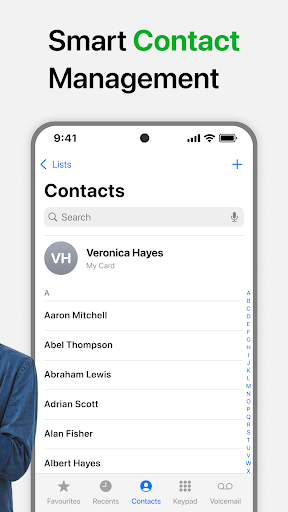
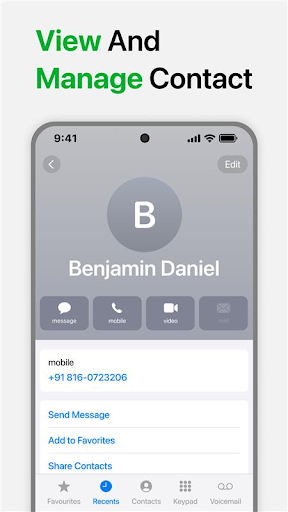
Contacts is the best tool that helps you quickly manage your recent contacts list. Contacts plus only takes a few seconds to get in touch with one of your contacts.
Contacts app also lets you share any of your contacts, new contacts with the click of a button. You never have to worry about having to figure out how to send one of your contact's number or information. You can also block calls or text messages and update your personal profile and status.
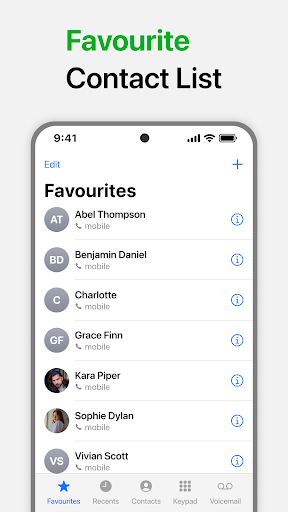
Favorites & Call Log Accessibility:
Speed dial: Quickly connect with your favorite contacts with a single tap.
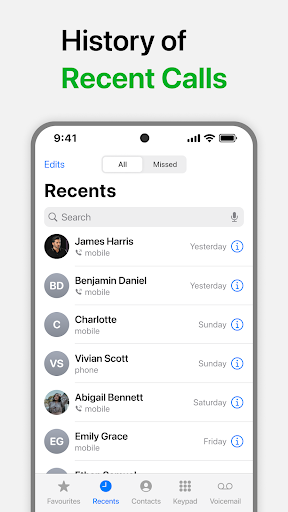
Smart call log: Instantly access your recent calls.
Add a new contact in phone book
• If you meet someone new and get their contact information, address book is easy to add them to your phone.
Edit a contact
• Did your friend just get a new job and a new work number? Just follow these steps to edit their contact information.
Advanced T9 Dialer:
Fast search: Quickly find contacts and calls with our lightning-fast T9 search.
Intelligent grouping: Organize your recent calls for easy access.
Multilingual support: Our dialer is fluent in multiple languages.
My contacts
• You can also share your profile information and gmail contacts with others. That way, you can send your contacts one big message, instead of typing it out every time.
FAVORITES + PHONE CALL LOG
• One tap to call your favorite contacts on your phone
• Quickly call your frequently used contacts
Smart Contacts is the best contact apps let you create groups for easier messaging, manage sales relationships and keep important info at the ready. Some of these apps even have their own dialer so that you can make a call without having to jump back to the phone app on your handset.
Call app access your contactos information, you probably shuffle between different apps, like your email. Keep all of your contact info in one place by setting up a profile in contacts app for android.
Contact Manager managing your contact list with Contacts app is easy! Just access your contact list and start trying out the different possibilities.
Mostra altro

1. Scarica il programma di installazione di MEmu e completa l'installazione

2. Avvia il Memu e apri il Google Play sulla homepage

3. Cerca Contacts in Google Play
Install
4. Scarica e installa Contacts
5. Al termine dell'installazione, fai clic sull'icona per avviar

6. Divertiti giocando a Contacts su PC con MEmu
MEmu App Player è il miglior emulatore Android gratuito, utilizzato da 50 milioni di persone per ottenere un'esperienza di gioco Android superba. La tecnilogia di virtualizzazione MEmu ti permette di giocare a migliaia di giochi Android con semplicità sul tuo computer, anche i giochi con la grafica più esigente.
Schermo più grande con una grafica migliore; Lunga durata, senza limitazione di batteria o dati mobili.
Supporto completo per mappa di tastiera per un controllo preciso di tastiera e mouse o gamepad.
Multipli account di gioco o attività su un singolo PC contemporaneamente con il gestore di multi istanza.
Use Contacts on PC by following steps: