Digital Clock & Weather Widget
Aggiornata
Versione corrente
6.9.9.600
Offerta da

Non devi più preoccuparti dei sovraccarichi durante l'utilizzo di Digital Clock & Weather Widget sul tuo cellulare, liberati dal piccolo schermo e goditi dell'App su uno schermo molto più grande. D'ora in poi, sperimenta la tua App a schermo intero con tastiera e mouse. MEmu ti offre tutte le sorprendenti funzioni che ti aspettavi: installazione rapida e impostazione semplice, controlli intuitivi, niente più limitazioni di batteria, dati mobili e chiamate fastidiose. Il MEmu 9 nuovo di zecca è la prima scelta per utilizzare Digital Clock & Weather Widget sul tuo computer. Codificato con il nostro assorbimento, il gestore multi-istanza consente di aprire 2 o più account contemporaneamente. E soprattutto, il nostro esclusivo motore di emulazione può sbloccare il pieno potenziale del tuo PC, rendendo tutto liscio e piacevole.
Mostra altro
Scarica Digital Clock & Weather Widget su PC con MEmu Android Emulator. Divertiti giocando sul grande schermo. Note: if the widget shows "Problem loading widget" after updating, please restart your device.
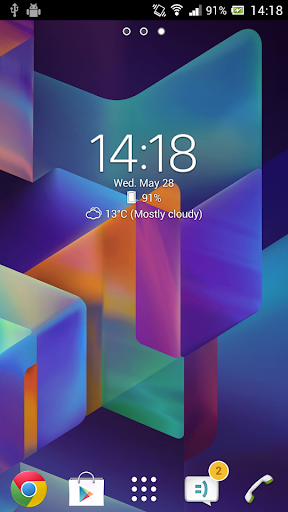
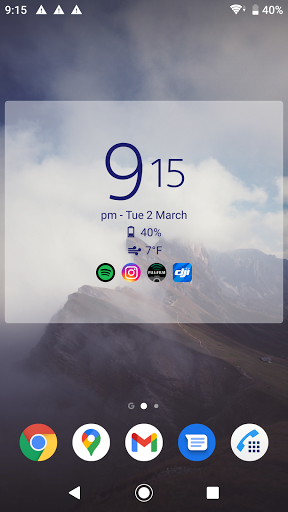
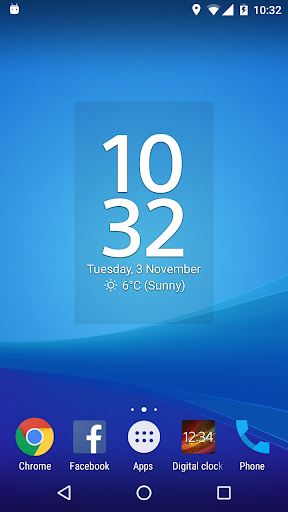

Note: if the widget shows "Problem loading widget" after updating, please restart your device
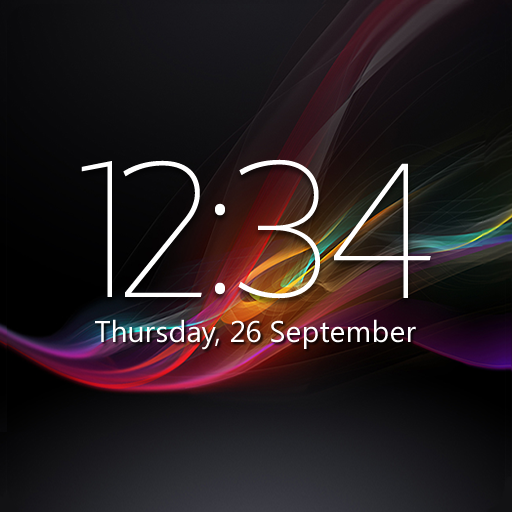
A simple, stylish and highly customizable digital clock and weather widget.
- Options to show location-based current weather, weather forecast, severe weather alerts and air quality information
- Choose between small (2x2), big (4x3), wide (4x1) and tall (2x3) resizable widget styles with 18 possible fonts
- Adjust the time and date font color and size and select your preferred time and date format
- Option to launch your alarm app, calendar app, your favourite weather app, or any app of your choosing by tapping parts of the widget
- Option to add clickable icons launching up to 6 of your most used apps (app usage times are calculated via the AccessibilityService API) or up to 6 apps of your choosing
- Option to show semi-transparent backplate with adjustable color
- Back up & restore settings
- Paid "Premium" upgrade that unlocks options for:
- 25 additional fonts + a custom user-added font option
- Showing current time and weather in multiple locations / time zones
- Showing battery level info
- Weather notifications
- Adjustable text transparency level
- Adjustable backplate transparency level
- Removes advertisements
Mostra altro

1. Scarica il programma di installazione di MEmu e completa l'installazione

2. Avvia il Memu e apri il Google Play sulla homepage

3. Cerca Digital Clock & Weather Widget in Google Play
Install
4. Scarica e installa Digital Clock & Weather Widget
5. Al termine dell'installazione, fai clic sull'icona per avviar

6. Divertiti giocando a Digital Clock & Weather Widget su PC con MEmu
MEmu App Player è il miglior emulatore Android gratuito, utilizzato da 50 milioni di persone per ottenere un'esperienza di gioco Android superba. La tecnilogia di virtualizzazione MEmu ti permette di giocare a migliaia di giochi Android con semplicità sul tuo computer, anche i giochi con la grafica più esigente.
Schermo più grande con una grafica migliore; Lunga durata, senza limitazione di batteria o dati mobili.
Supporto completo per mappa di tastiera per un controllo preciso di tastiera e mouse o gamepad.
Multipli account di gioco o attività su un singolo PC contemporaneamente con il gestore di multi istanza.
Use Digital Clock & Weather Widget on PC by following steps: