eWeLink CAST
Aggiornata
Versione corrente
2.1.2
Offerta da

Non devi più preoccuparti dei sovraccarichi durante l'utilizzo di eWeLink CAST sul tuo cellulare, liberati dal piccolo schermo e goditi dell'App su uno schermo molto più grande. D'ora in poi, sperimenta la tua App a schermo intero con tastiera e mouse. MEmu ti offre tutte le sorprendenti funzioni che ti aspettavi: installazione rapida e impostazione semplice, controlli intuitivi, niente più limitazioni di batteria, dati mobili e chiamate fastidiose. Il MEmu 9 nuovo di zecca è la prima scelta per utilizzare eWeLink CAST sul tuo computer. Codificato con il nostro assorbimento, il gestore multi-istanza consente di aprire 2 o più account contemporaneamente. E soprattutto, il nostro esclusivo motore di emulazione può sbloccare il pieno potenziale del tuo PC, rendendo tutto liscio e piacevole.
Mostra altro
Scarica eWeLink CAST su PC con MEmu Android Emulator. Divertiti giocando sul grande schermo. Welcome to eWeLink CAST, the ultimate app for controlling your smart home devices with convenience and ease.
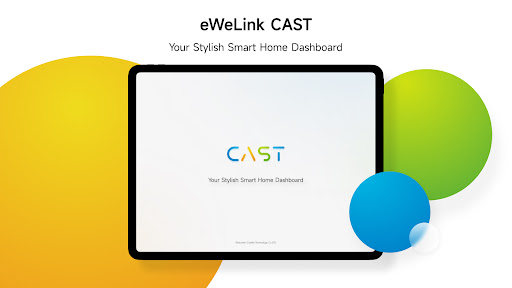
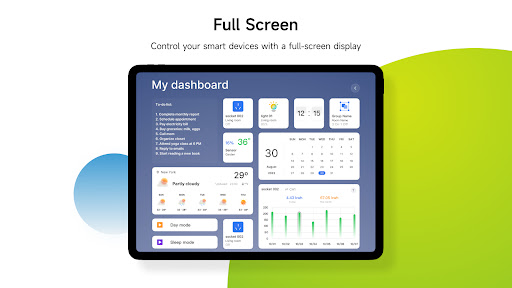
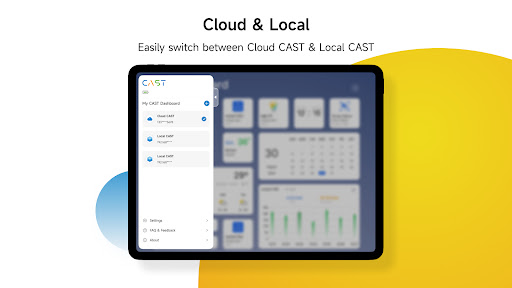
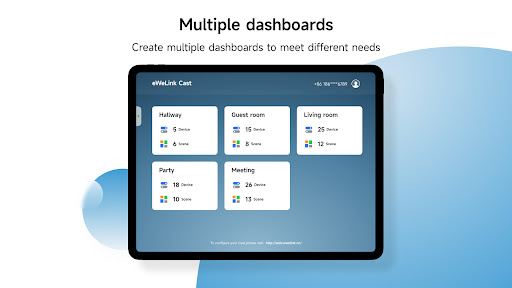
Welcome to eWeLink CAST, the ultimate app for controlling your smart home devices with convenience and ease. With a user-friendly interface, this powerful application empowers you to control and monitor a wide range of smart devices from anywhere, using your tablet or smartphone.
Key Features:
ꔷ Intuitive Interface: eWeLink CAST boasts a user-friendly interface designed to simplify smart device management. Effortlessly navigate through the dashboard and easily locate and control your connected devices.
ꔷ Remote Control: Gain full control of your smart devices remotely. Switch lights on/off, adjust the temperature, activate security cameras, or trigger other connected devices from anywhere in the world.
ꔷ Scene Performing: Place your personalized scenes on the CAST dashboard to orchestrate multiple devices by a single click. Set the perfect ambiance for a movie night by dimming the lights, closing the blinds, and adjusting the temperature—all with one click.
ꔷ Usage Tracking: Stay informed about the power usage of your devices with real-time charts. Be the first to know which devices use more power and adjust your power consumption strategy instantly.
ꔷ Home status monitoring: Automatically updated temperature and humidity charts allow you to see changes in ambient temperature and humidity at a glance.
ꔷ Data Security and Privacy: At eWeLink, we prioritize the security and privacy of your data. Your information is encrypted and protected, so you can have peace of mind knowing that your smart home is secure.
Experience the convenience of a connected home with eWeLink CAST. Download now and simplify your life, enhance comfort, and enjoy the endless possibilities of smart living—the app that makes your home smarter.
Mostra altro

1. Scarica il programma di installazione di MEmu e completa l'installazione

2. Avvia il Memu e apri il Google Play sulla homepage

3. Cerca eWeLink CAST in Google Play
Install
4. Scarica e installa eWeLink CAST
5. Al termine dell'installazione, fai clic sull'icona per avviar

6. Divertiti giocando a eWeLink CAST su PC con MEmu
MEmu App Player è il miglior emulatore Android gratuito, utilizzato da 50 milioni di persone per ottenere un'esperienza di gioco Android superba. La tecnilogia di virtualizzazione MEmu ti permette di giocare a migliaia di giochi Android con semplicità sul tuo computer, anche i giochi con la grafica più esigente.
Schermo più grande con una grafica migliore; Lunga durata, senza limitazione di batteria o dati mobili.
Supporto completo per mappa di tastiera per un controllo preciso di tastiera e mouse o gamepad.
Multipli account di gioco o attività su un singolo PC contemporaneamente con il gestore di multi istanza.
Use eWeLink CAST on PC by following steps: