Finger Blocker(Palm Rejection)
Aggiornata
Versione corrente
1.30
Offerta da

Non devi più preoccuparti dei sovraccarichi durante l'utilizzo di Finger Blocker(Palm Rejection) sul tuo cellulare, liberati dal piccolo schermo e goditi dell'App su uno schermo molto più grande. D'ora in poi, sperimenta la tua App a schermo intero con tastiera e mouse. MEmu ti offre tutte le sorprendenti funzioni che ti aspettavi: installazione rapida e impostazione semplice, controlli intuitivi, niente più limitazioni di batteria, dati mobili e chiamate fastidiose. Il MEmu 9 nuovo di zecca è la prima scelta per utilizzare Finger Blocker(Palm Rejection) sul tuo computer. Codificato con il nostro assorbimento, il gestore multi-istanza consente di aprire 2 o più account contemporaneamente. E soprattutto, il nostro esclusivo motore di emulazione può sbloccare il pieno potenziale del tuo PC, rendendo tutto liscio e piacevole.
Mostra altro
Goditi un'esperienza straordinaria con Finger Blocker(Palm Rejection) su PC con MEmu Play. È un potente emulatore Android gratuito che ti offre migliaia di app Android per la versione desktop. Divertiti a connetterti con gli amici e a perfezionare il tuo lavoro con maggiore efficienza! FingerRejector helps reduce unwanted finger touches while writing or drawing with a capacitive stylus.
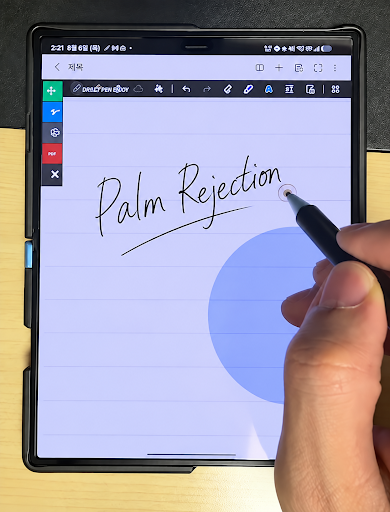
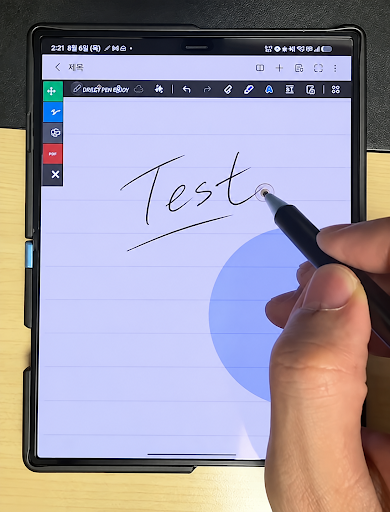
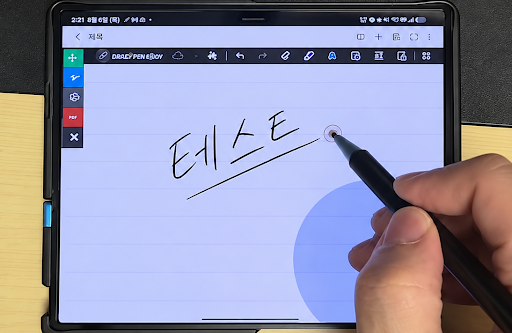
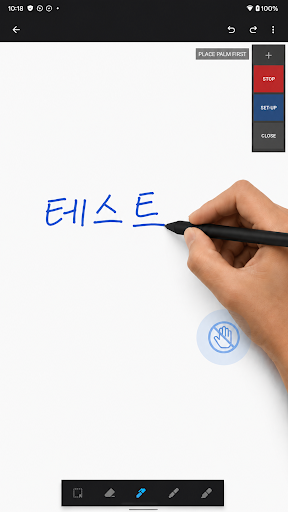
FingerRejector helps reduce unwanted finger touches while writing or drawing with a capacitive stylus. And using a capacitive disc stylus is recommended for optimal writing and drawing.
Due to Android limitations, full palm rejection is not supported. Please avoid resting too much of your palm on the screen.
By blocking touch input within a user-defined area, the app makes it easier to use a capacitive stylus on devices that do not provide dedicated palm rejection.
Key features
Finger touch blocking
Reduce accidental input caused by fingers or the side of your hand touching the screen while writing.
Custom blocking area
Adjust the position and size of the touch-blocking area to match your writing posture and device.
Floating controls
Turn the blocking function on or off quickly while using another app.
Recommended uses
Writing notes with a capacitive stylus
Drawing in sketch or illustration apps
Reducing accidental marks caused by finger contact
Using a stylus on devices without built-in palm rejection
Permission notice
FingerRejector uses the Display over other apps permission to show its floating controls and touch-blocking area above other apps.
This permission is used only to provide the app’s core features. FingerRejector does not read, collect, store, or transmit the contents of other apps or any text you enter.
Important notice
FingerRejector does not replace hardware-based stylus or palm-rejection technology.
Because a capacitive stylus may be detected in the same way as a finger, performance can vary depending on the device, screen, stylus, writing posture, and app being used.
The app does not automatically detect and block the entire palm. It works by limiting touch input within the area selected by the user.
FingerRejector does not collect or transmit personal information.
Mostra altro

1. Scarica il programma di installazione di MEmu e completa l'installazione

2. Avvia il Memu e apri il Google Play sulla homepage

3. Cerca Finger Blocker(Palm Rejection) in Google Play
Install
4. Scarica e installa Finger Blocker(Palm Rejection)
5. Al termine dell'installazione, fai clic sull'icona per avviar

6. Divertiti giocando a Finger Blocker(Palm Rejection) su PC con MEmu
MEmu App Player è il miglior emulatore Android gratuito, utilizzato da 50 milioni di persone per ottenere un'esperienza di gioco Android superba. La tecnilogia di virtualizzazione MEmu ti permette di giocare a migliaia di giochi Android con semplicità sul tuo computer, anche i giochi con la grafica più esigente.
Schermo più grande con una grafica migliore; Lunga durata, senza limitazione di batteria o dati mobili.
Supporto completo per mappa di tastiera per un controllo preciso di tastiera e mouse o gamepad.
Multipli account di gioco o attività su un singolo PC contemporaneamente con il gestore di multi istanza.
Use Finger Blocker(Palm Rejection) on PC by following steps: