FortiToken Mobile
Aggiornata
Versione corrente
6.3.0.0017
Offerta da

Non devi più preoccuparti dei sovraccarichi durante l'utilizzo di FortiToken Mobile sul tuo cellulare, liberati dal piccolo schermo e goditi dell'App su uno schermo molto più grande. D'ora in poi, sperimenta la tua App a schermo intero con tastiera e mouse. MEmu ti offre tutte le sorprendenti funzioni che ti aspettavi: installazione rapida e impostazione semplice, controlli intuitivi, niente più limitazioni di batteria, dati mobili e chiamate fastidiose. Il MEmu 9 nuovo di zecca è la prima scelta per utilizzare FortiToken Mobile sul tuo computer. Codificato con il nostro assorbimento, il gestore multi-istanza consente di aprire 2 o più account contemporaneamente. E soprattutto, il nostro esclusivo motore di emulazione può sbloccare il pieno potenziale del tuo PC, rendendo tutto liscio e piacevole.
Mostra altro
Scarica FortiToken Mobile su PC con MEmu Android Emulator. Divertiti giocando sul grande schermo. FortiToken Mobile è un'applicazione per la generazione di password One Time (OTP) conforme a OATH, basata su eventi e sul tempo per il dispositivo mobile.
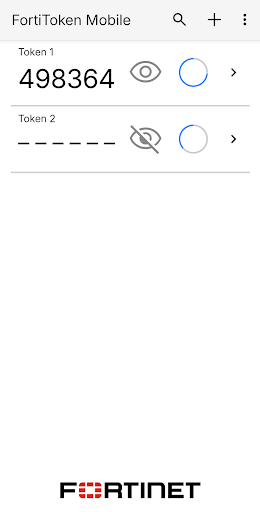
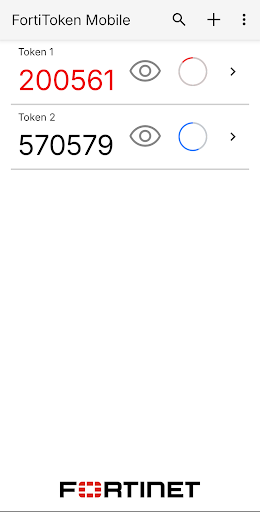
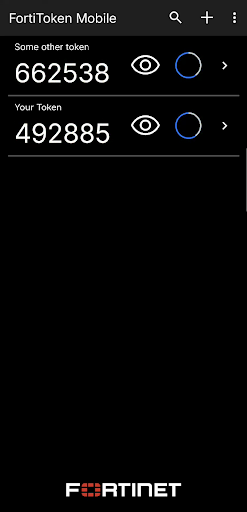
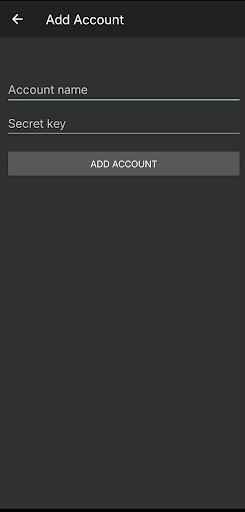
FortiToken Mobile è un'applicazione per la generazione di password One Time (OTP) conforme a OATH, basata su eventi e sul tempo per il dispositivo mobile. È il componente client della soluzione Fortinet altamente sicura, semplice da utilizzare e amministrare ed estremamente conveniente per soddisfare le tue esigenze di autenticazione avanzata. Sarà necessario utilizzare FortiOS, FortiAuthenticator o FortiToken Cloud come server/servizio di convalida OTP.
Privacy e controllo:
FortiToken Mobile non può modificare le impostazioni del telefono, scattare foto o registrare video, registrare o trasmettere audio, né leggere o inviare e-mail. Inoltre, non può vedere la cronologia del tuo browser e richiede la tua autorizzazione per inviarti notifiche o modificare le impostazioni. Inoltre, FortiToken Mobile non può cancellare da remoto il tuo telefono. Qualsiasi visibilità richiesta da FortiToken Mobile è verificare la versione del sistema operativo per determinare la compatibilità della versione dell'app. Informazioni sensibili, come indirizzo e-mail o seed token, possono essere immesse durante l'installazione manuale dei token FortiToken, dei token di terze parti e del trasferimento token.
Sebbene FortiToken Mobile non possa modificare alcuna impostazione senza la tua autorizzazione, le seguenti autorizzazioni sono rilevanti per le operazioni FortiToken Mobile:
• Accesso alla fotocamera per la scansione dei codici QR per una facile attivazione del token
• TouchID/FaceID: utilizzati rispettivamente per la sicurezza delle app.
• Accesso a Internet per la comunicazione per attivare i token e ricevere notifiche push
• "Invia feedback via e-mail", per compilare automaticamente il campo "Mittente".
• Condividere internamente file tra applicazioni per preparare un allegato da inviare via e-mail per "Invia feedback via e-mail"
• FortiToken deve mantenere il telefono attivo durante l'aggiornamento del database interno per evitare il danneggiamento dei dati.
Scaricando e installando FortiToken Mobile, accetti tutti i termini sopra indicati.
Sistema operativo supportato: da Android 5.0 a Android 11.
Mostra altro

1. Scarica il programma di installazione di MEmu e completa l'installazione

2. Avvia il Memu e apri il Google Play sulla homepage

3. Cerca FortiToken Mobile in Google Play
Install
4. Scarica e installa FortiToken Mobile
5. Al termine dell'installazione, fai clic sull'icona per avviar

6. Divertiti giocando a FortiToken Mobile su PC con MEmu
MEmu App Player è il miglior emulatore Android gratuito, utilizzato da 50 milioni di persone per ottenere un'esperienza di gioco Android superba. La tecnilogia di virtualizzazione MEmu ti permette di giocare a migliaia di giochi Android con semplicità sul tuo computer, anche i giochi con la grafica più esigente.
Schermo più grande con una grafica migliore; Lunga durata, senza limitazione di batteria o dati mobili.
Supporto completo per mappa di tastiera per un controllo preciso di tastiera e mouse o gamepad.
Multipli account di gioco o attività su un singolo PC contemporaneamente con il gestore di multi istanza.
Use FortiToken Mobile on PC by following steps: